
Adding Additional Information to an Element
Last updated on 2026-05-27
Overview
Financial data, planning assumptions, and consolidation entries are often complex. Using the Additional information tab, you can add notes and file attachments directly to elements in Consolidation & Financial Planning. This allows you, for example, to clearly document why you made certain adjustments, what assumptions underlie a plan, or which supporting documents are relevant.
Your team members can view this information at any time and build on it.
The content on the Additional information tab in Consolidation & Financial Planning differs from the content on the corresponding tab in Lucanet.Financial Client. This means that the content is only visible in the environment in which it was entered.
Instruction
To add additional information to an element, open the Additional information tab in the element's detail view and click Edit. The tab is displayed as follows, for example:
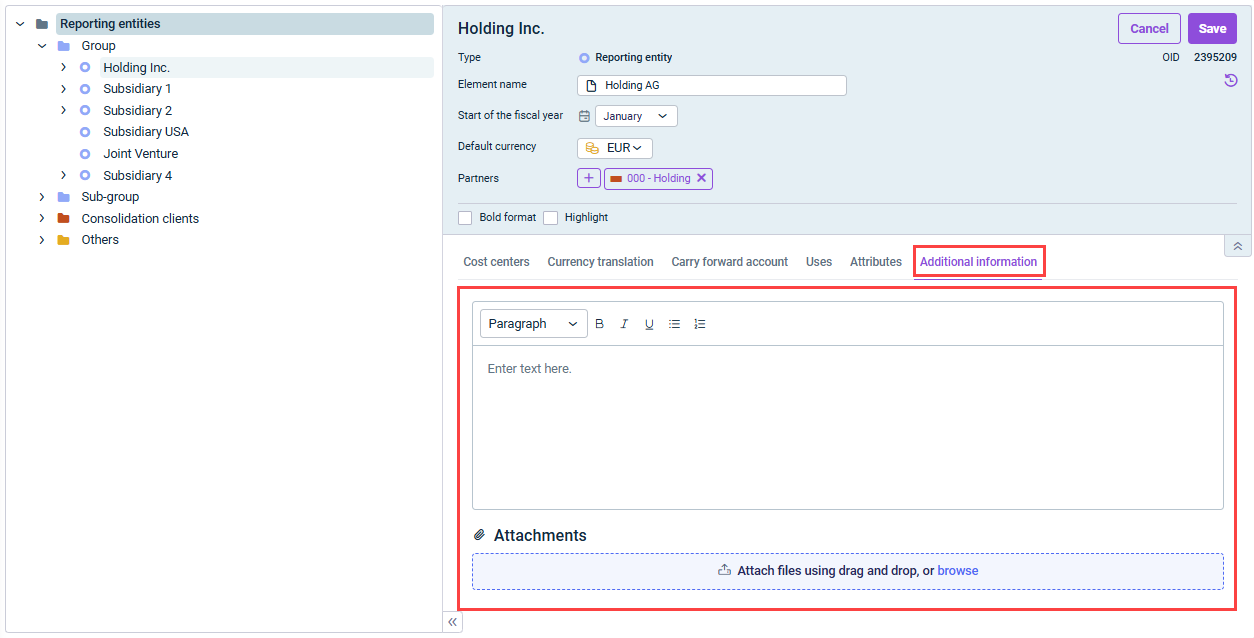 'Additional information' tab
In edit mode, you can add additional information in the form of text using the text editor and/or as file attachments.