
Transfer zum Anteilseigner (Transfer to Shareholder/Partner)
Last updated on 2026-05-15
Overview
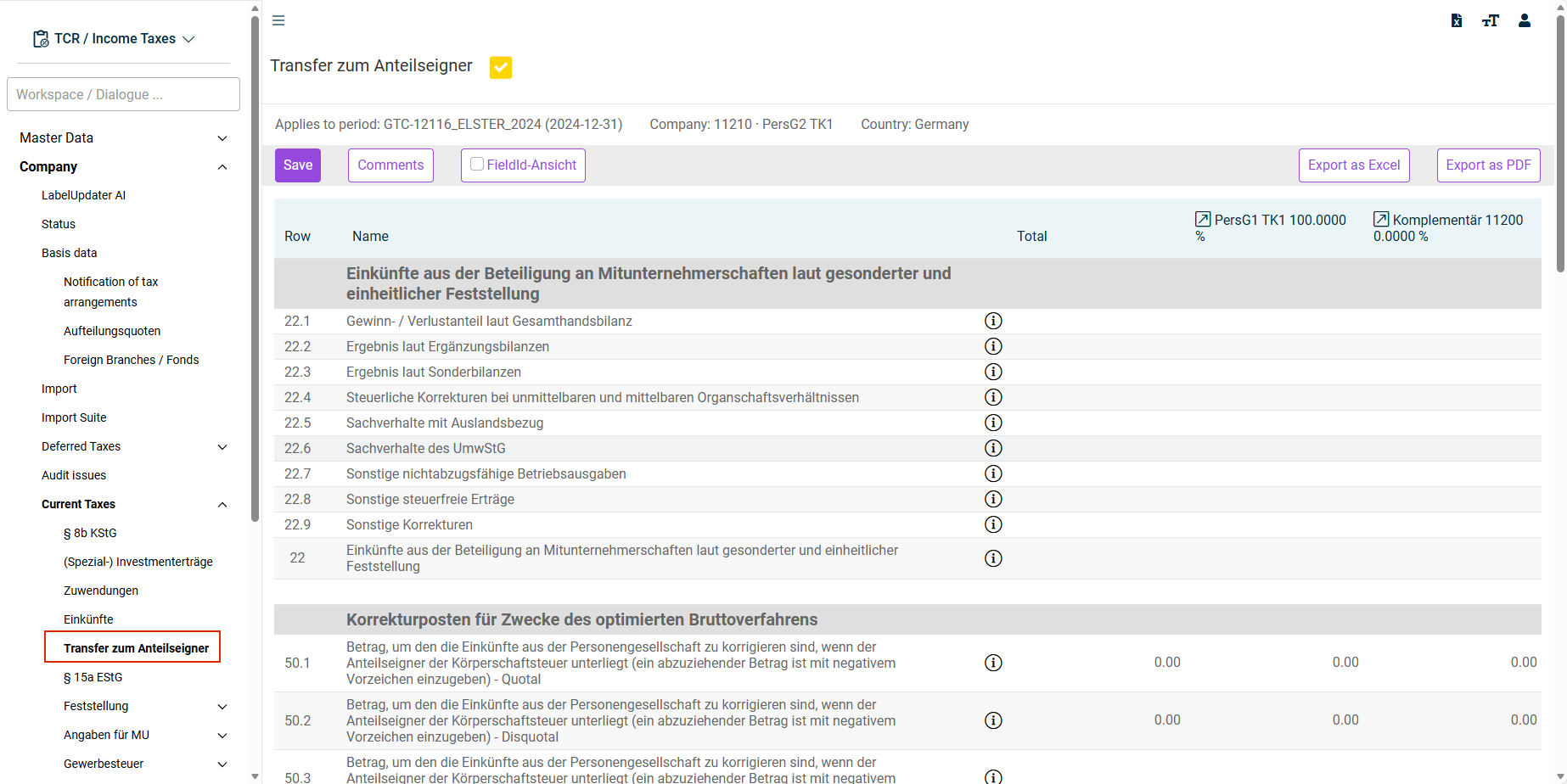
You can view the aggregated data that are transferred to the shareholders of a partnership in the Transfer zum Anteilseigner (Transfer to Shareholder/Partner) workspace. For this purpose, rows 22.1 to 22.9 and row 22 have been included in the Transfer zum Anteilseigner (Transfer to Shareholder/Partner) workspace. These rows represent the tax calculation in the Revenue workspace in abbreviated form and their result corresponds to that of row 30 in the Revenue workspace.
For the purpose of data flow to the shareholder, only entries in the Revenue workspace are therefore drawn on.
This article contains the following sections:
Navigation
You can access the Transfer zum Anteilseigner workspace under Company | Current Taxes | Transfer zum Anteilseigner.
The Transfer zum Anteilseigner workspace is displayed as follows, for example:
Data Flow – Diagram
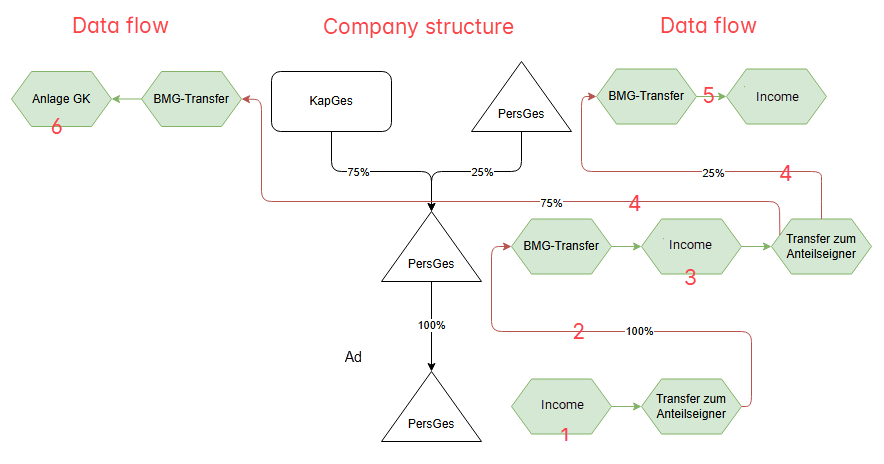
The data flow Revenue – Transfer zum Anteilseigner (Transfer to Shareholder/Partner) follows – in simplified form – the following schema:
Data Flow – Description
The following steps describe the data flow:
Entry of the data for partnership 1 in the Income workspace.
Transfer zum Anteilseigner: data flow from partnership 1 to the shareholders partnership 2 and corporation in the BMG Transfer (TB transfer).
Transfer and, if necessary, further editing of the data in partnership 2 in the Income workspace.
Transfer zum Anteilseigner: data flow from partnership 2 to the shareholders partnership 3 and corporation in the BMG Transfer (TB transfer).
Transfer and, if necessary, further editing of the data in partnership 3 in the Income workspace.
Transfer and, if necessary, further editing of the data in Corporation in the Anlage GK (GK Attachment) workspace.