
Notification of Tax Arrangements
Last updated on 2025-12-17
Overview
In the Notifications of Tax Arrangements workspace, you can enter the reference identifiers for cross-border tax arrangements in accordance with Sections 138d and following of the German Tax Code (Abgabenordnung, AO). For this purpose, the reference identifier of the relevant arrangement must be electronically declared in the corporate income tax return, the business tax return, and the assessment return.
You can enter up to 99 tax arrangements. If no registration number or reference number has been assigned yet, you can enter the tax arrangement in the free text field provided for this purpose. To do so, activate the Tax arrangement without reference identifier (Steuergestaltung ohne Ordnungsmerkmal) check box. The entries are included in the relevant forms and transmitted electronically.
The information is included in the following enclosures when transmitted electronically:
- Annex WA (lines 29a and 29b)
- GewSt 1 A (lines 32a and 32b)
- ESt 1 B (lines 38 and 39)
Please note: Only a maximum of ten entries can be transmitted electronically in appendix ESt 1 B and GewSt 1 A.
This article contains the following sections:
Navigation
The Notification of tax arrangements workspace is opened under Company | Basic data | Notification of tax arrangements. The Notification of tax arrangements workspace is displayed as follows, for example:
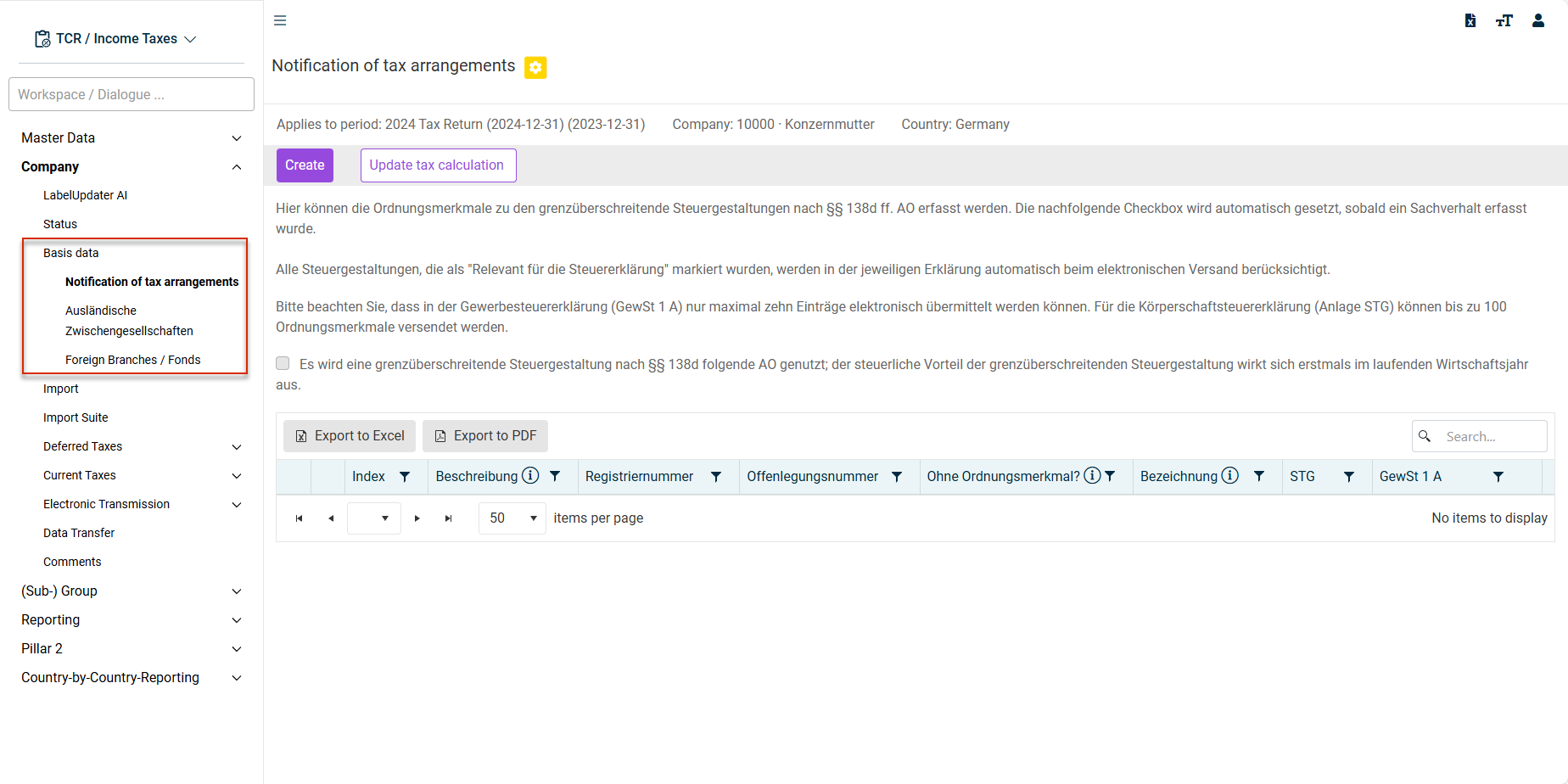
Creating a tax arrangement
The following options are available in the Notification of tax arrangements workspace:
- Click Create. The following area is displayed:
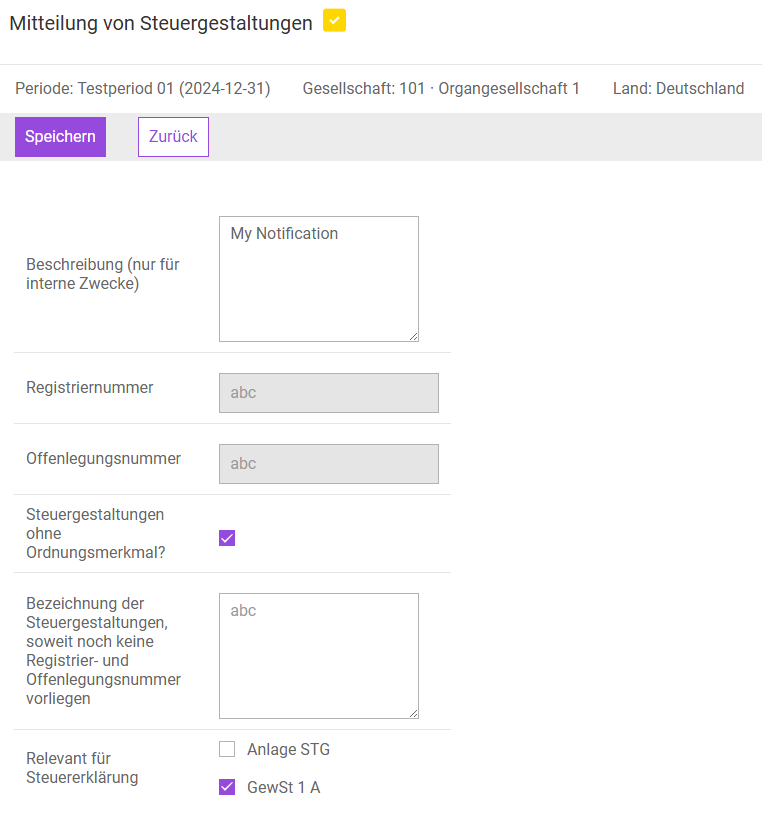 Creating a tax arrangement notification
 - Enter the required data.
- If necessary, activate the desired check boxes for Relevant for tax return.
All tax arrangements marked as Relevant for tax return are automatically included in the respective return when transmitted electronically. - Click Save.
- Click Update tax calculation.
Only the values on the form itself are updated when saving. Therefore, use the Update tax calculation function to ensure that the tax is calculated and transmitted correctly.