



Account or item: Basis: VAT/input tax configuration Cash flow impact Bank account: Do not consider values of subordinate items or accounts with accounting rules:
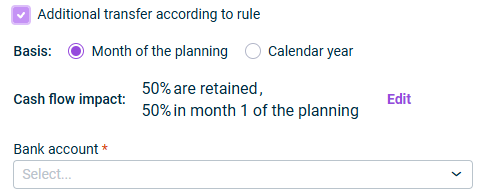
Basis:
Cash flow impact:
Bank account:

- Can be used to add or remove additional periods | |
- Can be used to clear any remaining balance from the selected period | |
- It displays the balance of the account or item whose balance is to be transferred using the wizard. The displayed value represents the balance from the last month of the actual data level. | |
- Calculates the amount to be transferred from the account or item selected in the - If you hover over a cell in this column, a tooltip displays a breakdown of the calculation based on the different accounting rules selected during the configuration step. | |
- For the first month, it calculates the difference between the - For subsequent months, it calculates the difference between the | |
- Manually enter the amount to be transferred for the selected month. You can enter numbers with up to two decimal places; values are rounded from the third decimal (e.g. 0.044 rounds down to 0.04, while 0.045 rounds up to 0.05). You can also use basic mathematical operations: +, -, *, /, parentheses (), the equals sign =, and decimal separators. | |
- Calculates the amount to be transferred from the account or item selected in the |
Last updated on Aug 16, 2023