Come and explore the exciting new features of our solution Lucanet xP&A! We update our CFO Solution Platform on a regular basis to offer you the latest features and improvements.
The versions of all solutions that you are currently using and those of the CFO Solution Platform are displayed when you select About Lucanet from the Help section in the CFO Solution Platform.
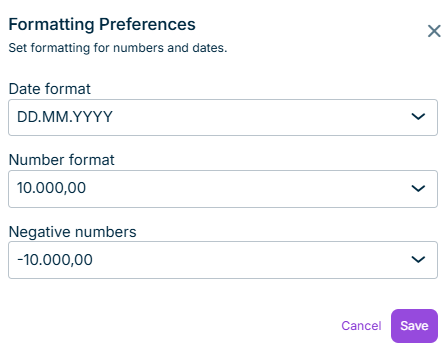
xP&A models now use the number formatting (i.e. the decimal and thousands separators) configured in your platform-wide Formatting Preferences. Previously, xP&A did not take this setting into account.
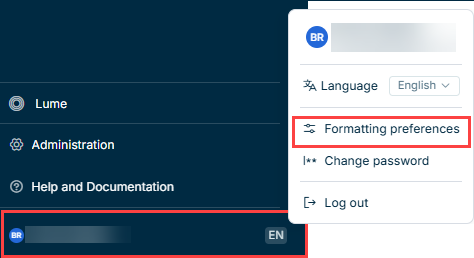
To change your number format, open your user account at the bottom of the main menu and select Formatting preferences:
As part of the new calculation engine rollout, JavaScript formulas and Monte Carlo simulations will no longer be supported after the end of August 2026.
If your models use either of these features, update them before then.
Contact your Customer Success representative if you need assistance.
The new Modeler Agent is now available for Lucanet xP&A. You can use the Modeler Agent to generate a complete planning model from a plain-language description, without manually setting up sections, variable groups, variables, timesteps, aggregations, and formulas. The agent builds the model using the standard xP&A formula language.
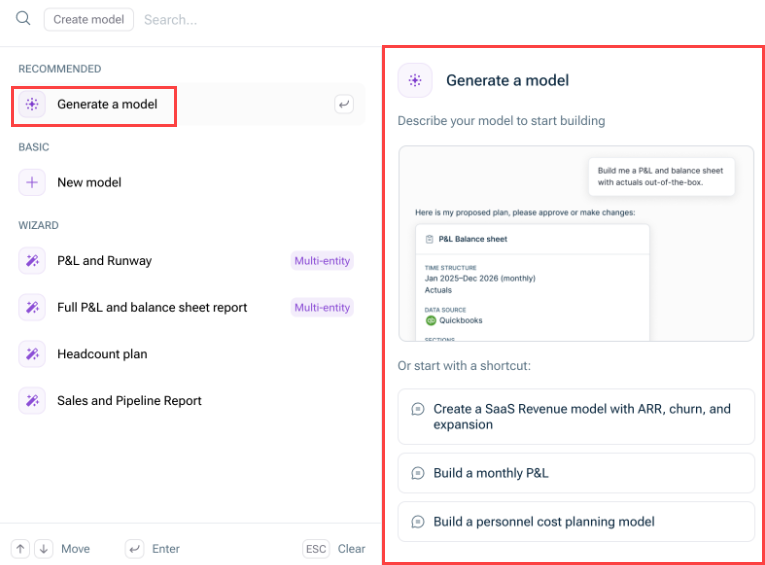
You can open the Modeler Agent during the creation of a new model using the option Generate a model or using Lucanet Lume. To start the agent, simply type in your model description or use a pre-defined prompt:
Generating a new model with the Modeler Agent
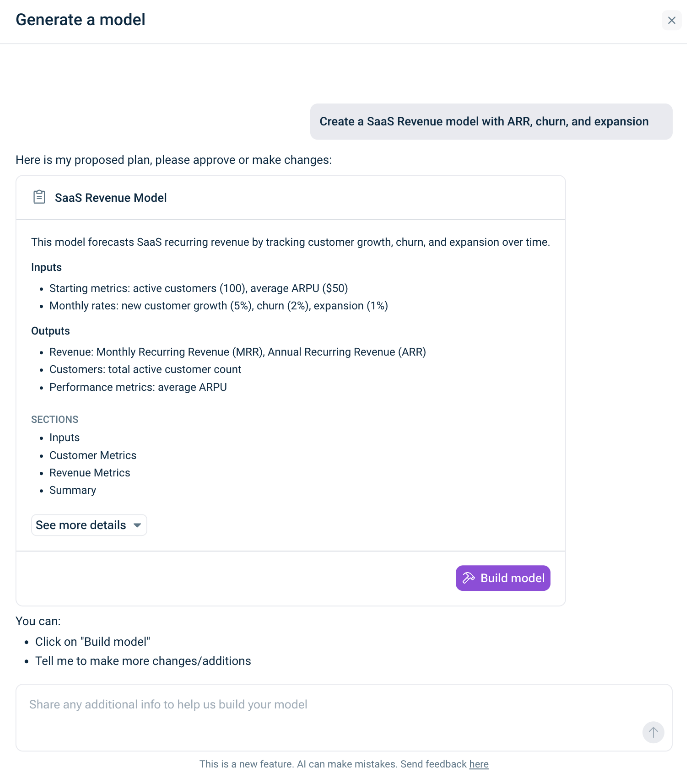
The Modeler Agent then comes up with a proposal for building the new model which you can accept or adjust as needed:
Example for a proposal of the Modeler Agent
After generation, the model behaves like any standard xP&A model: all cells are editable, all formulas are visible and modifiable, and you can add, rename, or remove sections, variable groups, and variables.
The Modeler Agent is designed for creating a new model. To repair formulas or cells in an existing model, use the function Fix with AI instead.
Connections to reports from Consolidation & Financial Planning and data sources are not yet supported by the Modeler Agent.
We are rolling out a new calculation engine across xP&A over the coming weeks. You don't need to do anything — the switch happens automatically, and your models, formulas, and data stay exactly as they are.
Benefits of the new engine
Faster model load times — even on large, complex models
Snappier value entry — less waiting after each input
Smoother real-time collaboration — fewer delays when multiple people are working in the same model
How will I see that I am on the new engine?
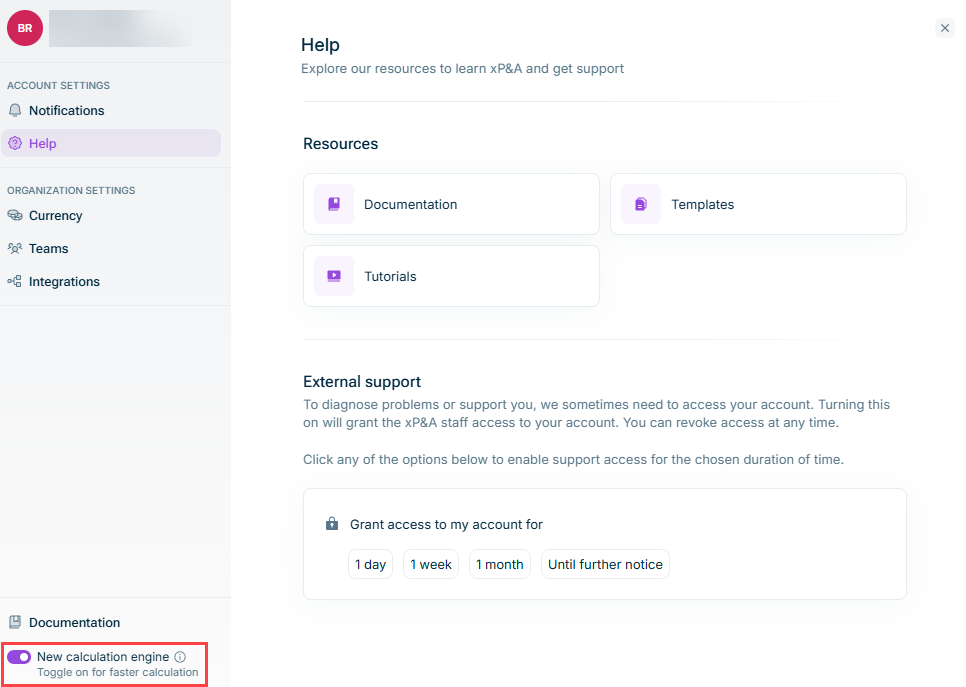
Once you are switched to the new engine, you will see a toggle in your profile settings that lets you confirm which engine you are on.
Need to switch back?
If anything feels off after the upgrade, you can toggle back to the previous engine yourself under Settings | New calculation engine at any time. There is no need to contact support first.
New calculation engine toggle in the settings panel
This content was generated using AI and reviewed by Lucanet subject matter experts before publication.