
Displaying Aggregated Responses During Data Collection
Last updated on 2025-12-17
Overview
During the data collection phase of an ESG report, you as an ESG Administrator are able to monitor the aggregated responses of all assigned reporting entities.
Navigating to Aggregated Responses
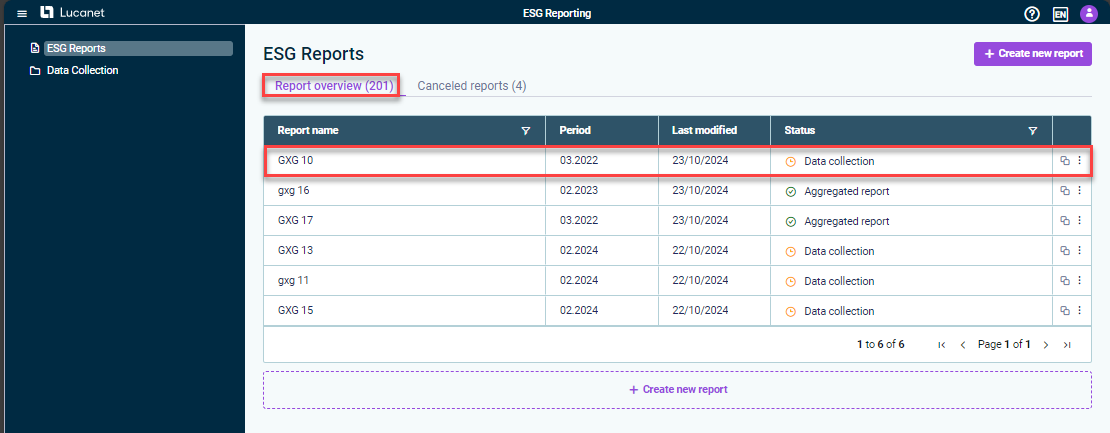
To open the aggregated data for a given ESG report, navigate to the Report overview tab in the ESG Reports workspace. Open the desired ESG report.
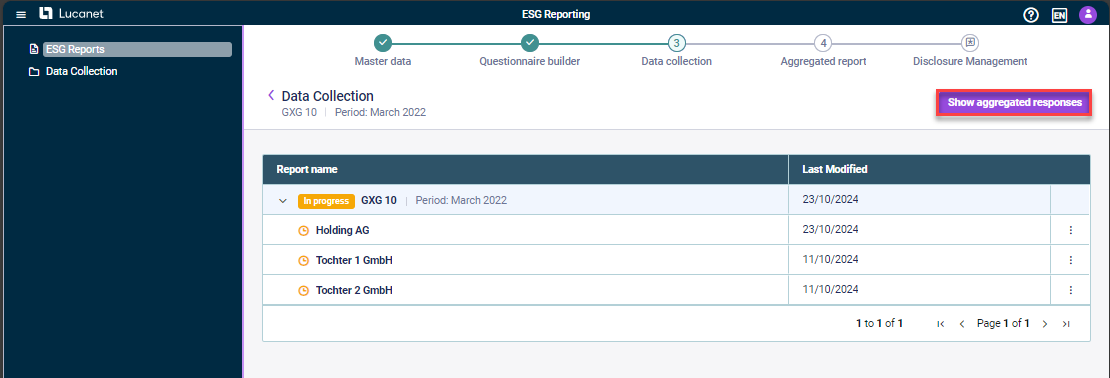
On the subsequent overview, click Show aggregated responses.
Status Icons in Aggregated Responses
When viewing the aggregated responses for an ESG report during the data collection phase, status icons indicate the completion status of each question across all reporting entities:
Status
Description

Completed by all reporting entities, i.e. all reporting entities have activated the Mark as completed check box for the question.

In progress, i.e. one or more reporting entities have not activated the Mark as completed check box for the question.