
CoA Company
Last updated on 2025-07-11
Overview
The balance sheet structure maintained in the CoA Group area essentially serves as the basis for the B/S comparison of all created companies. In the CoA Company workspace, this structure can be individually extended for single companies:
- In the CoA Company workspace, the structure from the CoA Group workspace is displayed.
- It is not possible to delete or edit existing balance sheet positions. However, it is possible to extend each lowest balance sheet position by adding a single-level breakdown. These new, unit-specific balance sheet positions must always be assigned to a superior group balance sheet position.
This article contains the following sections:
Navigation
The CoA Company workspace belongs to the function area Master Data and is, for example, displayed as follows:
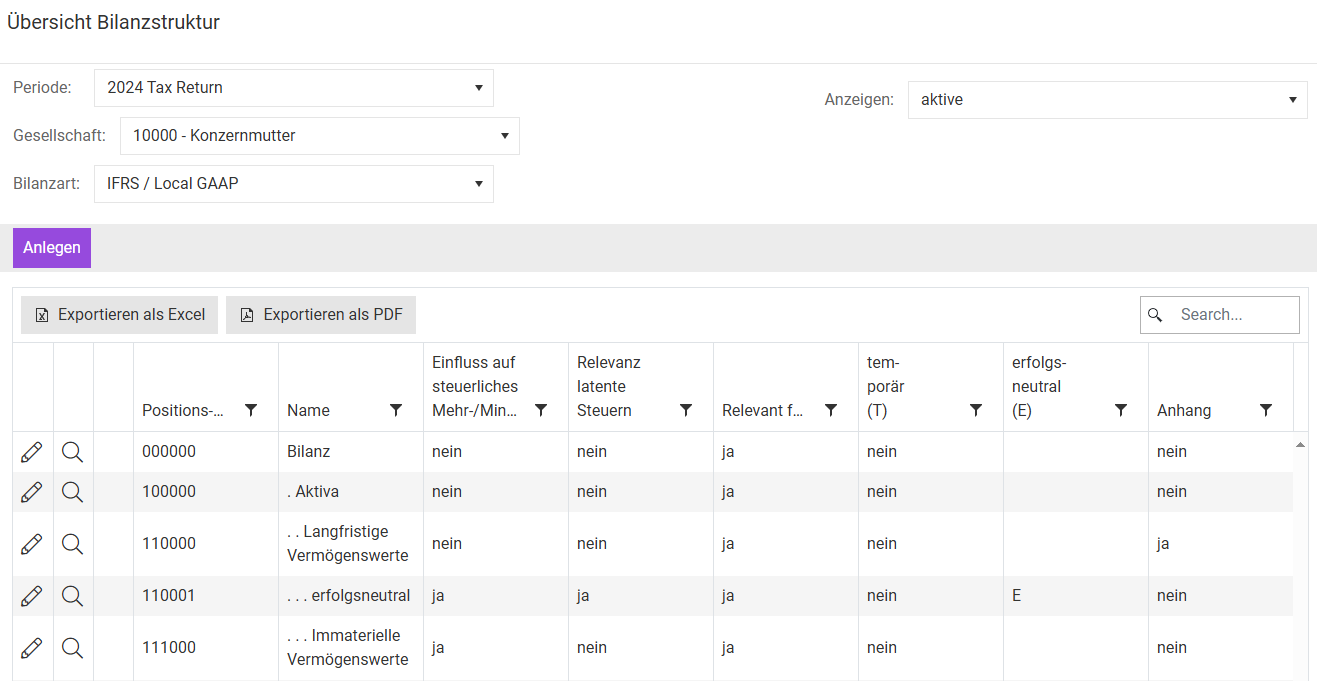
Creating and Administrating Balance Sheet Positions
Click Create to add a new balance sheet position. The input mask is then displayed as follows:
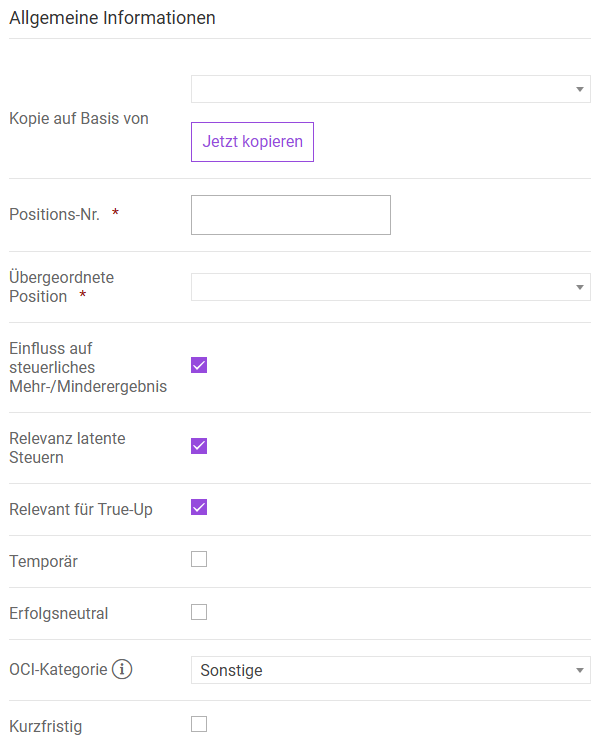
These details must be stored for each balance sheet position that represents an input position. Input positions are subordinate to superior account positions. For example, technical plants and machinery are entered as input positions under the superior account position Property plant and equipment .
With the exception of Account ID and Superior account position, enter the Information in the input mask as described in CoA Group in the section Creating and Maintaining Balance Sheet Position. Please specify the following for Account ID and Superior account position:
Option
Description
Account ID
An individual account ID must be assigned for each balance sheet position. The account ID can no longer be edited afterwards and is also no longer available after the balance sheet position is deleted.
The name of the balance sheet position is not entered in this field. This only takes place after the creation in a subsequently displayed table area on the right side.
Superior account position
Only the lowest hierarchy level of the balance sheet structure from the CoA Group workspace can be selected as a superior account position; in other words, adjustments are limited to a single-level breakdown. The selection list contains only balance sheet positions that meet this criterion.
Mapping
If balance sheet positions that were created in the prior period are deleted in the current period, a mapping can be used to ensure that the correct change in deferred tax is determined for each balance sheet position for reporting purposes. For this purpose, non existing balance sheet items from the previous period are assigned to a current balance sheet item.
To do this, click on Mapping in the Balance Sheet Company workspace. For more information about the general range of functions, see CoA Group in the Additional Functions section. In the mapping function in the CoA Company workspace, you can also assign company-specific accounts that were included in the previous period and have been deleted in the current period to a current balance sheet item.