
Repeat the above steps for each model whoose output data you want to import into Consolidation & Financial Planning.
Creating a Data Export in xP&A for Transfer to CFP
Last updated on 2026-05-07
Overview
Before data from xP&A can be transferred to Consolidation & Financial Planning, an export containing the desired data needs to be created in xP&A for each model.
Instruction
To create and configure an export of the data you want to transfer to CFP in xP&A per model, proceed as follows:
In the model you want to export the data from, click the Settings button  and navigate to the Export and download section.
Click + to create a new export and configure the steps in the New export dialog as follows.
Configure the Export defintion:
- Give the export a clear name that matches the model (e.g. "Sales forecast").
- Choose the export type Raw.
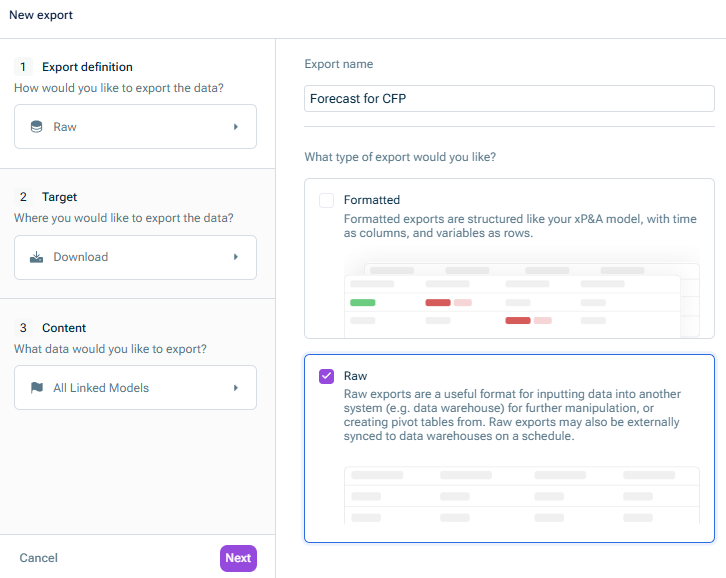
Configure the Target:
- Under Export target, keep the Download preselection
- Under Export output, choose Parquet.
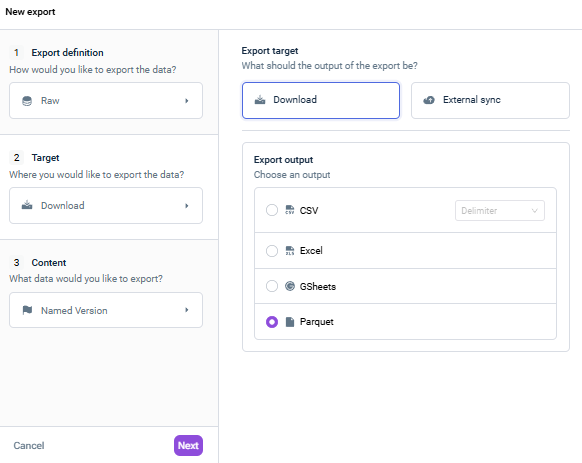 Configuring the export target
Configure the Content:
- Choose what data you want to export: All values, a specific View, or a named Version.
If you work with specific planning versions (e.g. "Forecast 1+11"), choose Version and select the relevant one. This is required when you need to map different versions to different data levels in CFP. - Under Additionally exported columns, select at least the columns Variable ID and Scenario. You can optionally activate Cell location if you want to drill down from CFP to the data in xP&A.
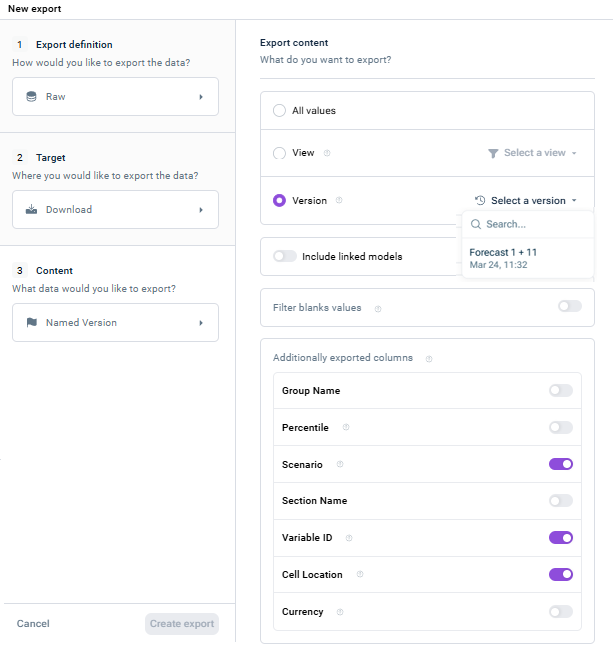 Configuring the export content
Click Create export.
The export is created and displayed in the Export and download section:
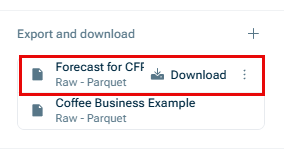
The export can now be accessed by Consolidation & Financial Planning using the script Lucanet xP&A #3700-xP&A.SQL.FOS.