
Differences
Last updated on 2026-03-23
Overview
In the Differences workspace, users can configure an evaluation of deferred taxes. The report is based on the B/S Comparison workspace from the Income Taxes area Company and can be transferred to an Excel view. In addition to deferred taxes, the corresponding gross differences are also displayed.
This article contains the following sections:
Navigation
The workspace Differences is opened via Reporting | Differences.
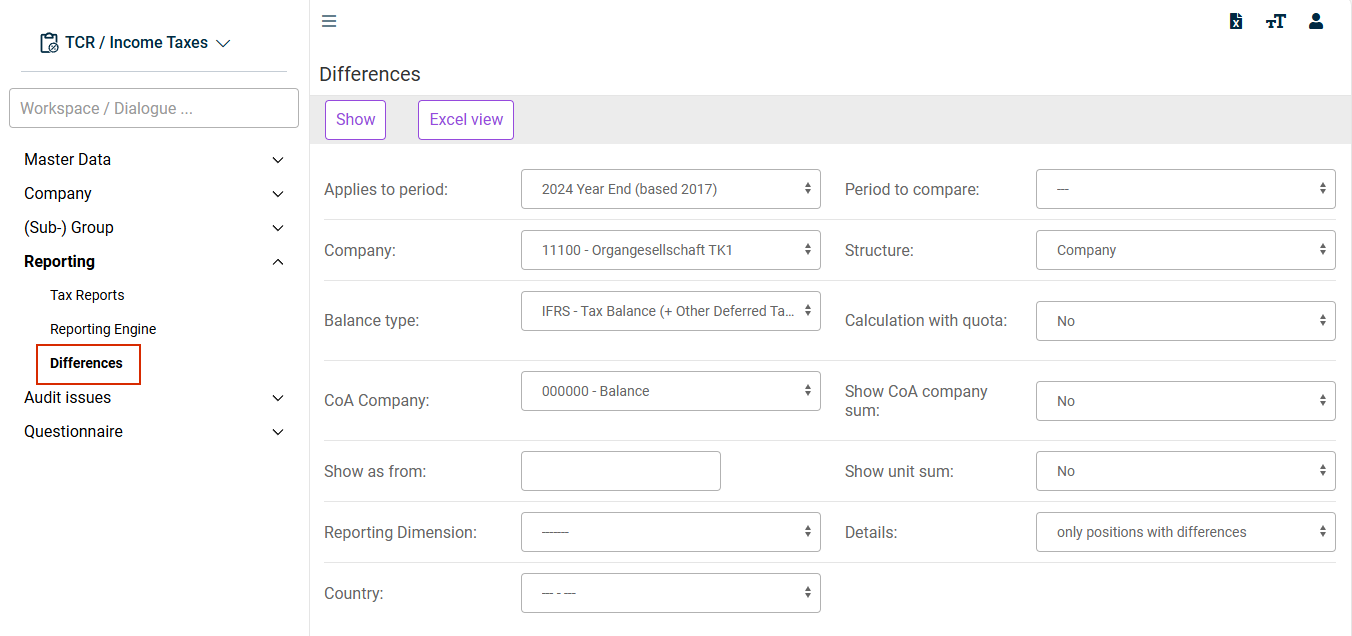
The Differences workspace is displayed as follows, for example:
Report Configuration
The Differences report is based on the selected options. The individual settings are described in the following table. The following options are available:
Option
Description
Applies to period
A reporting period must be specified, it defines the period to be analyzed
Company
The company must be specified. Depending on the selected parameter Structure, the tax group or sub-group is evaluated based on this, for example.
Balance type
The balance sheet type defines the level of the balance sheet differences under consideration. E.g. it can be specified whether the level IFRS - Tax balance or Local GAAP - Tax balance should be included in the analysis.
CoA Company
By selecting a CoA Company, the differences under consideration can be (optionally) restricted.
Show as from
In this input field, you can set a limit for the differences to be displayed. Balance sheet items for which the balance sheet difference falls below the limit are not displayed in the report.
If the field is left blank, all differences other than 0.00 are displayed.
Reporting Dimension
A reporting dimension can be selected (optionally). The selection list is based on the Reporting Dimension workspace of the period chosen above.
Country
A country can be selected (optionally). The selection list is based on the Countries workspace of the period selected above.
Period to compare
The list of periods to compare contains all periods created in Income Taxes. Specifying a comparison period is optional.
Structure
Five display options are available. This parameter applies only to companies for which the user is authorized.
Company: Only the selected company is displayed.
List: All companies recorded in the master data are displayed. The list is based on the selected period.
Group structure: Available for companies that are defined as (sub-)group in the master data. If you select this option, you must select the corresponding company.
Tax group structure: Available for companies that are defined as tax group parent in the master data. If you select this option, you must select the corresponding company.
Tax group structure + Partnership companies: See description of tax group structure.
Calculation with quota
Specifies whether calculations are to have a quota.
Show CoA company sum/Show unit sum
Specifies whether the sum is to be calculated for each CoA company item or per unit.
Details
Allows further restrictions in the report.
Displaying Report
Click Show to start displaying the report based on the selected criteria.