
Fast Entry
Last updated on 2026-04-16
Overview
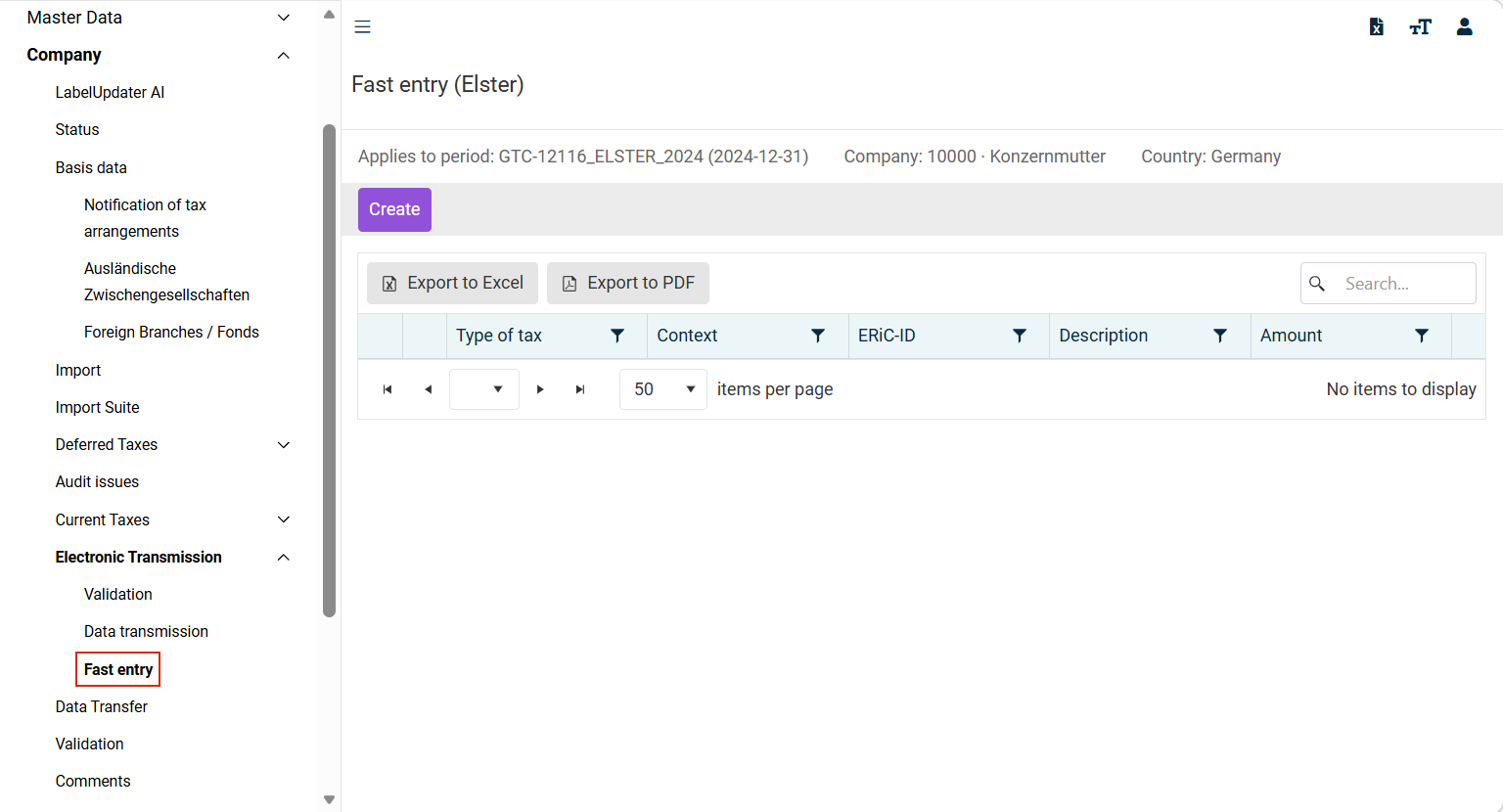
Additional values for the purpose of the tax return can be entered in the Fast entry workspace, based on what are referred to as ERiC IDs. This ensures that all rows of the forms can be submitted – including those that may not yet be available in Income Taxes.
This article contains the following sections:
Navigation
The Fast entry workspace is opened under Company | Electronic Transmission | Fast entry. The Fast entry workspace is displayed, for example, as follows:
Options
The following options are available:
Option
Description
Create
Opens the following workspace, where you can configure the fast entry:
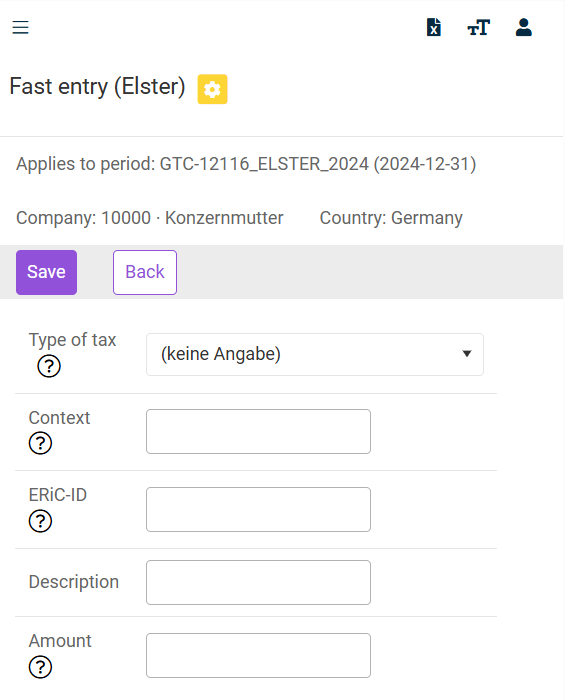
Contexts and ERiC-IDs are not published by the tax authority in general, but are passed on exclusively to software developers. To use fast entry, you can request the required contexts and ERiC IDs from Support.
The following options must be configured:
- Type of tax: Select the required tax type from the drop-down list. The tax type is relevant only for corporate income tax.
- Context: Enter the context. The required context can be requested from Lucanet's support.
- ERiC-ID: Enter the ERiC ID for the form field in which data are to be entered individually. You can request the required ERiC ID from Lucanet's support.
- Amount: Enter the amount to be submitted to the tax authority here. Enter delete instead of a value if the amount is to be deleted or removed from the data submission.