
Report DT
Last updated on 2026-03-11
Overview
The Report DT in the (Sub-) Group area aggregates the deferred tax balances of the subordinate or dependent companies per balance sheet position.
This article contains the following sections:
Navigation
The Report DT workspace is opened under (Sub-) Group | Reports | Report DT.
The Report DT workspace is displayed, for example, as follows:
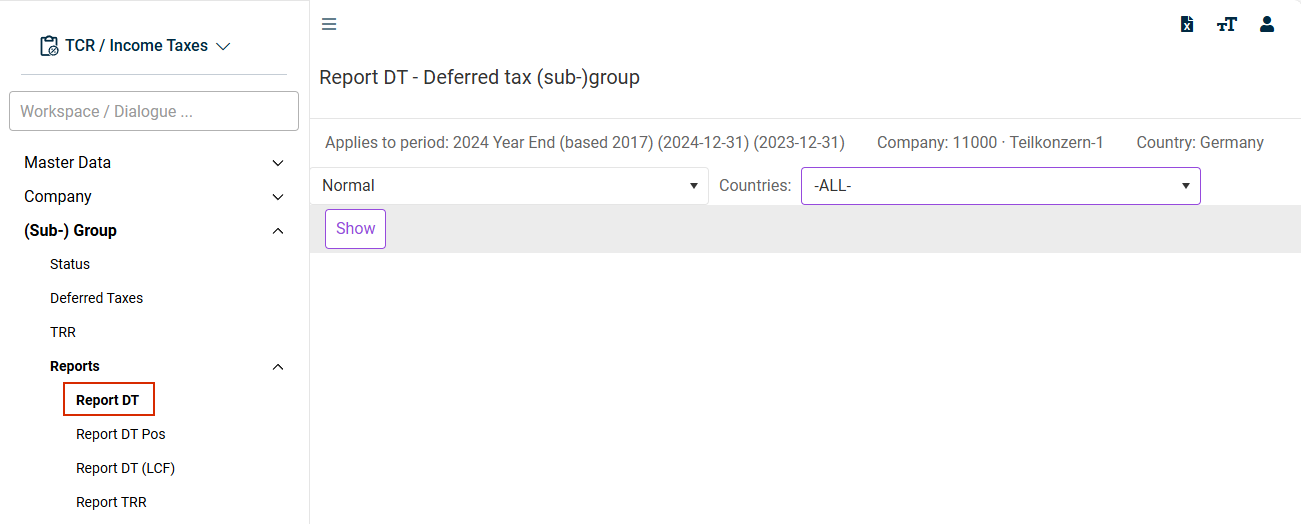
The report is only displayed for companies for which the check box (Sub-) Group is activated in the master data in the Companies workspace.
Configuring Display
If required, the view can also be restricted to companies in specific countries. The report also distinguishes the maturity of the individual balance sheet positions and can be used as a disclosure pursuant to IAS 1.61 / 12.81g.
The structure of the condensed balance sheet in the Report DT is based on the settings in the master data workspace CoA Group. Only (parent) positions for which the Disclosed major class of deferred tax attribute is activated are displayed in the Report DT. In case of an incorrect configuration, this can therefore result in a discrepancy between the deferred taxes displayed in the Report DT workspace compared to the Summary workspace (see validation line at the end of the report).
Basically, the structure of the workspace corresponds to the Report DT at the single company level. A special feature is that at the (sub-)group level, offsetting of tax group members is taken into account. In the case of income tax groups, offsetting of deferred tax assets and deferred tax liabilities of the tax group members only takes place at the level of the tax group parent. This requirement is taken into account in Income Taxes.
A validation is performed in the bottom line of the workspace (values must equal zero).
The Report DT is reconciled with the Deferred Taxes workspace. For this purpose, the Deferred Taxes workspace must be saved at least once.