Workflow Bot
Last updated on 2026-05-13
Overview
The Workflow bot is an innovative function designed to help companies improve their efficiency in financial reporting and focus on their core competencies. The Workflow bot helps you to meet compliance requirements by simplifying and automating your work steps.
A practical use case is importing values without any additional manual input. The Workflow bot can also save time by completing the tax calculation after only a few values had to be adjusted due to tax audits. This function also supports the transfer of proposed values and the automatic completion of milestones.
In this chapter, we will show you how to configure and use this function to benefit from the numerous advantages the Workflow bot has to offer.
This article contains the following sections:
Creating a Workflow Bot
The workflow bot is set up under Master Data | Interfaces | Structure. Up to three different variants of the workflow bot can be created. A distinction is made with the Materiality attribute.
To create a workflow bot:
- Navigate to Master Data | Interfaces | Structure.
- Click Create. The configuration is displayed:
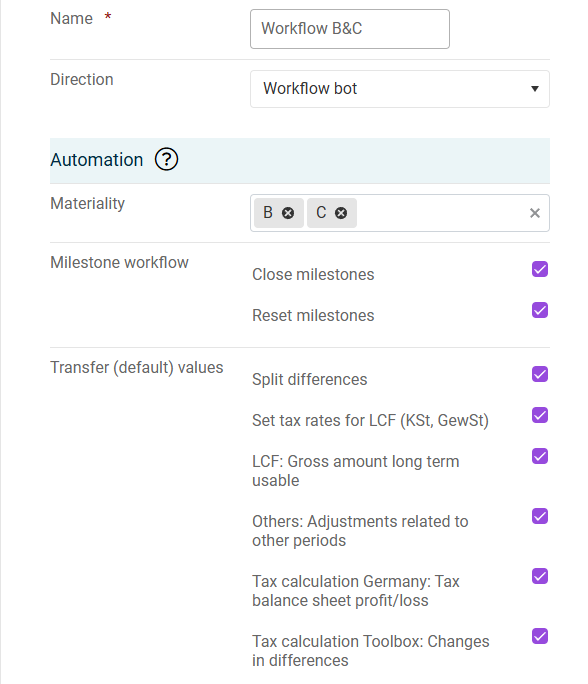
Configuring a workflow bot - Configure the workflow (see section Configuring a Workflow Bot)
Configuring a Workflow Bot
Option
Description
Name
The name of the configuration.
Direction
Select Workflow bot in the drop-down list.
Materiality
One or more values; permitted values are A, B, or C.
The materiality can be found in the information on the company under Master Data | Companies.
Milestone workflow
Close milestones
Milestones are set to the finished status after a successful import
Reset milestones
Milestones for the import are reset to the in process status
Apply proposed value
Depending on which check boxes are activated, the corresponding proposed values are adopted or the differences in the B/S Comparison function area are distributed automatically.
Using the Workflow Bot
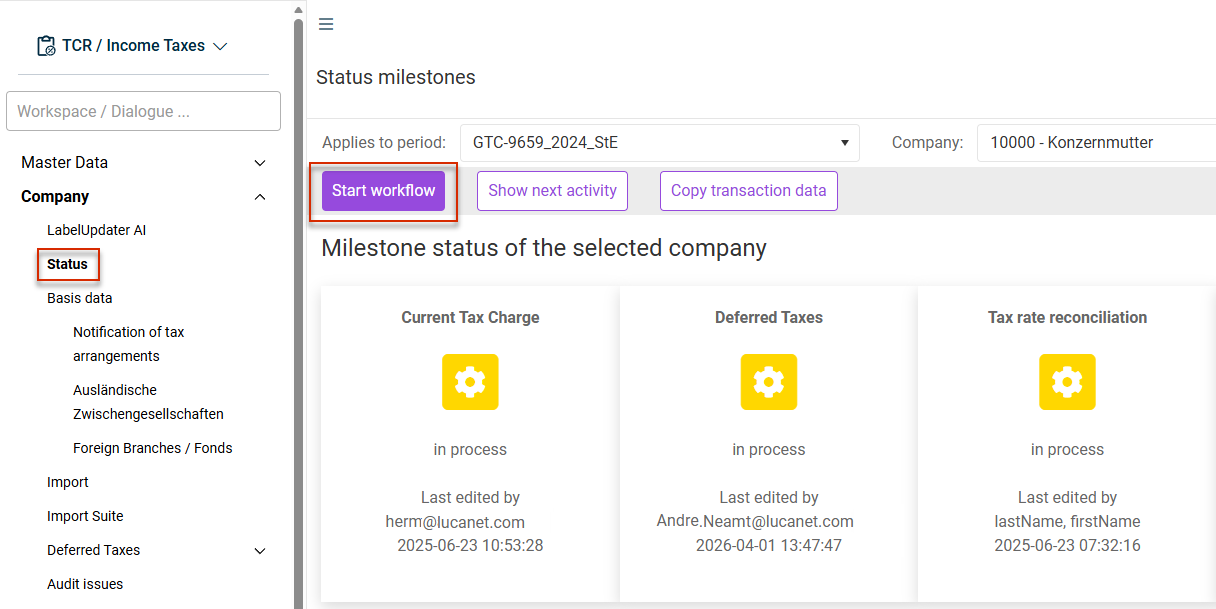
The Start workflow button is available in the Status workspace under Company if the materiality of the company matches the configured workflow bot and the editing of the company has begun.