
Administration
Last updated on 2025-07-16
Overview
In the Administration workspace, you can view and maintain basic system settings of Income Taxes.
The settings in the Administration workspace are generally defined once by Lucanet as part of the product’s implementation. If changes are necessary, we recommend either having them executed directly by Lucanet, or consulting with Lucanet first.
This article contains the following sections:
Navigation
The Administration workspace can be found under Master Data | Administration.
The Administration workspace is displayed as follows, for example:
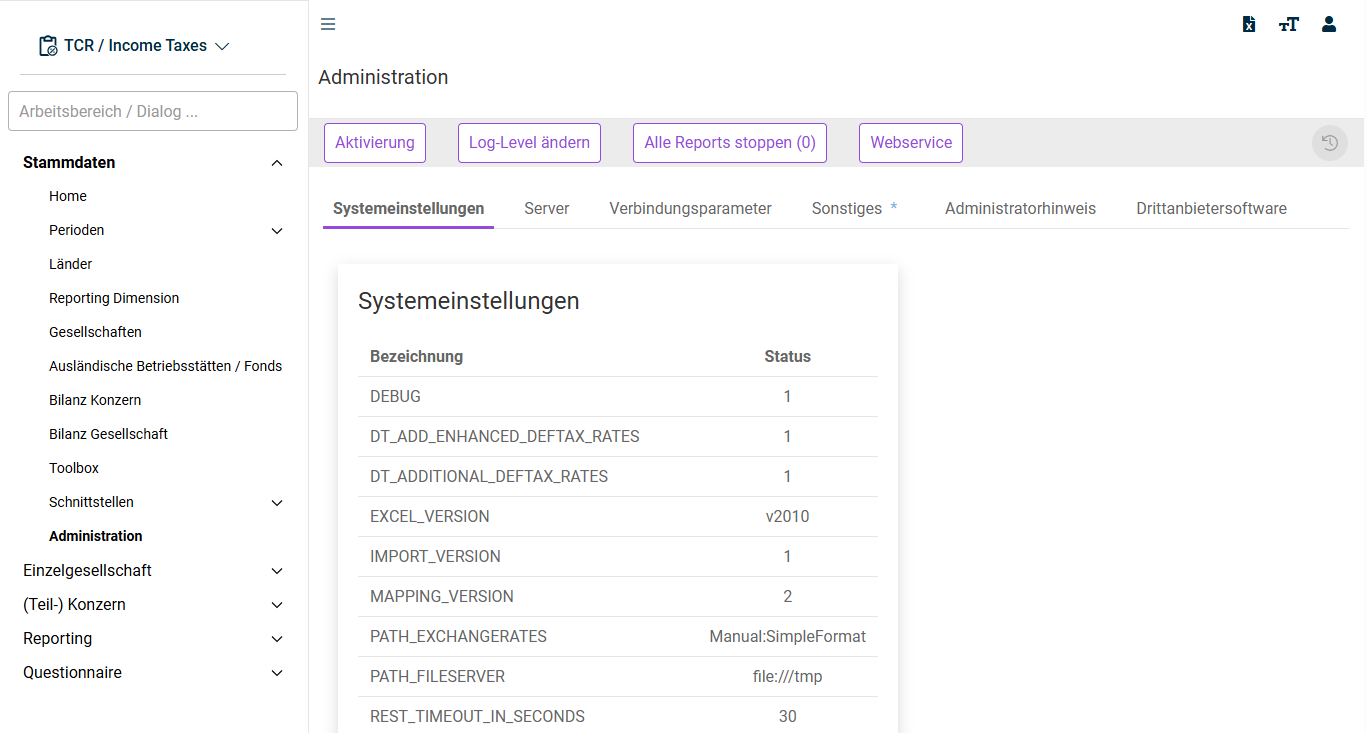
Options in the 'Administration' Workspace
The following options are available in the Administration workspace:
Option
Description
Activation
Opens an area in which Income Taxes can be activated or deactivated:
After you purchase a module, you will receive an activation key from Lucanet. Copy the activation key into the Activation-Key field and then click Activate.
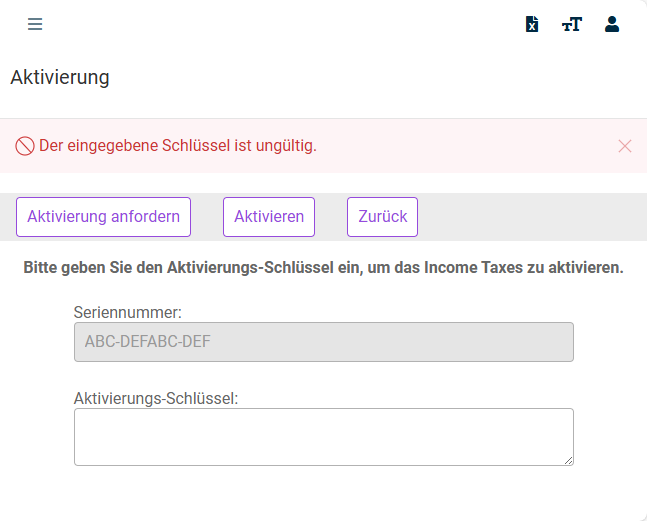
Request activation: Opens your e-mail program with a standard text to request a new activation key.
Log-Level change
Opens an area where you can adjust the log levels of individual loggers. For example, it is possible to set individual loggers to the DEBUG level in order to obtain more information in the event of a problem.
Stop all reports
Cancels all ongoing reports in Report Engine.
Web service
Opens an overview with all supported SOAP web service interfaces.
'System Settings' Tab
On the System settings tab, you can view the current system settings and specify file types that are allowed and not allowed.
'Server' Tab
On the Server tab, the server's configuration files are displayed. The configuration files can also be downloaded.
'Connection Parameters' Tab
On the Connection parameters tab, you can specify the parameters for interfaces to external systems. The following interfaces are available:
Category
Description
SAP RFC (flexible)
Here, data from an SAP system can be imported using a flexible RFC module. The structure is variable.
REST service
This connection parameter integrates external systems via REST interfaces. This includes, for example, the transmission of data to tax authorities as well as imports into Income Taxes.
REST keystore
Encrypted data transmissions of REST services (interfaces over TLS or with client authentication) are configured here. Both the truststore and the keystore are configured in this way.
'Miscellaneous' Tab
On the Miscellaneous tab, language-specific revaluation surpluses, LCF (Losses carried forward), and reporting dimensions can be created. In addition, elements that have already been created are displayed with their respective IDs.
'Administration Hint' Tab
On the Administration hint tab, you can specify the text to be displayed on the starting page (Home) of Income Taxes.
'Third-Party Software' Tab
On the Third-party software tab, it is possible to download the third-party JavaScript software used.