
KapEStA
Last updated on 2026-05-15
Overview
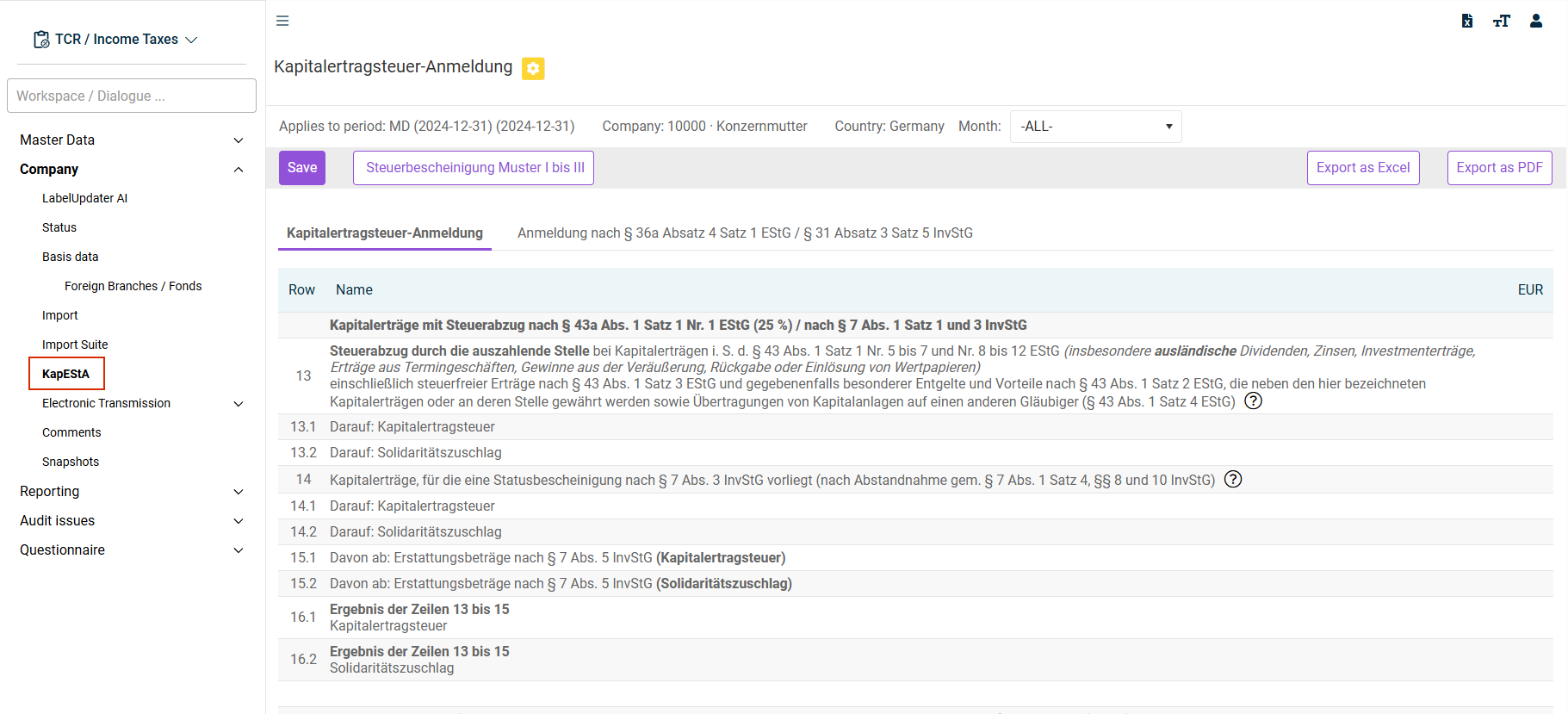
The Kapitalertragsteuer-Anmeldung (KapEStA) (Capital Gains Tax Return (KapEStA)) module contains the KapEStA (Capital Gains Tax Return) workspace used to edit the return data. The structure of the workspace follows the layout of the official KapEStA (capital gains tax return) form template.
This article contains the following sections:
Activating the 'Kapitalertragssteuer-Anmeldung (Capital Gains Tax Return)' Module
The Kapitalertragsteuer-Anmeldung (Capital Gains Tax Return) (KapEStA) module is an add-on module and therefore not part of the standard delivery. The module is activated in general by a system configuration performed by Lucanet.
After activating the module, a field used to activate/deactivate the functions is added to the period settings in the master data.
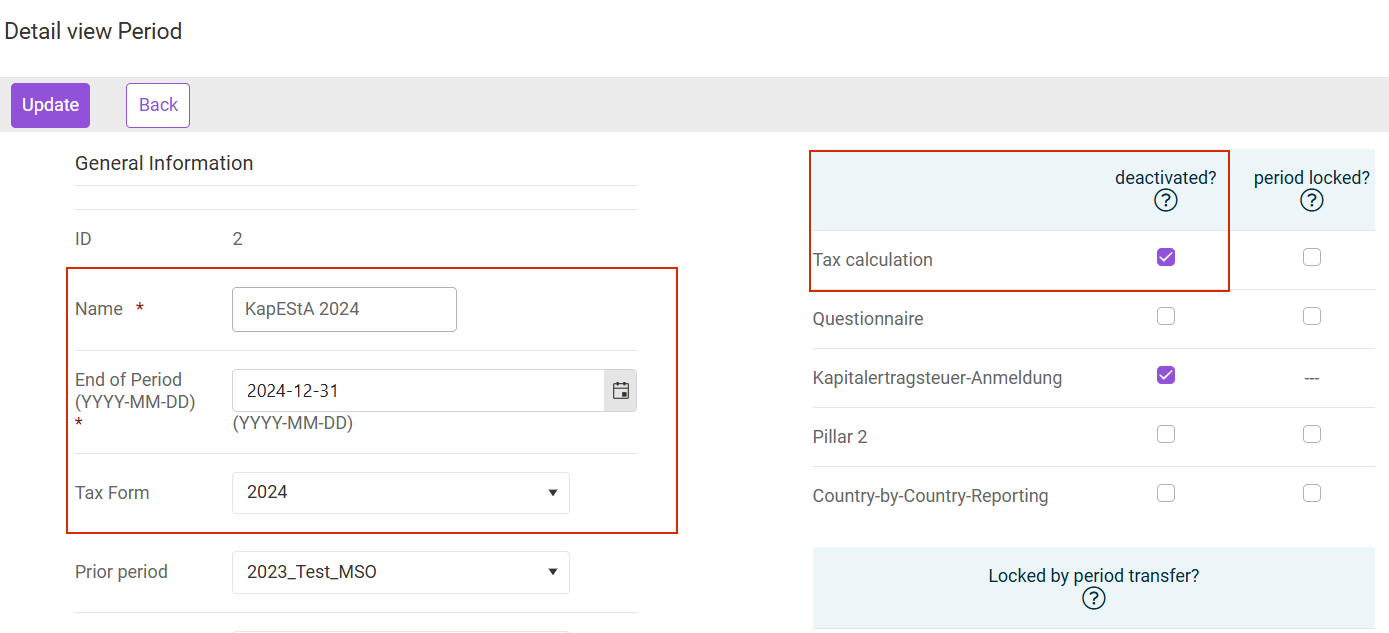
The KapEStA function is activated by default in each period. To deactivate it for individual periods, the deactivated? check box must be activated in the master data for the period under Kapitalertragsteuer-Anmeldung (Capital Gains Tax Return).
Creating a KapEStA Period
Lucanet recommends creating a separate period in Income Taxes for the return of capital gains tax. This period is intended solely for entering and submitting capital gains tax returns.
When creating it, make sure the Tax Form option is chosen to match the return period.
Also deactivate the Tax calculation deactivated check box to hide the tax calculation in the KapEStA period.
Navigation
The KapEStA workspace is opened via Company | KapEStA.
The KapEStA workspace is displayed, for example, as follows:
Options
The following options are available in the KapEStA workspace:
Option
Description
Month
In the KapEStA workspace, data can be maintained for each month individually. To do this, the relevant month can be chosen from the Month drop-down list.
-ALL- contains the totals from all months.
To enter data, the return month must be chosen.
Tax certificate templates I to III
Download a template for a tax certificate
Save
Saves the entered data
Export as Excel/as PDF
Exports the workspace to an Excel spreadsheet or PDF document.
Tabs in the 'KapEStA' Workspace
The data are entered on two separate tabs:
'Kapitalertragsteuer-Anmeldung (Capital Gains Tax Return)' Tab
You can enter the regular capital gains tax return pursuant to section 50 and section 53 (3) of the Investment Tax Act on the Kapitalertragsteuer-Anmeldung (Capital Gains Tax Return) tab:
- This covers all data on distributions, income equivalent to distributions, and capital gains
- There is one exception: rows 35 and 36 are entered on the second tab.
'Kapitalertragsteuer nach § 36a Absatz 4 Satz 1 EStG / § 31 Absatz 3 Satz 5 InvStG (Capital Gains Tax pursuant to section 36a (4.1) of Income Tax Act / section 31 (3.5) of Investment Tax Act))' Tab
On the Anmeldung nach § 36a Abs. 4 EStG / § 31 Abs. 3 Satz 5 InvStG (Return pursuant to section 36a (4) of Income Tax Act / section 31 (3.5) of Investment Tax Act) tab, you can enter the subsequent collection of capital gains tax if no tax deduction was made for certain domestic dividends or previously withheld tax was refunded:
- Row 35: end date of the fiscal year
- Row 36: amount of the affected capital gains (gross amount) and the capital gains tax to be subsequently collected
- Zerlegung der Kapitalertragsteuer (sofern die Voraussetzungen erfüllt sind) (Decomposition of capital gains tax (if conditions are met)): allocation of the capital gains tax among the individual federal states pursuant to section 1 (3a) of the Decomposition Act