
Deferred Taxes of (Sub-)Group
Last updated on 2026-03-24
Overview
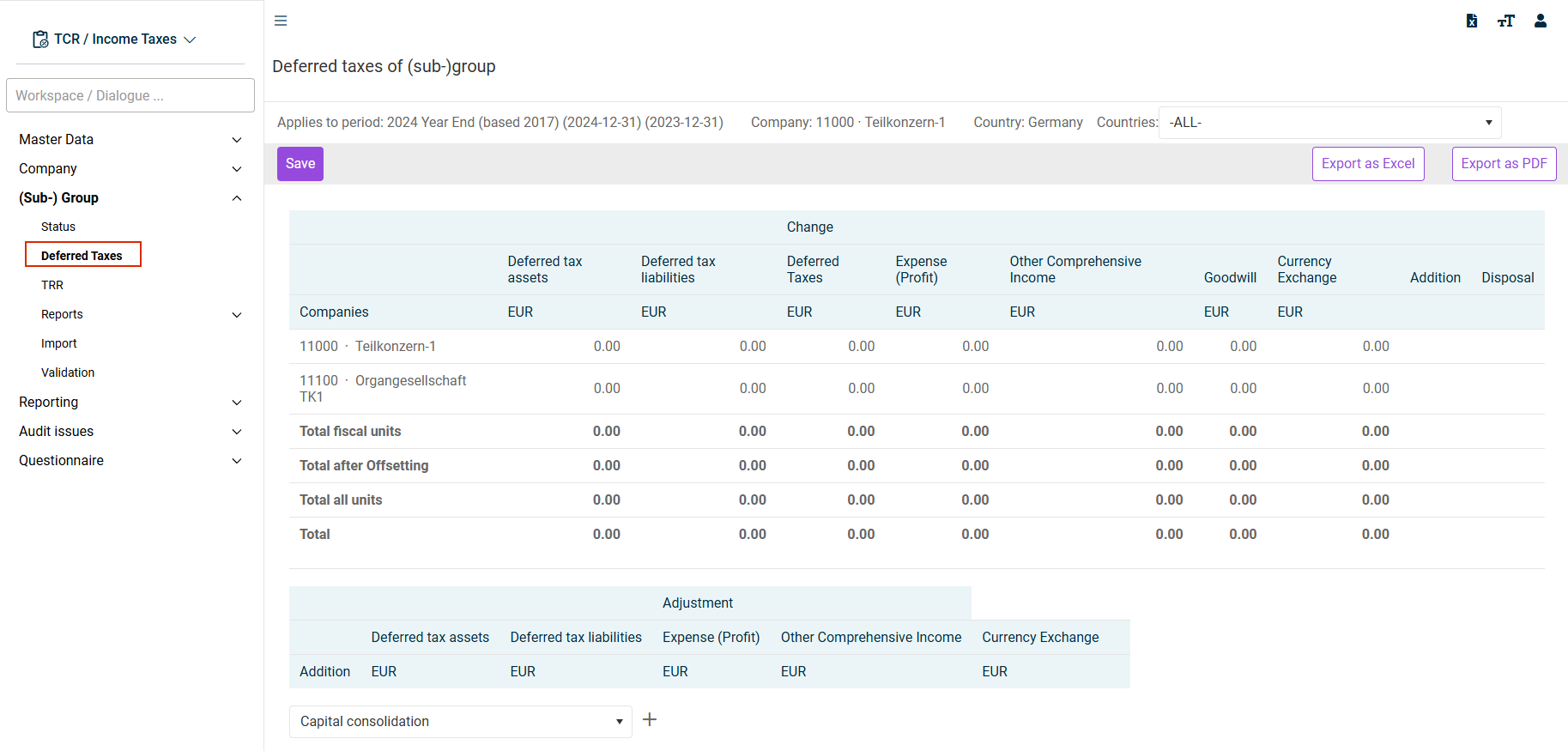
The workspace Deferred Taxes in the (Sub-) Group are aggregates the deferred tax assets and deferred tax liabilities calculated in the Company workspace. The view is divided into several table areas:
- Display of current deferred taxes per company
- Recording of consolidation adjustments
- Addition/disposal of companies
- Deferred taxes summary
This article contains the following sections:
Navigation
The Deferred Taxes workspace is displayed under (Sub-) Group | Deferred Taxes for example as follows:
Display of Current Deferred Taxes per Company
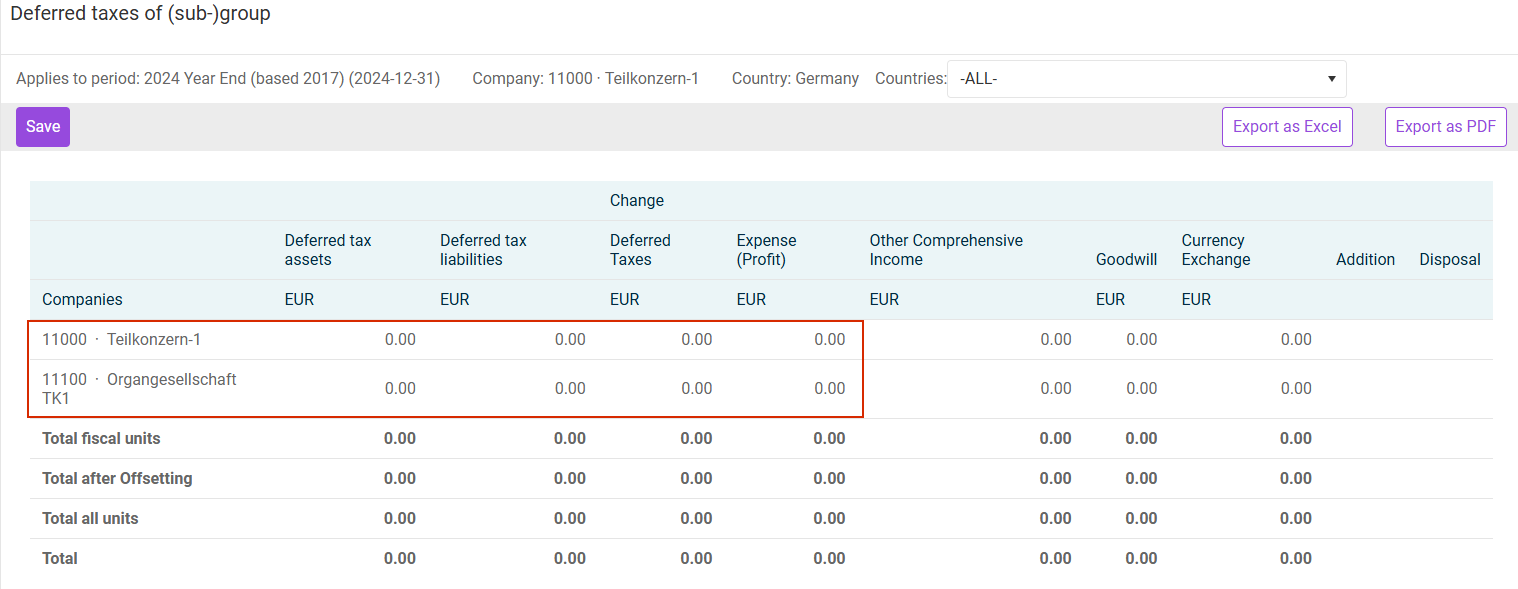
The first table area displays the current balances of deferred taxes and the corresponding P&L or OCI effects. The view begins with the tax group members and intermediate tax group parents. In the event that the option Deliver deferred taxes is activated in the master data (Companies workspace), the deferred taxes are consolidated at the level of the tax group parent:
In the event that the option Deliver deferred taxes is not activated, the deferred taxes are consolidated per tax group member. The total after offsetting is the same in both variants.
The other dependent companies are listed under the tax group members. The offsetting of deferred taxes is carried out in accordance with IAS 12 only at the level of the respective individual company.
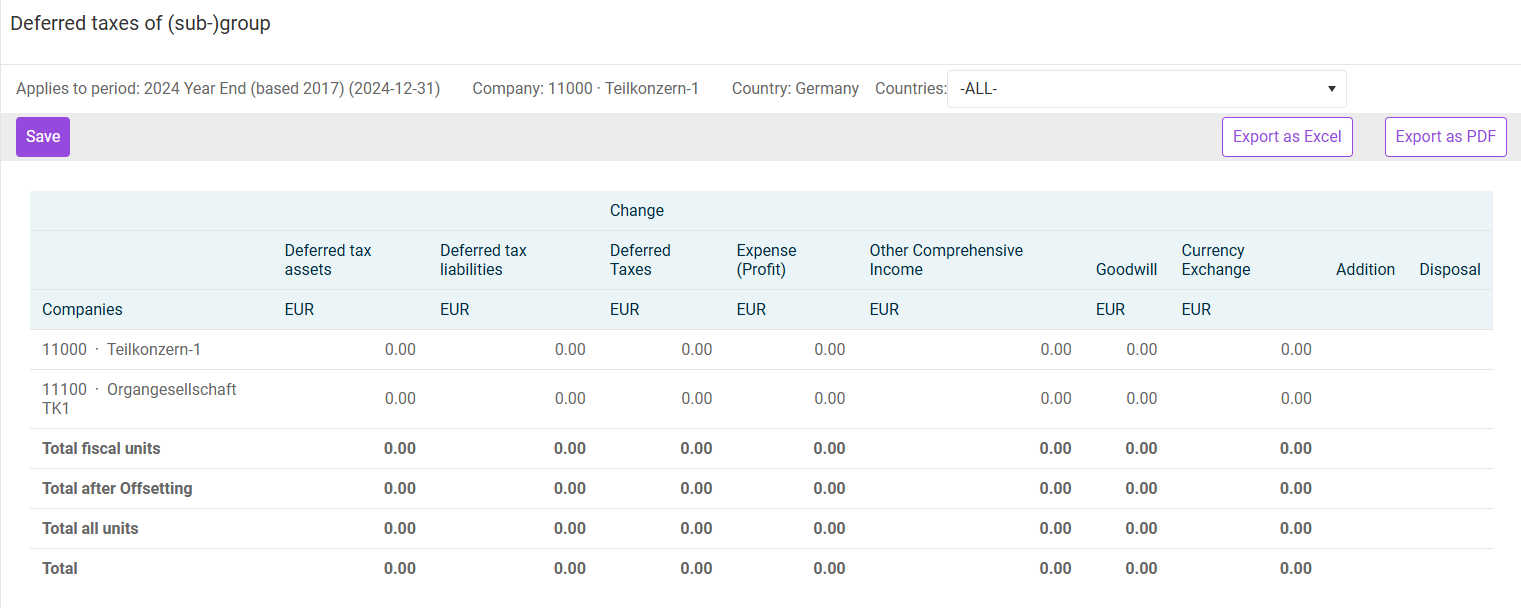
In the upper area, the list can be used to restrict the countries displayed. For example, only German companies can be filtered in the view.
In addition to displaying the current deferred tax assets and deferred tax liabilities, there is the table sub-area Change:
Column
Description
Deferred Taxes
Aggregated change in deferred tax balance
Expense (Profit)
Change in deferred taxes affecting P&L
Other Comprehensive Income
Change in deferred taxes affecting OCI
Currency Exchange
Foreign currency translation is explained in a separate chapter.
Addition/Disposal
These columns identify companies that, according to the master data (Companies workspace), have been added or disposed of compared to the prior period. In addition, a separate display of these companies is provided further down in the workspace.
The display of maturities for deferred tax balances is related to the setting Including balancing (Accounting standard: IFRS) from the company master data. If this is activated, short-term and long-term deferred taxes are displayed.
Recording of Consolidation Adjustments
For purposes of the consolidated financial statements, in addition to the deferred taxes at the reporting data level (= area Company), the deferred taxes attributable to consolidation postings must also be taken into account.
Consolidation postings are recorded in the Adjustment area:
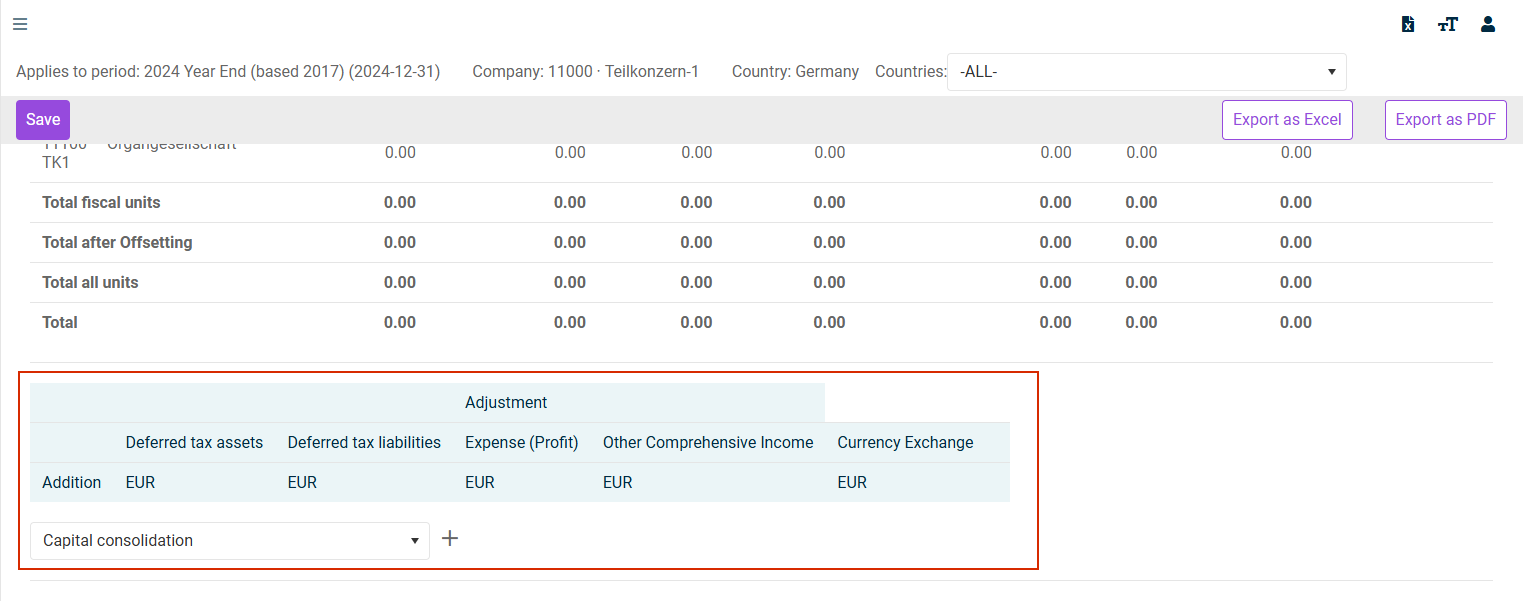
Several preset consolidation types are available for recording in the workspace described here. A new record is created via the plus symbol. The corresponding deferred taxes can then be recorded.
Deferred Taxes Summary
At the end of the workspace Deferred Taxes for a subgroup is the Deferred taxes summary table area. This area aggregates the deferred taxes at the company level (or reporting data level) and the group postings (if recorded):
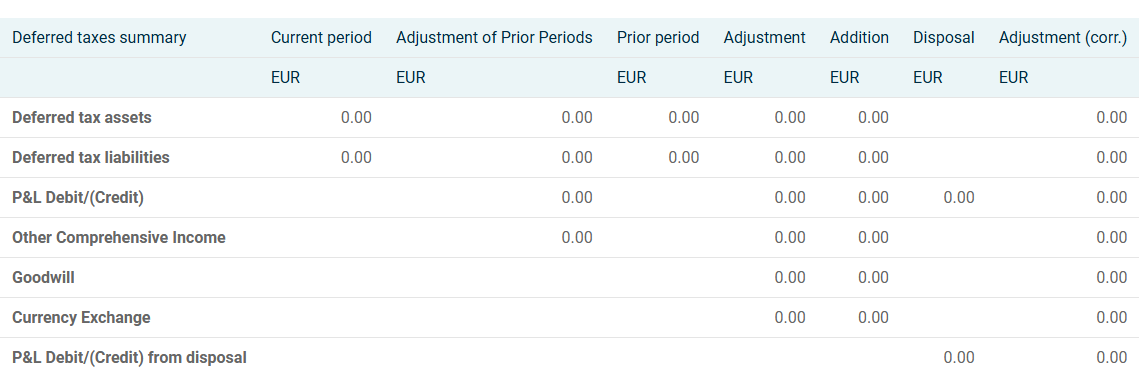
The column Current Period can be reconciled with the values from the table area Display of current deferred taxes per company(columns Deferred tax assets and Deferred tax liabilities). The column Adjustment or Adjustment (corr.) corresponds with the indication of changes per company.
Validation
A validation is performed below the table. The value must equal zero. If a non-zero amount is displayed there, this is an indication of an incorrect validation of the summary. The change in deferred taxes (sub-group level) compared to the prior period is validated.