
Foreign Branches / Fonds
Last updated on 2025-07-16
Overview
Branches are created in the master data workspace Foreign branches / Fonds. You can create new branches and use the function Copy from... to transfer over information from existing branches.
This article contains the following sections:
Navigation
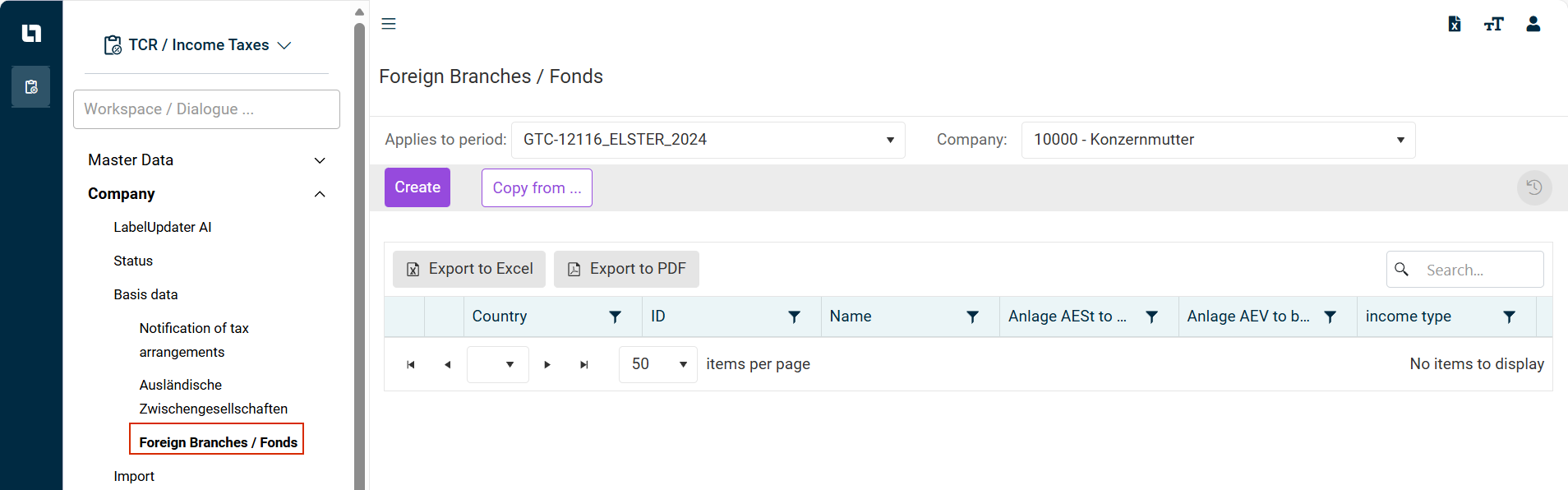
The master data workspace Foreign branches / Fonds can be opened under Master Data | Foreign branches / Fonds.
The Foreign branches / Fonds master data workspace is displayed as follows, for example:
Creating Foreign Branches / Funds
To create foreign branches / funds, proceed as follows:
- From the drop-down lists, select the desired period and company for which you want to create foreign branches / funds.
- Click Create. The following options are displayed:
 Creating foreign branch / fund
 - Select the country in which the branch is located from the Country drop-down list.
- Specify the ID and the name of the branch.
- Using the check boxes Anlage AESt to be filled out and Anlage AEV to be filled out, indicate which of the enclosures are relevant for the branch.
- Choose the Income type of the branch.
With the function Copy from... you can transfer branches that have already been created into the current period. Proceed as follows:
Copy From...
- Click Copy from....
- In the subsequent dialog, select a period from which the foreign branches are to be transferred to the current period.
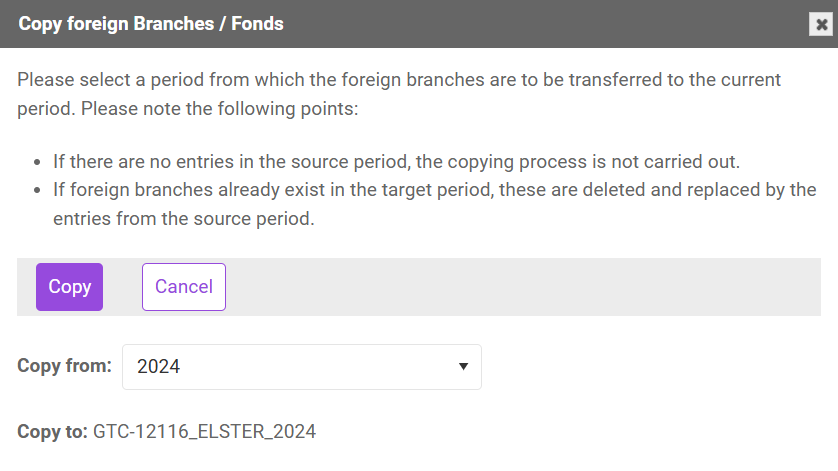
- If there are no entries in the source period, the copy process will not be carried out.
- If branches already exist in the target period, they will be deleted and replaced by the entries from the source period.