
(Special) Investment Income
Last updated on 2026-05-15
Overview
In the (Spezial-) Investmenterträge (Special Investment Income) workspace, income from (special) investment funds can be entered centrally. The entered data is forwarded, for example, to schedules SPIF, SPIFA, AESt, KAP, and to assessment forms for partnerships.
This article contains the following sections:
Navigation
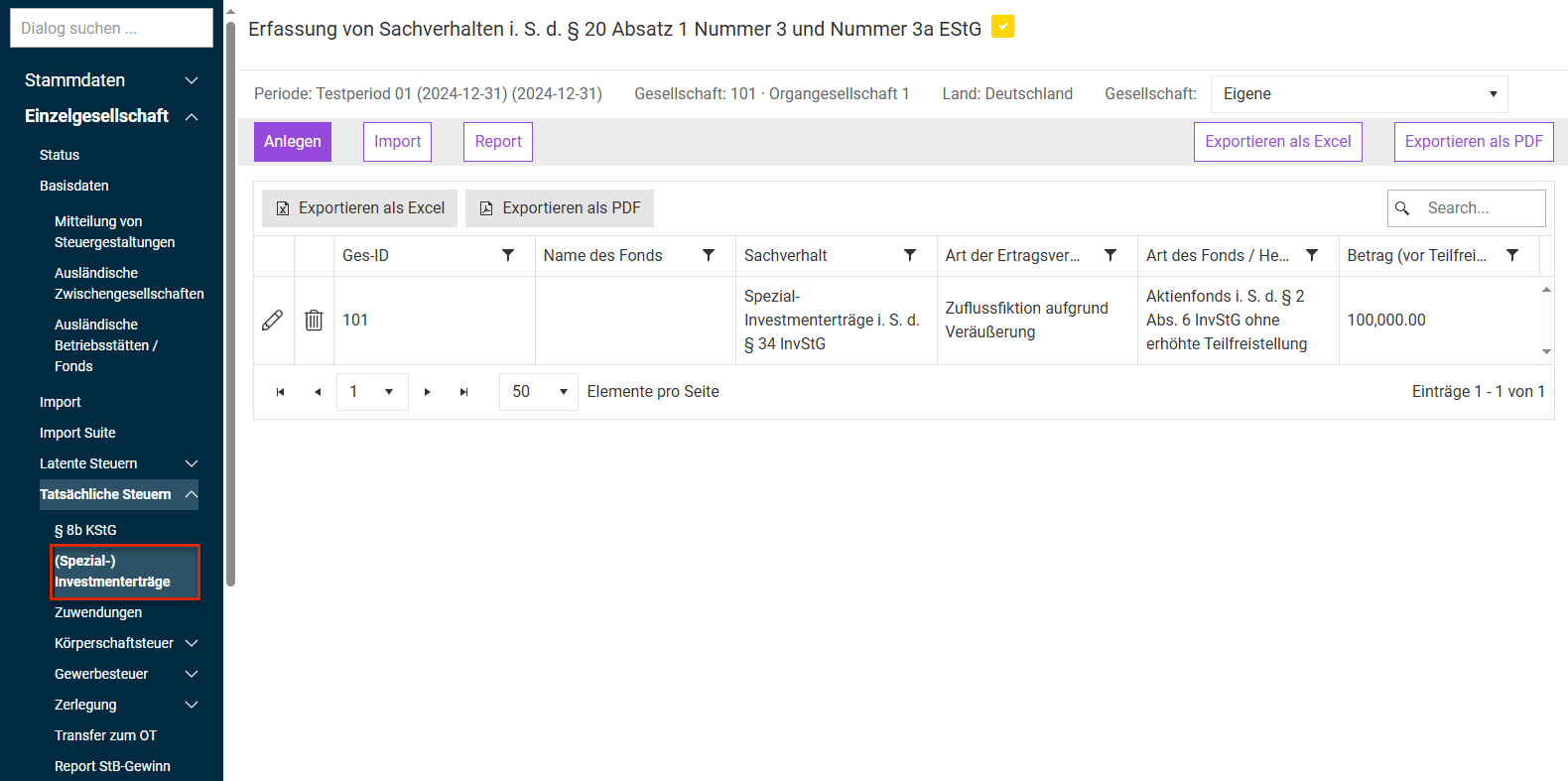
You can access the (Spezial-) Investmenterträge workspace under Company | Current Taxes | (Spezial-) Investmenterträge. The (Spezial-) Investmenterträge workspace is displayed as follows, for example:
Options
The following options are available in the (Spezial-) Investmenterträge workspace:
Option
Description
Company
Select the desired Company in the drop-down list.
- Own: Only the issues relating to (special) investment income of the individual company currently edited are displayed.
- Group internal: All issues relating to (special) investment income created in the (sub-)group are displayed.
- Tax group: All issues relating to (special) investment income created in the tax group are displayed.
Create
Opens a workspace where you can enter details on a (special) investment fund.
Import
Opens a workspace where you can configure an import:
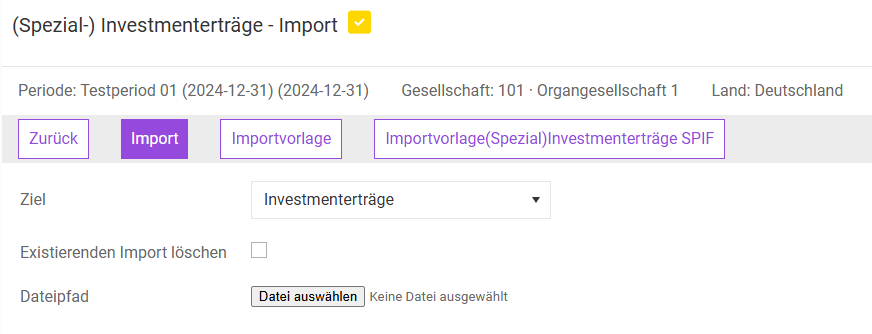
The following options are available:
Import: imports the data from the file chosen under File path.
Vorlage Investmentfonds (Investment fund template): loads the existing Excel import template to the local hard drive.
Vorlage Spezialfonds inkl. Anlage SPIF (Special investment fund template incl. SPIF attachment): loads the existing Excel import template for (special) investment income, including the option to enter information for the SPIF attachment, to the local hard drive.
Destination: Define here the import destination: Choose either Investmenterträgen (Investment income) or Spezial-Investmenterträgen incl. Anlage SPIF.
Delete existing imports: Activate this check box if an existing import is to be deleted before the next import process.
File path: file from which data are to be imported.
Report
Generates an Excel file containing all entries of the list