
Resetting Milestones
Last updated on 2026-01-30
Overview
Milestones can be reset. It may be necessary to re-open milestones already closed if,
for example, entries that have already been made need to be subsequently changed.
Resetting Milestones in the '(Sub-)Group' Area
An overview of the milestone status of the group companies is displayed under Status in the (Sub-)Group workspace. Only there can closed milestones, i. e. those that have at least the finished status, be reset:
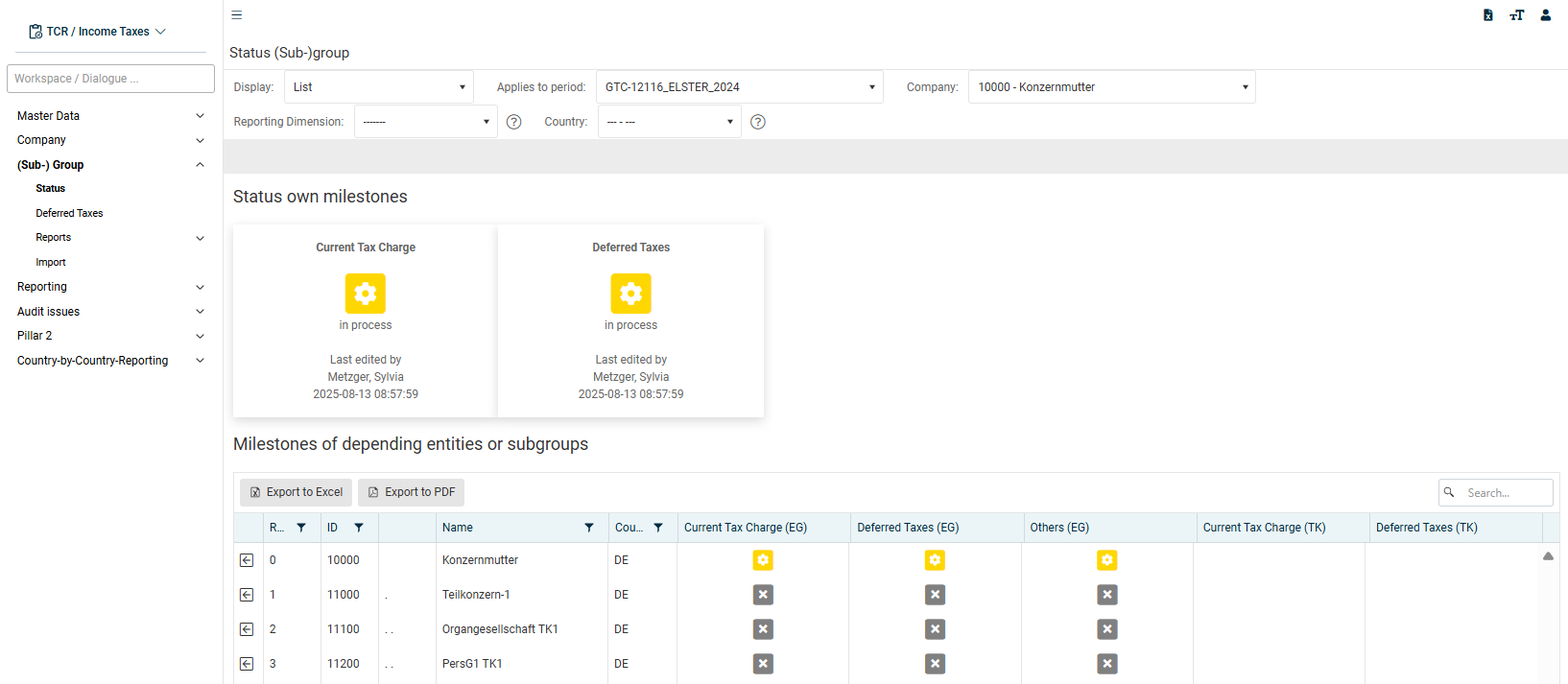
To reset a milestone:
- Click Status under (Sub-)Group.
- Click the milestone status you want to reset. Confirm the displayed confirmation message.
- The selected milestone is then reset.
A milestone with the checked status (blue) is first reset to the finished status (green). The status of this milestone is reset to in process (yellow) by clicking it again.
Milestones can be reset selectively for individual companies. Only for tax group members and partnership companies (i. e. dependent companies) can the Current Taxes milestone not be reset if the status of the parent companies is already finished. In this case, the following error message is displayed:
Modification of milestone failed. Check milestones of parent units (tax group, shares).
Resetting Milestones Due to Changes in the 'Companies' Master Data Workspace
It is permitted to change attributes or data in the Companies master data workspace only if the status of the milestones of the selected company is not yet finished. Otherwise, a corresponding error message will be displayed:
The action cannot be processed. At least one dependent milestone is already closed. Please open the milestones of the unit(s) first:....
To change the master data of the Companies workspace anyway, the milestones already closed must therefore be reset.
Resetting Milestones Due to Changes in the 'Countries' Master Data Workspace
All companies that are assigned to the respective country are always affected by changing data (e. g. tax rates) in the Countries master data workspace. If the milestone status of assigned companies is already finished, the milestones are reset to in process after confirming the confirmation message.