
Reporting Dimensions
Last updated on 2025-07-16
Overview
To support group reporting, reporting dimensions and associated dimension values can be created in the Reporting Dimensions workspace. This makes it possible to distinguish group companies by specific selection criteria. In the Reports folder, a filter is shown for each reporting dimension, allowing specific restrictions to be made.
Individual reporting dimensions can be assigned dimension values.
This article contains the following sections:
Navigation
The master data workspace Reporting Dimension can be opened under Master Data | Reporting Dimension.
The Reporting Dimension master data workspace is displayed as follows, for example:
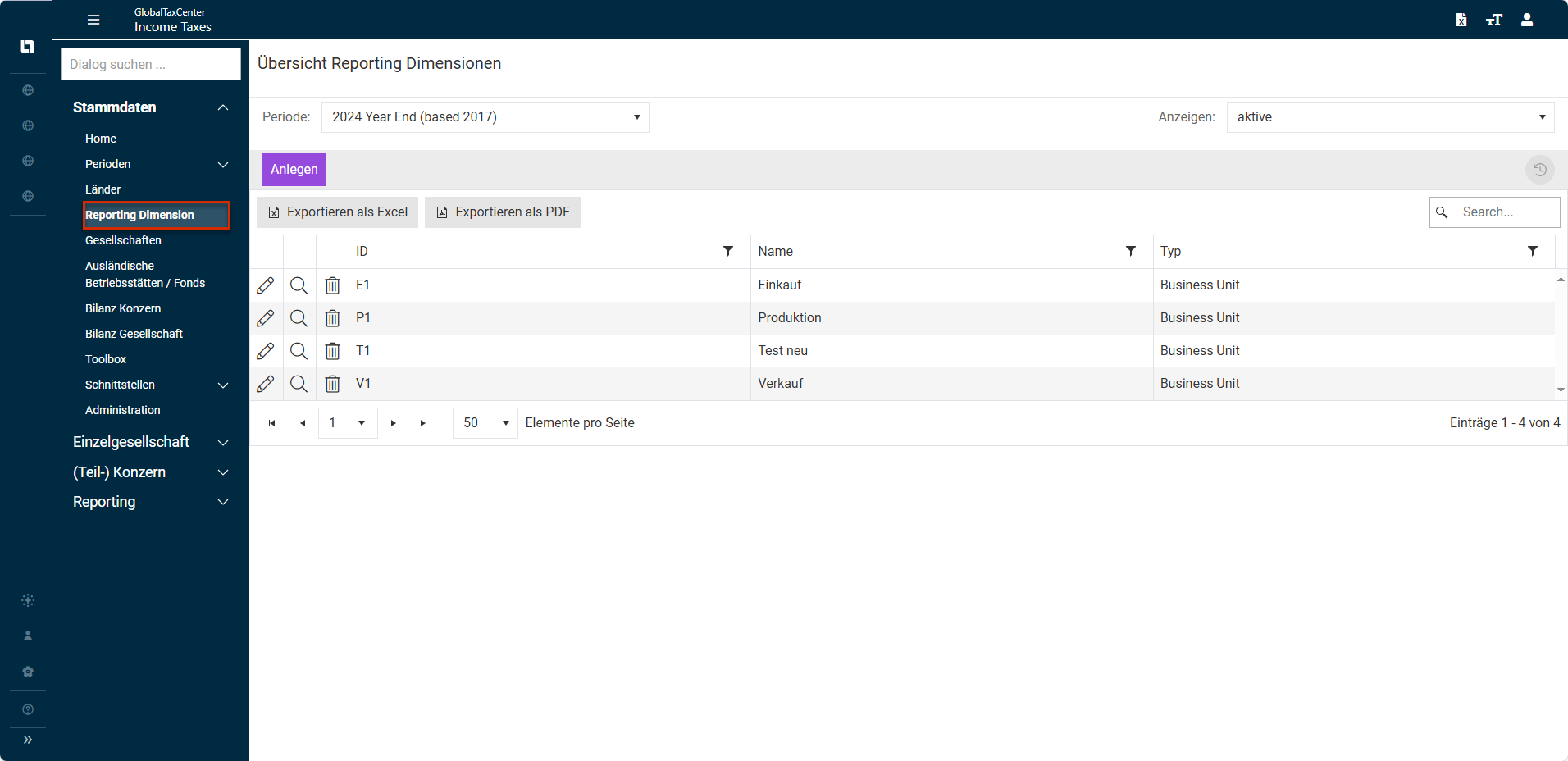
Example
The following table shows two reporting dimensions and their dimension values:
Reporting Dimension
Dimension value
Region
- Europe
- Asia
- North America
- South America
Business Unit
- Automotive
- Industry
Creating Dimension Value
Proceed as follows to create a new dimension value for a reporting dimension:
- In the Reporting Dimension workspace, click Create. The Reporting Dimension detail view is displayed:

Reporting Dimension detail view - Do one of the following:
- Create a new dimension value based on an existing one: In the drop-down list Copy based on, select an existing dimension value and then click Copy now.
- Configure an ID, account name, and type for a new dimension (see section Configuring Reporting Dimension).
- Click Create.
Configuring Dimension Value
Option
Description
ID
The ID is used to clearly label and identify the respective dimension value. Both numbers and letters can be used.
It is not possible to modify an ID at a later point in time.
Name
A dimension value must be assigned a name.
This name can be changed at a later point in time.
Type
Here, the dimension value is assigned to a reporting dimension. Maintenance of the available reporting dimensions is carried out in the master data workspace Administration | Miscellaneous. The entries can be stored there in multiple languages.
Using Dimension Values
Dimension values can be assigned to individual group units in the Companies workspace. Multiple reporting dimensions can also be assigned to a company.
- This enables flexible evaluations in the Reports area.
- In addition, reporting dimensions can be used when granting authorizations.