
Creating an Assignment Table
Last updated on 2026-05-07
Overview
An assignment table is used to save all elements imported from xP&A (e.g. accounts, reporting entities/cost centers, transaction currency, etc.) and their assignment to elements in CFP.
Assignments are defined during the data import and can then be changed or deleted at any time.
Note for customers who still use Lucanet.Financial Client
You can either perform this step in the Lucanet CFO Solution Platform or in Lucanet.Financial Client. The data source will be visible and editable in both systems, no matter where you created it.
Creating an Assignment Table
To create an assignment table, proceed as follows:
- In the tree view, right-click the Assignment tables folder and choose Create | Assignment table from the context menu.
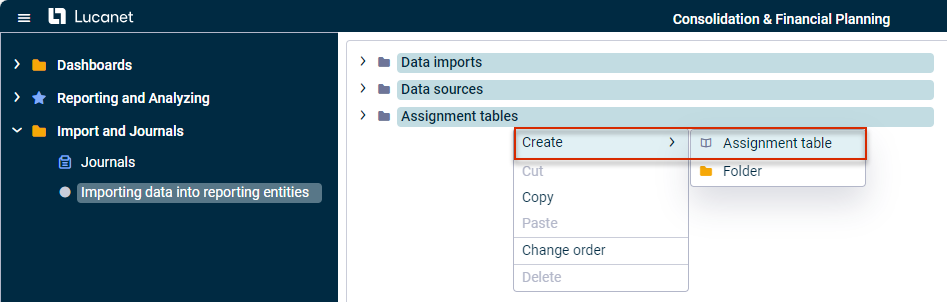 Creating an assignment table
 - The Create element dialog is displayed:
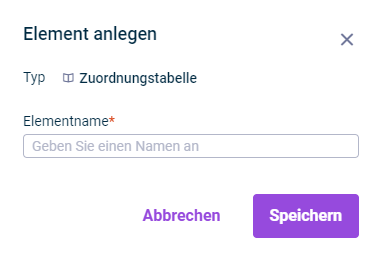
Dialog 'Create element' - Specify the name of the assignment table in the Name field.
- Click Save or press Enter.
- The assignment table is displayed in the tree view and can be selected when creating the data import (see Creating and Executing the Data Import).