
TRR (Sub-)Group
Last updated on 2026-05-19
Overview
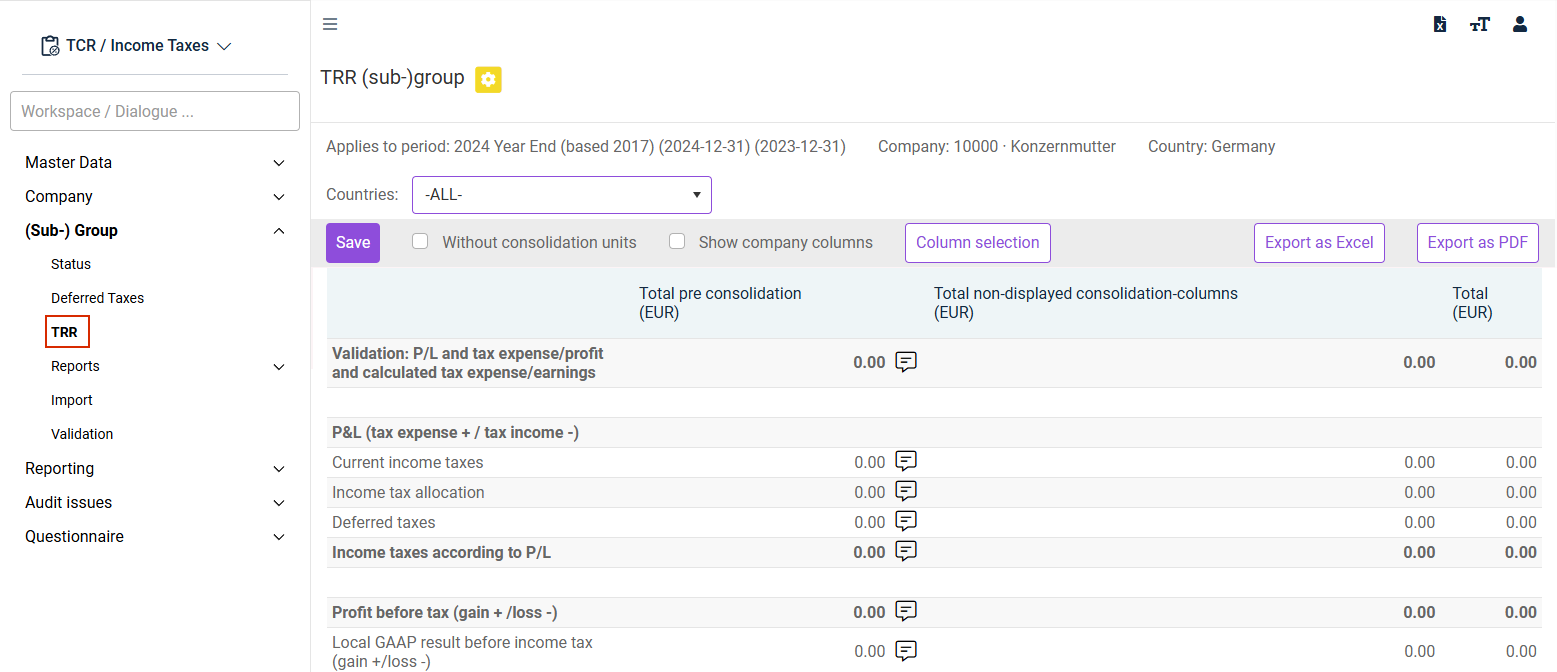
The TRR (Tax Rate Reconciliation) workspace at the group level is used to enter the consolidation postings.
This article contains the following sections:
Navigation
The TRR workspace can be found under (Sub-)Group | TRR.
The TRR workspace is displayed, for example, as follows:
- To analyze the individual companies assigned to the subgroup, you must choose the relevant subgroup in the Status workspace.
- In addition, the TRR workspace of the company must have been saved at least once.
Configuring the Display
The following options are available to configure the display:
Option
Description
Without consolidation units
Display without consideration of internal group transactions and consolidation adjustments.
Countries
Selection of the country for the TRR. Select -All- to display the TRR for all countries.
Show company columns
Shows or hides all dependent individual companies in the left area of the workspace. In this case, the subgroups assigned to the parent company are displayed in an aggregated view.
For foreign companies, the TRR values are translated at the average exchange rate for currency translation purposes.
Creating Columns
The TRR column selection allows separate columns to be created for individual consolidation issues, e. g., for the elimination of intercompany profit and loss etc. Up to 50 columns can be created.
To create columns:
Click Column selection. The following dialog is displayed:
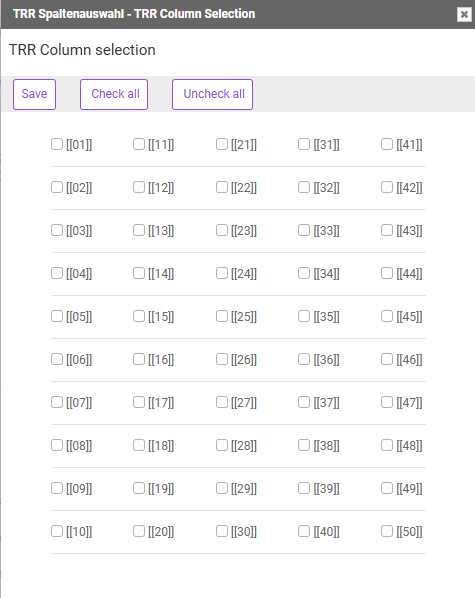
Activate the check boxes of the columns you want to create.
Click Save.
Close the dialog.