
Transfer zum OT (Transfer to Tax Group Parent)
Last updated on 2026-02-16
Overview
The Transfer zum OT (Transfer to Tax Group Parent) workspace is displayed correspondingly to the TB Transfer workspace at the level of the tax group member. The Transfer zum OT (Transfer to Tax Group Parent) workspace allows you to transfer the tax-relevant data directly to the tax return of the tax group parent. All values of the tax group member that are relevant to the taxation at the tax group parent level are displayed in this workspace.
This article contains the following sections:
The Transfer zum OT (Transfer to Tax Group Parent) workspace is available only to tax group members.
Navigation
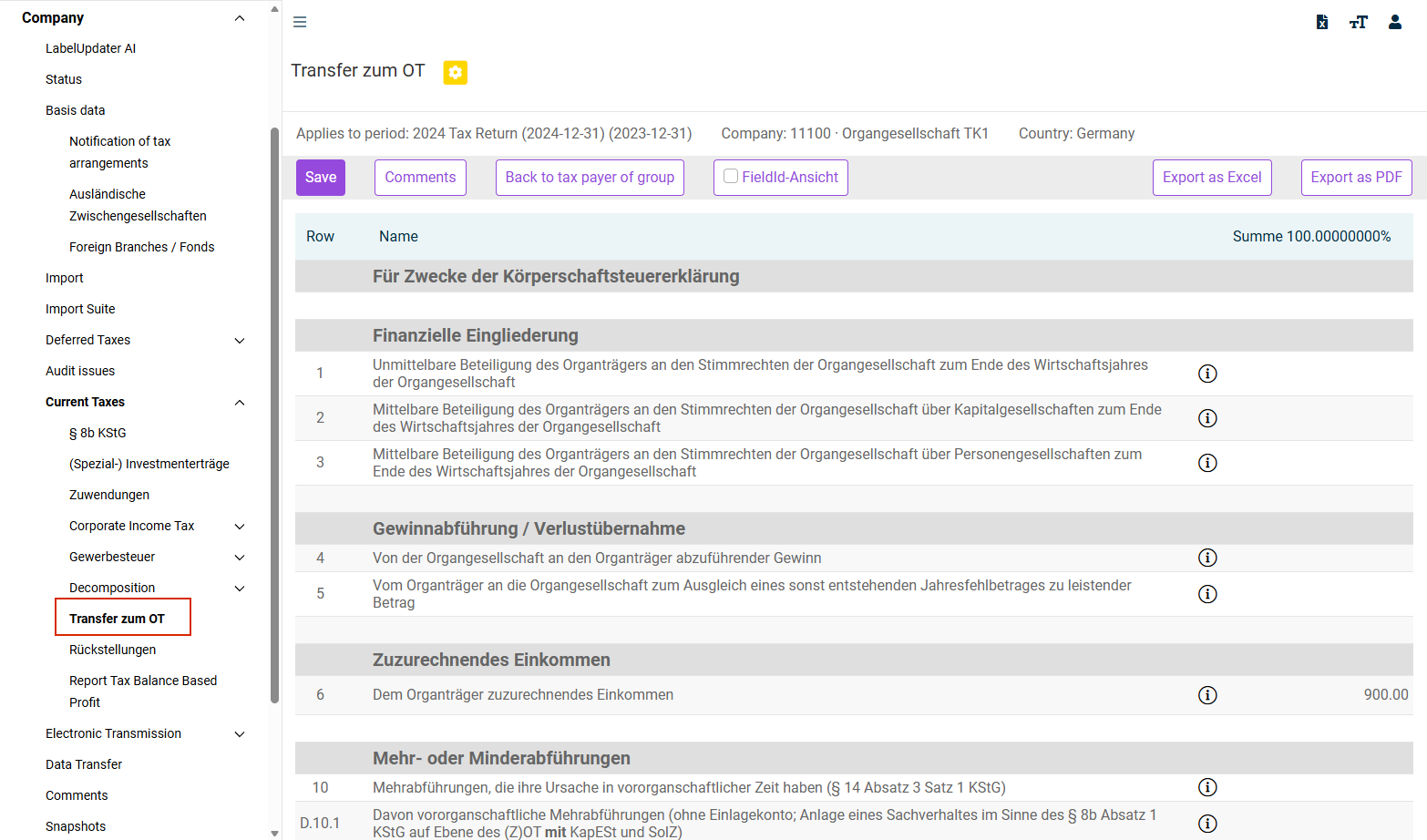
You can access the Transfer zum OT (Transfer to Tax Group Parent) workspace under Company | Current Taxes | Transfer zum OT.
The Transfer zum OT workspace is displayed, for example, as follows:
Context Information
The values of the direct tax group members are displayed on the Fiscal units tab in the TB Transfer workspace at the tax group parent level. The Fiscal units tab in the TB transfer workspace corresponds 1:1 to the Transfer zum OT (Transfer to Tax Group Parent) workspace.
In multi-tier tax groups, the values of the upstream tax group members are added to their own values in the Transfer zum OT (Transfer to Tax Group Parent) workspace.
Options
The following options are available in the workspace:
Option
Description
Back to tax payer of group
Switches to the tax group parent in the Status workspace. The editing status of the milestones of the tax group parent and dependent companies is displayed in the Status workspace, where it can be edited.