
Opening a Tax Balance Sheet
Last updated on 2026-01-31
Overview
To start entering the data and configuring a tax balance sheet, you must first open the desired combination of individual company and tax balance sheet.
The overview of the chosen tax balance sheet is then displayed. From here, you can mark the individual process steps of the milestones as done or navigate to the individual workspaces to create the tax balance sheet.
This article contains the following sections:
Opening a Tax Balance Sheet
Do one of the following to open the tax balance sheet to be edited at the individual company level:
- Under Companies, first choose the desired company and then the tax balance sheet you want to edit.
- Under Tax Balance Sheets, choose the tax balance sheet you want to edit.
Only the combinations of company and tax balance sheet that were assigned in the master data when creating a tax balance sheet can be chosen.
Displaying the Tax Balance Sheet Overview
After you have opened the tax balance sheet to be edited from the Company area, the overview of the tax balance sheet is displayed as follows:
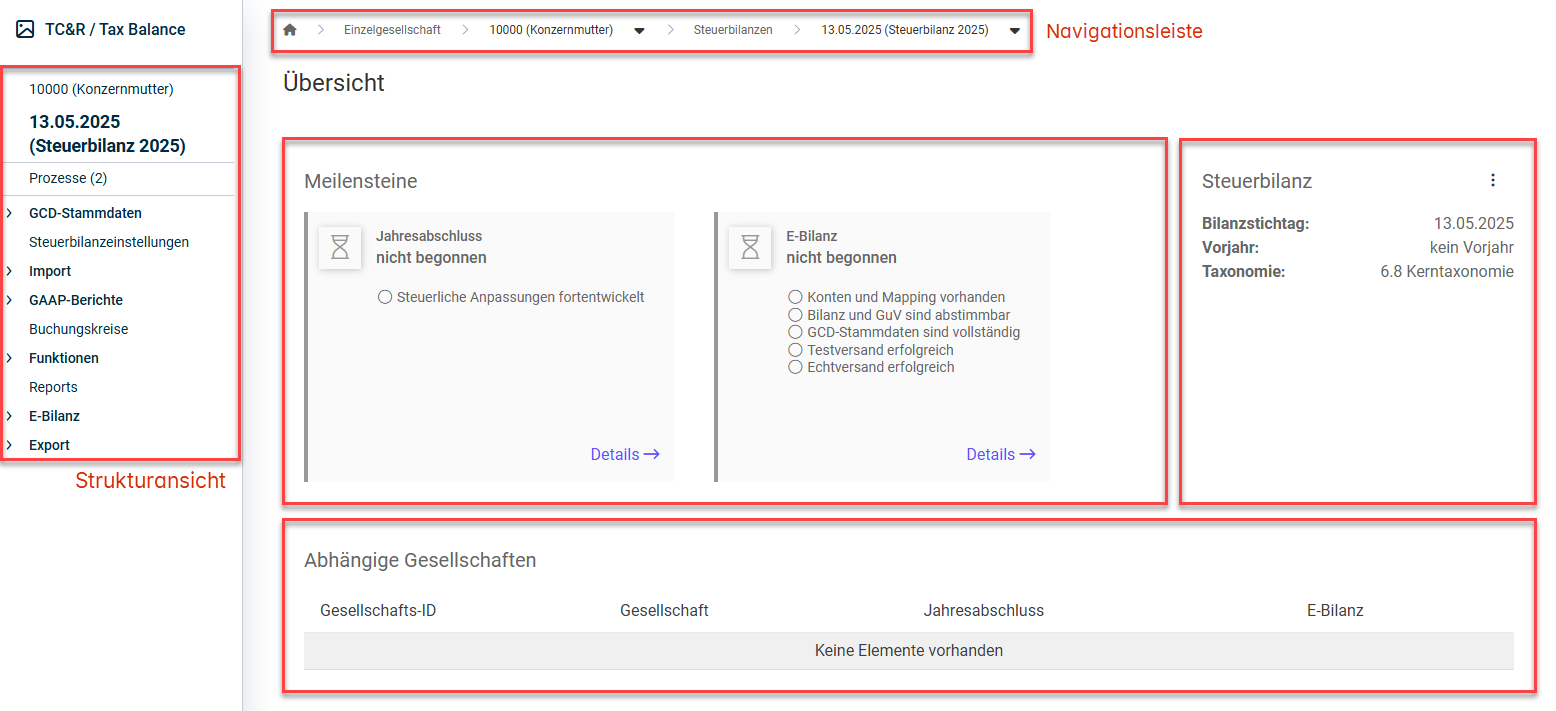
Options in the Tax Balance Sheet Overview
The following options are available in the overview of an open tax balance sheet:
Option
Description
Tree view
Used to navigate between the workspaces used to configure and create the tax balance sheet
Navigation bar
Navigation path to the company you are currently editing
Milestones
Predefined milestones for tracking the process status.
To mark the steps of a milestone as done:
- Click the details of the desired process step in the tax balance sheet overview in the Milestones area.
The milestone dialog is displayed as follows, for example:
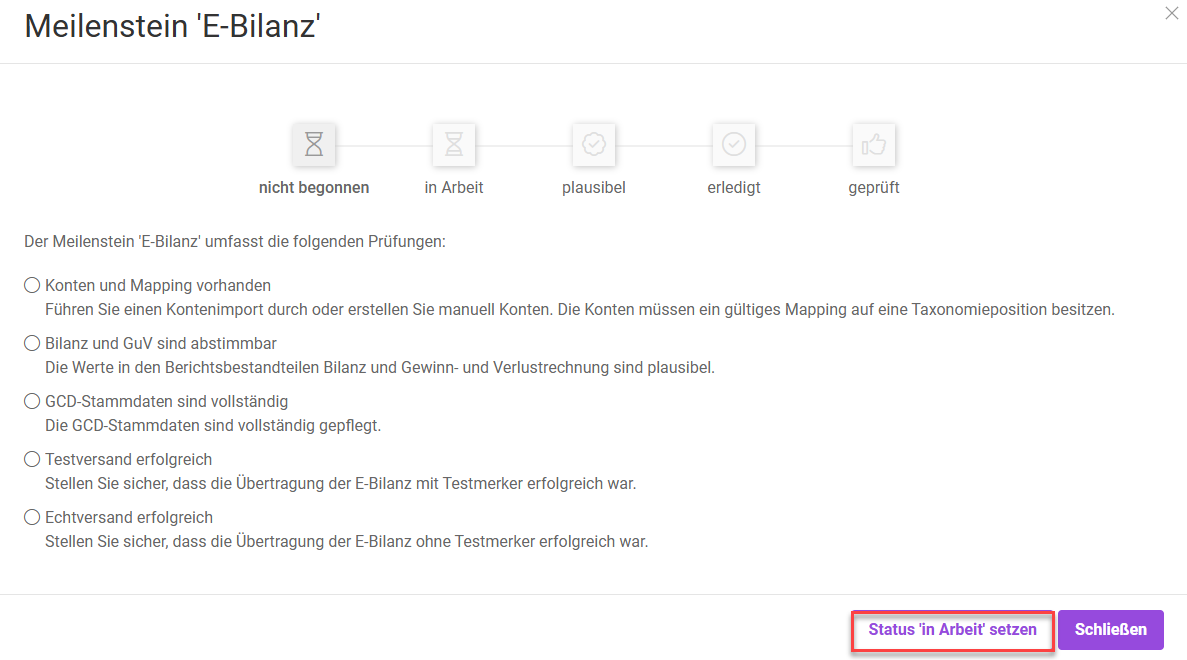
Milestone dialog - Move the process to the next step by setting the corresponding state.
- Click Close.
Which validations are performed by the system when completing a milestone is displayed to you in the Milestone dialog.
Tax Balance Sheet
Details on the tax balance sheet.
You can use the More actions menu to:
- Close the tax balance sheet for further editing
- Re-open a tax balance sheet already closed
- Delete the tax balance sheet
Affiliated Companies
List of tax group entities affiliated with a tax group parent.
This information is obtained from the GCD master data.