
Creating Reorganizations
Last updated on 2026-01-31
Overview
You can create reorganizations and the entities involved in them in the Reorganizations workspace.
The details of the individual reorganizations, such as the transferred items and values or the target levels for the receiving entity, are then configured in the Functions workspace. How to proceed is described in Configuring Reorganizations.
This article contains the following sections:
Navigation
The Reorganizations workspace is opened under Master Data | Reorganizations.
The workspace displays an overview of all reorganizations that have already been created and their status, and is displayed as follows, for example:
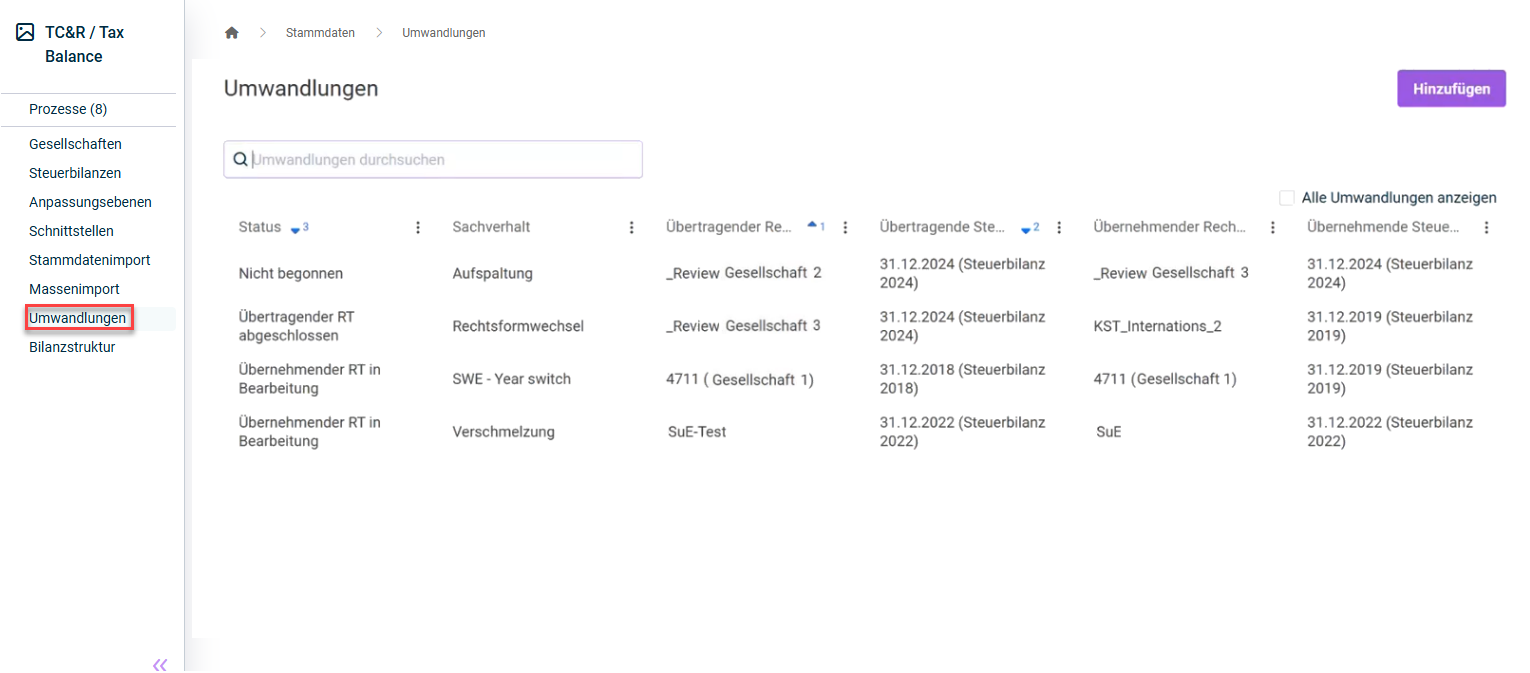 'Reorganizations' workspace
Reorganizations with the configuration status Transmitting Entity finished are hidden in the reorganizations overview. To display these reorganizations, you must activate the Show all reorganizations option.
Technical Prerequisites
The following technical prerequisites must be observed when creating and configuring conversions:
Taxonomy Type
For successful execution, the same taxonomy type (e. g. core taxonomy) and the same taxonomy version (e. g. version 6.7) must be used for both entities. If the taxonomies are different, the reorganization is automatically stopped by the system before the adjustment issues are created for the receiving entity. The user then has the option to adjust the taxonomy of the receiving entity and subsequently continue the reorganization.
Required Permissions
The permission concept for the reorganization function is designed so that the reorganization can be carried out by different users for the transmitting and receiving entities.
Each user must have the permissions required to edit tax adjustments, and the Execute reorganizations permission, for the respective entity.
In addition, the following permissions are required to manage the reorganization: Read reorganizations, Edit reorganizations, and Reset reorganization status.
Creating a Reorganization
To create a reorganization:
- In the Reorganizations workspace, click Add.
- Specify the following in the New reorganization dialog:
- Tax balance sheet of the transmitting entity
- Tax balance sheet of the receiving entity
- An issue for the reorganization. The issue serves to document the reorganization process, e. g. to specify the type of reorganization (merger, spin-off, change of legal form, etc.).
- A comment on the reorganization (optional)
- Click Save.
The reorganization is displayed in the overview of the Reorganizations workspace and can be configured as described in Configuring Functions.
The selection of the tax balance sheets cannot be subsequently changed. In the case of a faulty selection, the reorganization must be deleted and created again.