
Transmitting an E-Balance Sheet to the Tax Office
Last updated on 2026-01-31
Overview
When all required configurations and data are present, you can transmit the tax balance sheet as an e-balance sheet to the tax office. The sheet is transmitted electronically in the E-Balance workspace.
In addition, you can:
- Save the tax balance sheet transmitted to the tax office as an instance in XML format and, if necessary, visualize it subsequently in the Reporting functional area as an instance report in XLS format
- Display the history of all transmitted e-balance sheets and download the transmission protocol and instance documents
To transmit the e-balance sheet, an ELSTER certificate must be assigned to you in the Tax Administration module. How to proceed is described in Certificates.
This article contains the following sections:
Navigation
The E-Balance workspace is displayed in the tree view as soon as you open a tax balance sheet under Company:
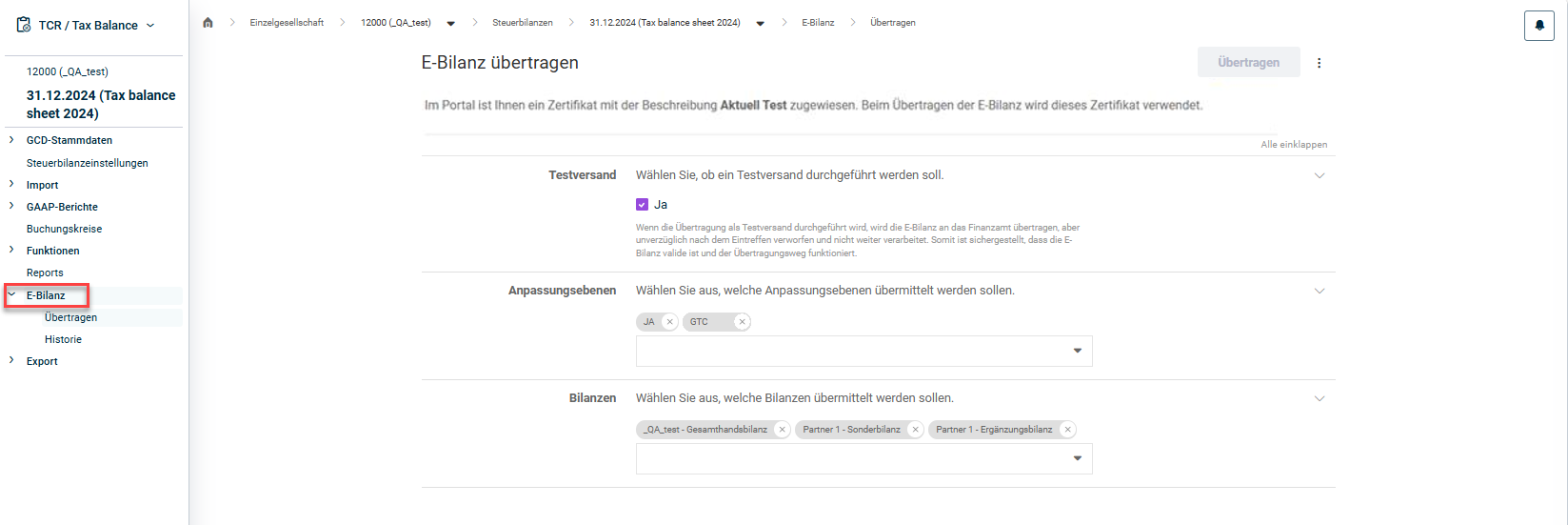 'E-Balance' workspace
Transmitting an E-Balance Sheet
To transmit the e-balance sheet:
- Navigate to the E-Balance | Transmit workspace.
- Select whether you want to perform a test transmission first.
Notes:- In a test transmission, the e-balance sheet is transmitted to the tax office and validated, but is discarded immediately after receipt and not processed further. This ensures that the e-balance sheet is valid and that the transmission path works.
- If the Test transmission option is not activated, the e-balance sheet will be officially transmitted to the tax office.
- Choose the adjustment levels you want to transmit from the drop-down list or remove the adjustment levels not to be transmitted by clicking the x.
- Choose the balance sheets you want to transmit from the drop-down list or remove the balance sheets not to be transmitted by clicking the x.
- Click Transmit.
Creating an XML Instance of the Tax Balance Sheet
 Creating XML file
The XML file of the tax balance sheet can then be downloaded via the job monitor at the top right edge and, if necessary, visualized and saved as an instance report in XLS format in the Reporting functional area.
Displaying the E-Balance Sheet History and Transmission Details
In the E-Balance | History workspace, you can display a history of all successfully transmitted e-balance sheets for the tax balance sheet in question:
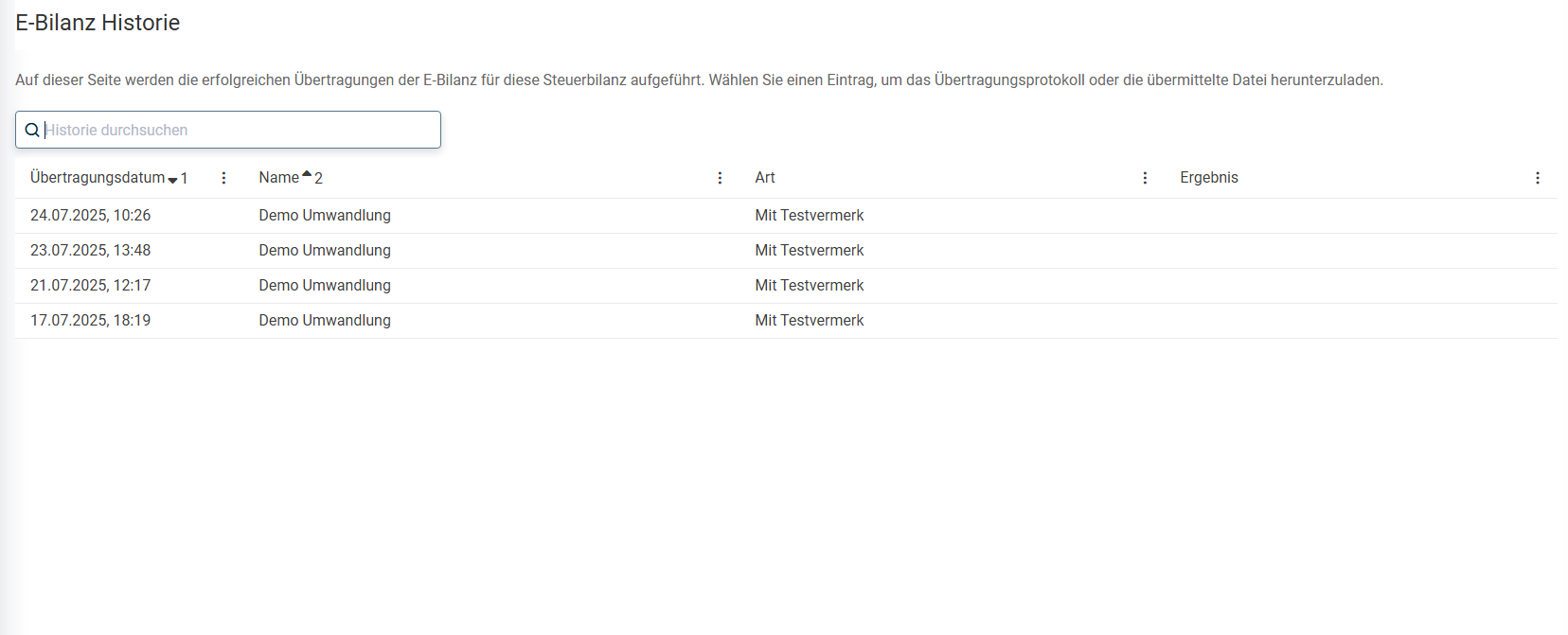
You can choose one of the following additional functions by clicking a transmitted e-balance sheet in the history:
- Download transmission protocol
- Download instance document of the transmitted e-balance sheet in XML format
- Download instance report of the transmitted e-balance sheet in XLS format
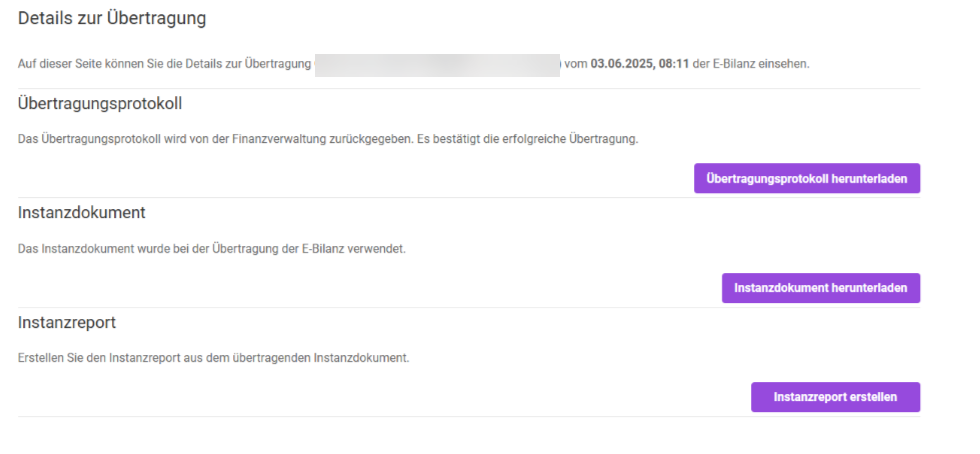 Transmission details