Importing Balance Sheet Structure from Income Taxes
Last updated on 2026-01-31
Overview
In the Balance Sheet Structure workspace, you can import the balance sheet structure that is stored in the Income Taxes module of the Tax Compliance & Reporting solution into Tax Balance. You can then store any adjustments made in Tax Balance at the individual company level and transfer them back to Income Taxes. For each adjustment, you can choose the target item in Income Taxes to which it is to be transferred.
The balance sheet structure is imported from Income Taxes in the form of a CSV file, whose structure is fixed and described in this chapter.
This article contains the following sections:
Navigation
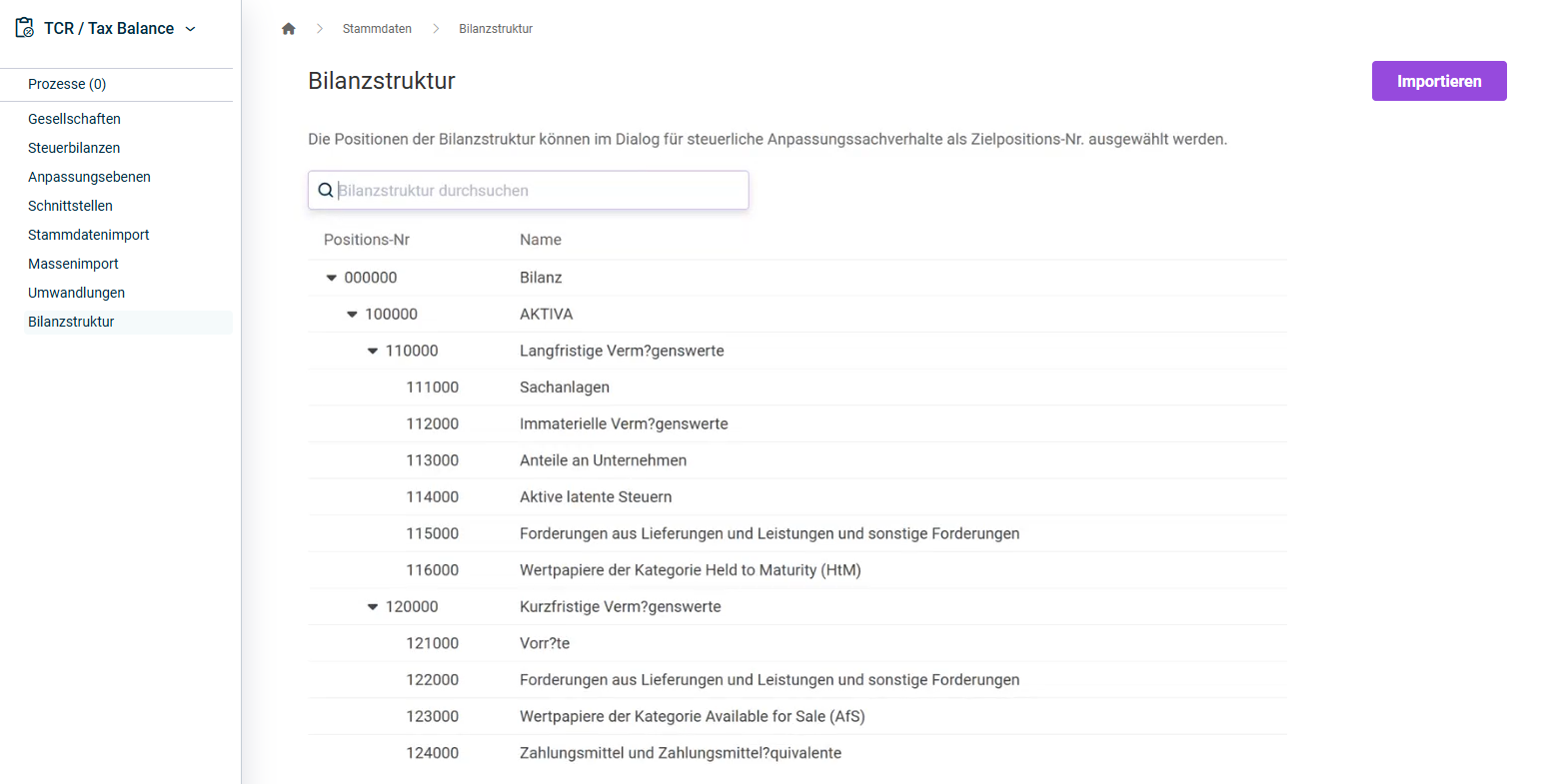
The Balance Sheet Structure workspace is opened under Master Data | Balance Sheet Structure.
The workspace is displayed as follows, for example:
Importing Balance Sheet Structure from Income Taxes
To transfer the balance sheet structure from the Income Taxes module in the form of a CSV file:
- In the Balance Sheet Structure workspace, click Import.
- Click Choose file to add the file to be imported.
- Click Import.
Note on the Structure of the CSV File
- The file must have the following structure:
- Column 1: Item no.
- Column 2: Name of the item
- Column 3: Item no. of the parent item
- The cells in the columns for the item no. or the name of the item must not be empty, otherwise they will be discarded.
- The file must contain exactly one top item with an empty parent item.
Display state and details of the import