
Importing E-Balance Data into Tax Balance
Last updated on 2026-05-20
Overview
If you have previously used another system to create and submit your E-Balance, you can import E-Balance data from that system into Tax Balance via an XML file in the Import from E-Balance workspace.
The following data can be imported:
- Company and tax balance sheet
- GCD master data
- Accounts and mappings
- Fixed asset schedule
- Comparison of business assets
- Development of capital accounts
This function is particularly useful in two scenarios:
- Data migration from Lucanet.E-Bilanz or Smart Tax Balance
- Data migration from other providers
With this import function, you can import multiple tax balance instances at once without having to create them manually.
This article contains the following sections
Navigation
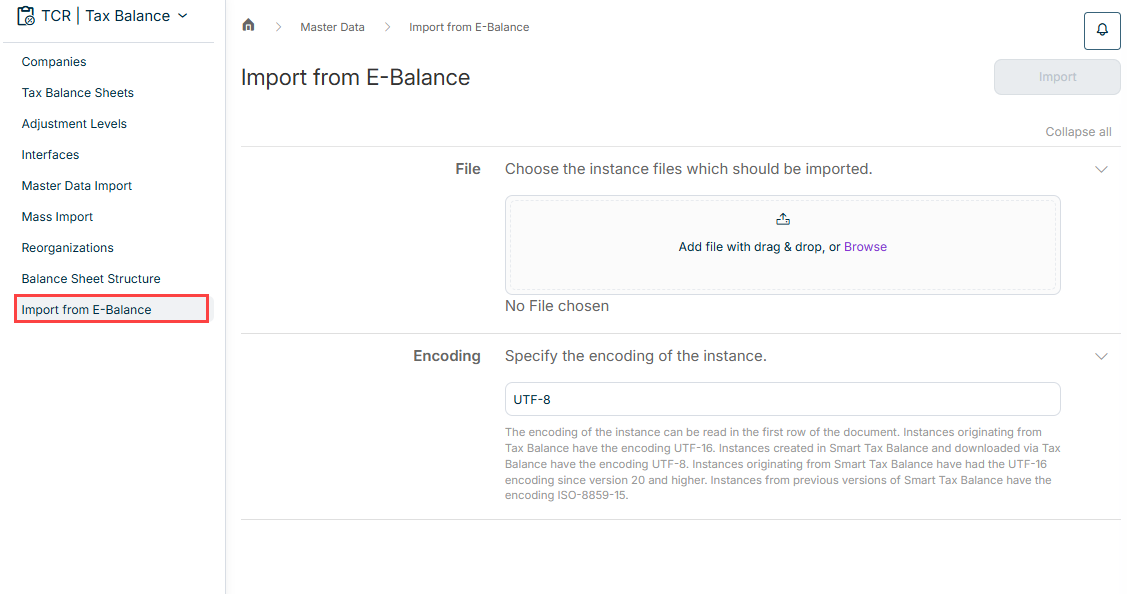
The Import from E-Balance workspace is opened under Master Data | Import from E-Balance.
The workspace is displayed as follows, for example:
Importing an E-Balance Instance
To import one or more e-balance sheet instances from another system:
- Under File, add the XML instance(s) you want to import by dragging and dropping them or by clicking the Browse button.
- Specify the encoding of the instance.
The encoding of the instance can be found in the first line of the document. - Click Import.