
Performing a Mass Import
Last updated on 2026-05-20
Overview
You can use the mass import to import accounts, grouping accounts, mappings, and adjustments for several companies and years simultaneously.
The mass import is performed by means of a CSV file. The import settings must be configured first on an interface, which is then used for the mass import.
This article contains the following sections:
Navigation
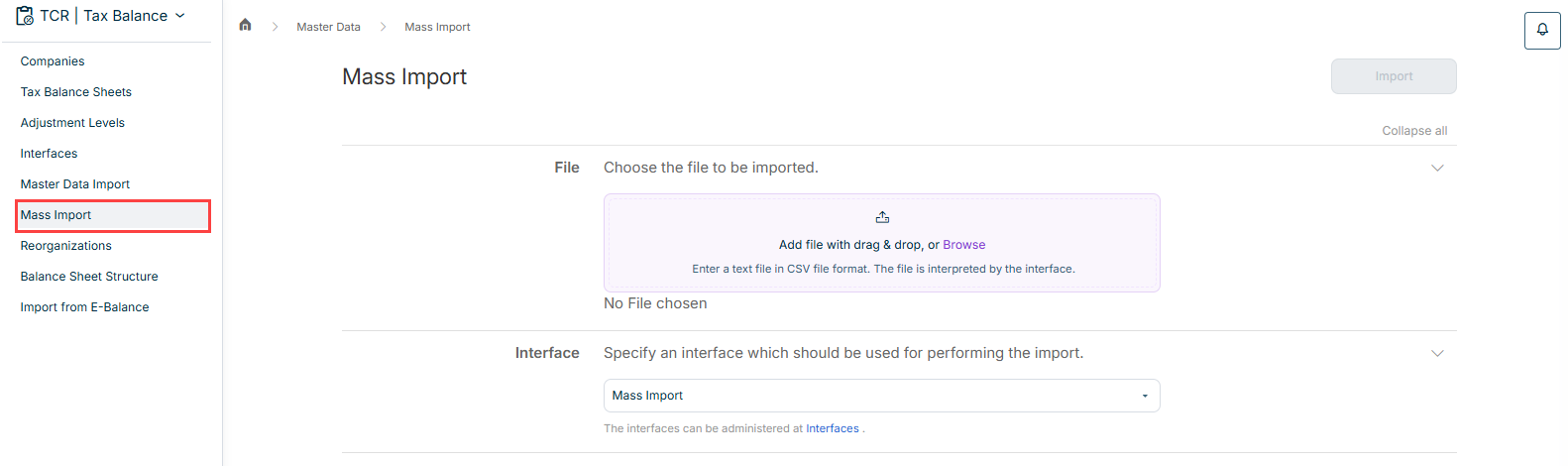
The Mass Import workspace is opened under Master Data | Mass Import.
The workspace is displayed as follows, for example:
Performing a Mass Import
To perform a mass import:
Add the file to be imported by means of drag and drop, or click Browse to add the file.
Note: Only files in CSV format are allowed.- Choose the interface that has been configured for the mass import.
- Click Import.
Displaying the Status and Details of the Import
After you have executed the import, you can display the state and, in the case of a failed import, the details.
To do this, click the bell icon to open the job monitor. The status of the import task is then displayed below the task:
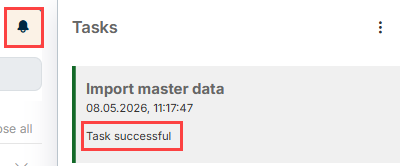
In the case of a failed execution, click the corresponding task to display the error details.