
Creating and Configuring Tax Balance Sheets
Last updated on 2026-05-20
Overview
In the Tax Balance Sheets workspace, you can create your tax balance sheets and assign them to the companies for which the tax balance sheet is to be used.
Furthermore, in this step you choose the taxonomy type and taxonomy version to be used for the tax balance sheet.
This article contains the following sections:
Navigation
The Tax Balance Sheets workspace can be opened under Master Data | Tax Balance Sheets.
The workspace displays an overview of all tax balance sheets that have already been created and is displayed as follows, for example:
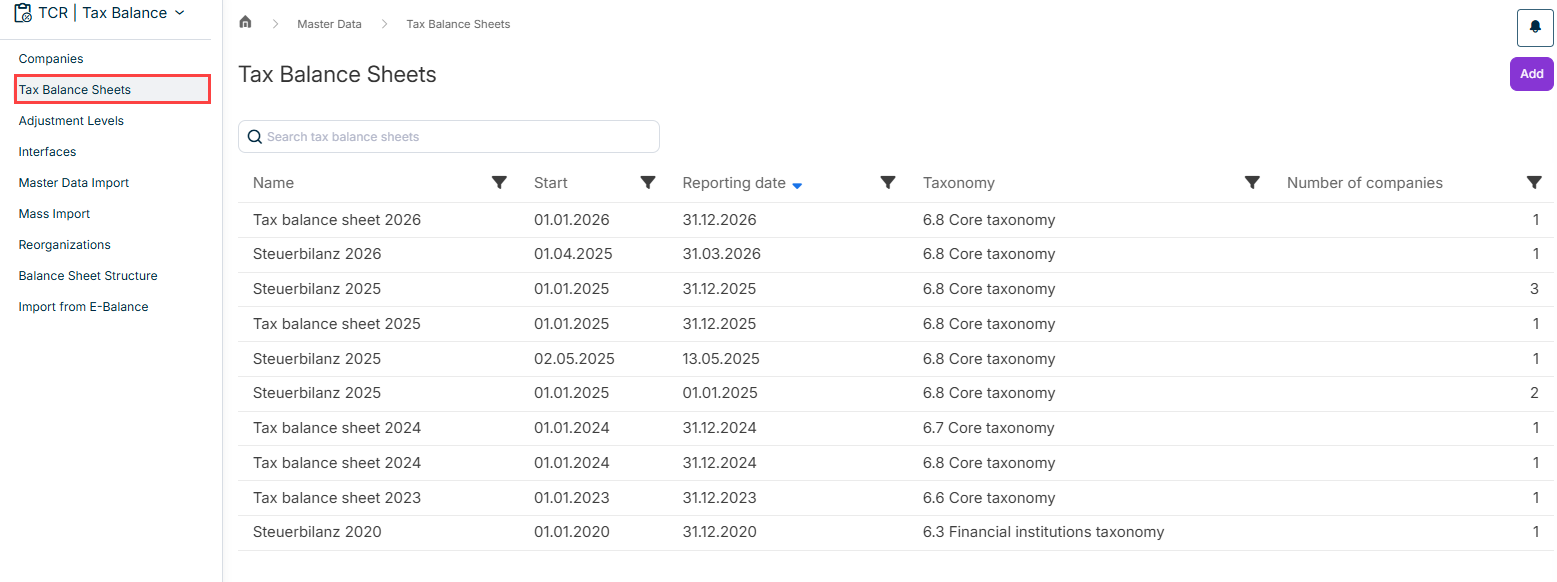
The overview table contains the following information:
- Name of the tax balance sheet
- Start and reporting date of the tax balance sheet
- Taxonomy that has been assigned to the tax balance sheet
- Number of companies that have been assigned to the tax balance sheet
Creating a Tax Balance Sheet
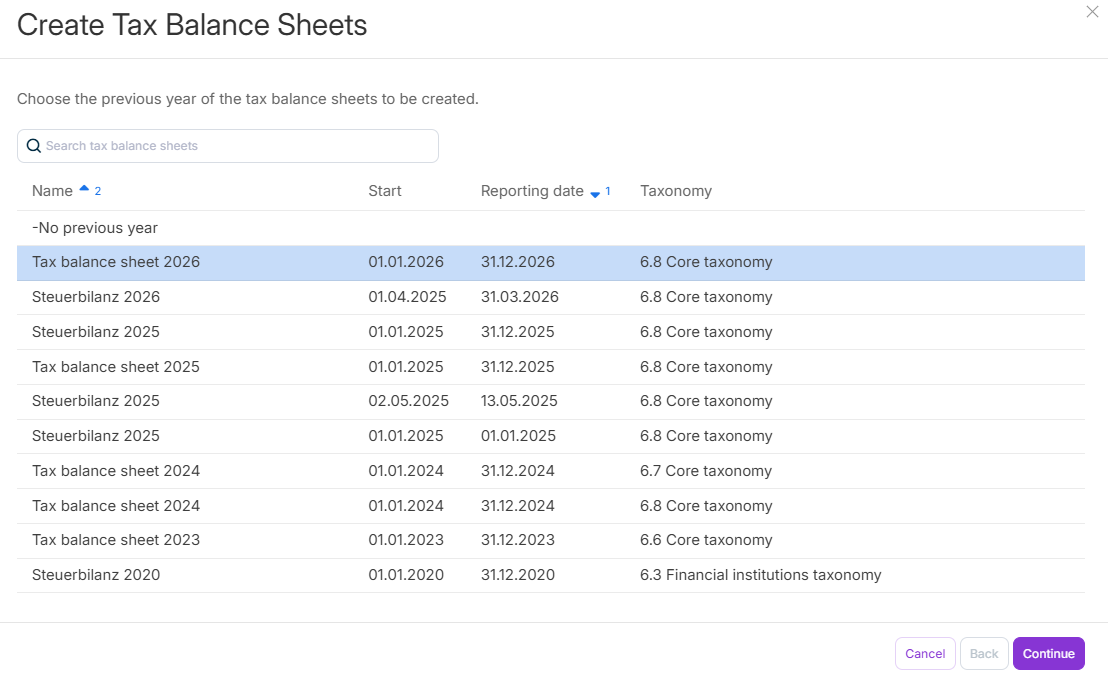
To create a tax balance sheet, click Add in the Tax Balance Sheets workspace and then configure the steps of the Create Tax Balance Sheets dialog as follows:
Step
Description
1
Selection of the previous year to be used as the basis for the new tax balance sheet
Do one of the following:
- Choose no previous year if the tax balance sheet is not to be based on any tax balance sheet from a previous year.
- Choose an existing tax balance sheet to be included for the previous year.
The profit difference (section 60 (2) of the Income Tax Ordinance (EStDV)) is calculated in the current tax balance sheet, taking into account the (tax) asset differences from the previous year.
2
- Balance sheet start - is transferred to the e-balance sheet
- Balance sheet date - is transmitted to the e-balance sheet and determines which taxonomy version may be used
- Indication of whether the tax balance sheet should be marked as an interim financial statement. As a result, the tax balance sheet is displayed in a special way in some views.
3
Name of the tax balance sheet
4
Selection of the taxonomy type and taxonomy version
Please refer to the Notes on Taxonomies for further information.
5
Selection of the companies for which the tax balance sheet is to be created
Editing a Tax Balance Sheet
To edit a tax balance sheet, click the desired tax balance sheet in the overview table.
You can then edit and save the displayed details.
All changes made in this way are applied to all companies assigned to this tax balance sheet.