In order to integrate data from a source system into Lucanet xP&A (Extended Planning & Analysis), you need to establish a connection to the respective data source.
xP&A offers integrations with various source systems. The procedures for setting up a connection and to define the data that is pulled in, differ depending on the source system in use. A list of the available source systems and a link to the detailed instructions to connect to them can be found below.
You can create various data sources for the same source system integration (e.g. to connect to multiple Google accounts).
Once a connection to the data source is established, you can:
Data sources created by you exist on your xP&A user account. If you unlink a data source from a model, the data source still continues to exist on your account.
To unlink a data source from your model, you have the following options:
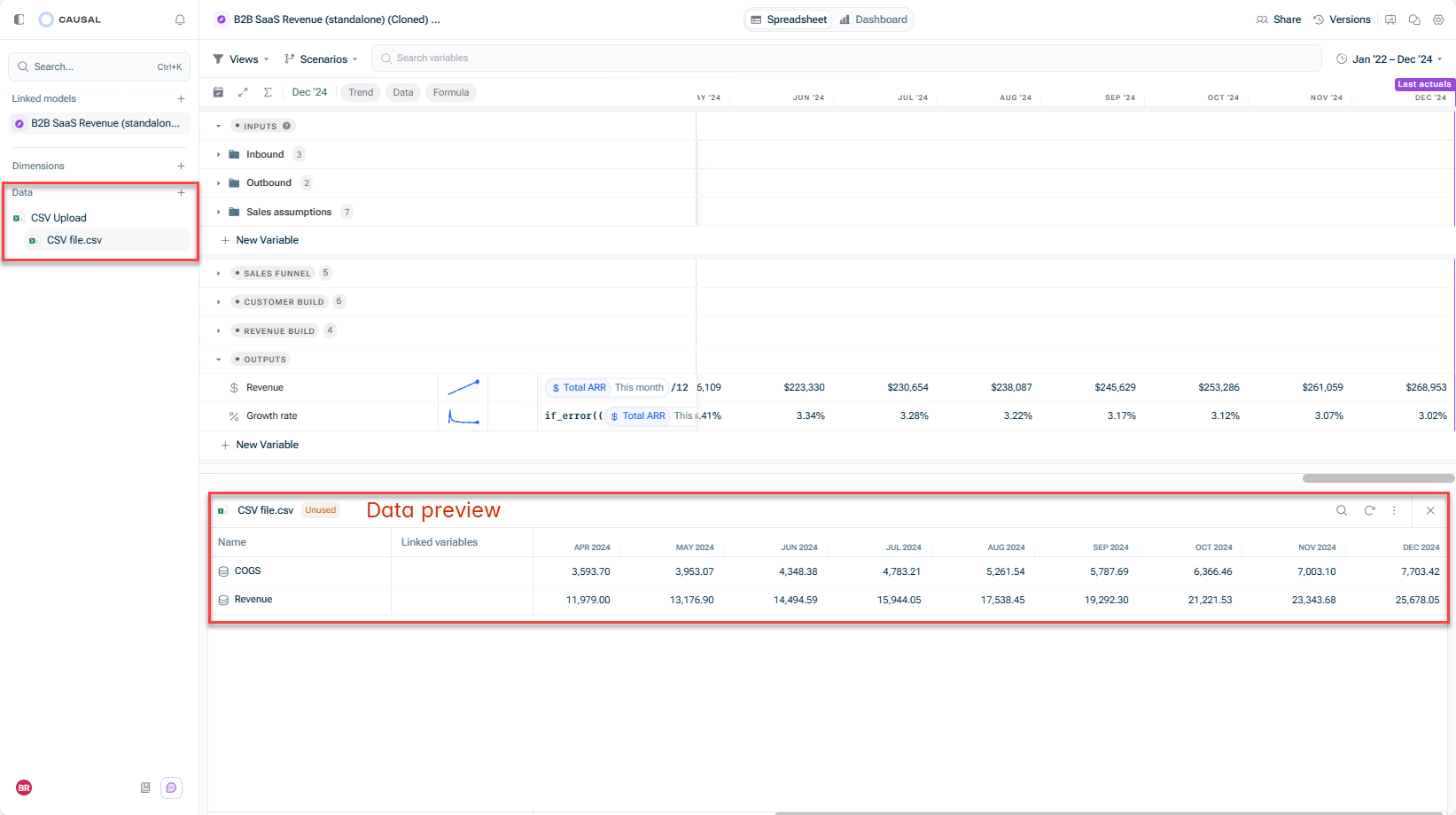
In the spreadsheet view of a model, go to the Data section in the overview, open the three-dot menu of the data source you would like to remove, and click Remove from model.
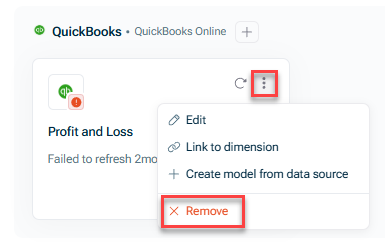
Go to the Data workspace, open the three-dot menu of the data source you would like to remove, and click Remove.
Removing a data source from a model
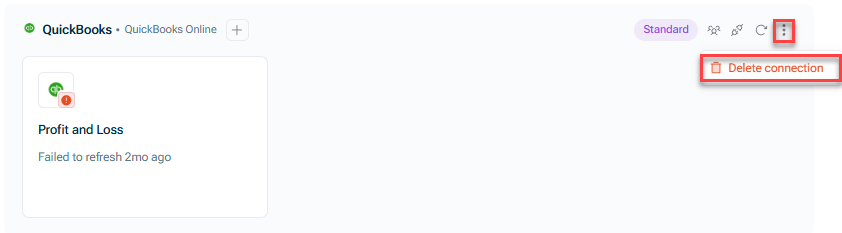
If you want to permanently delete a data connection and all its connected data sources from your account, go to the Data workspace, open the three-dot menu of the data connection, and click Delete connection.
Deleting a data connection
This content was generated using AI and reviewed by Lucanet subject matter experts before publication.