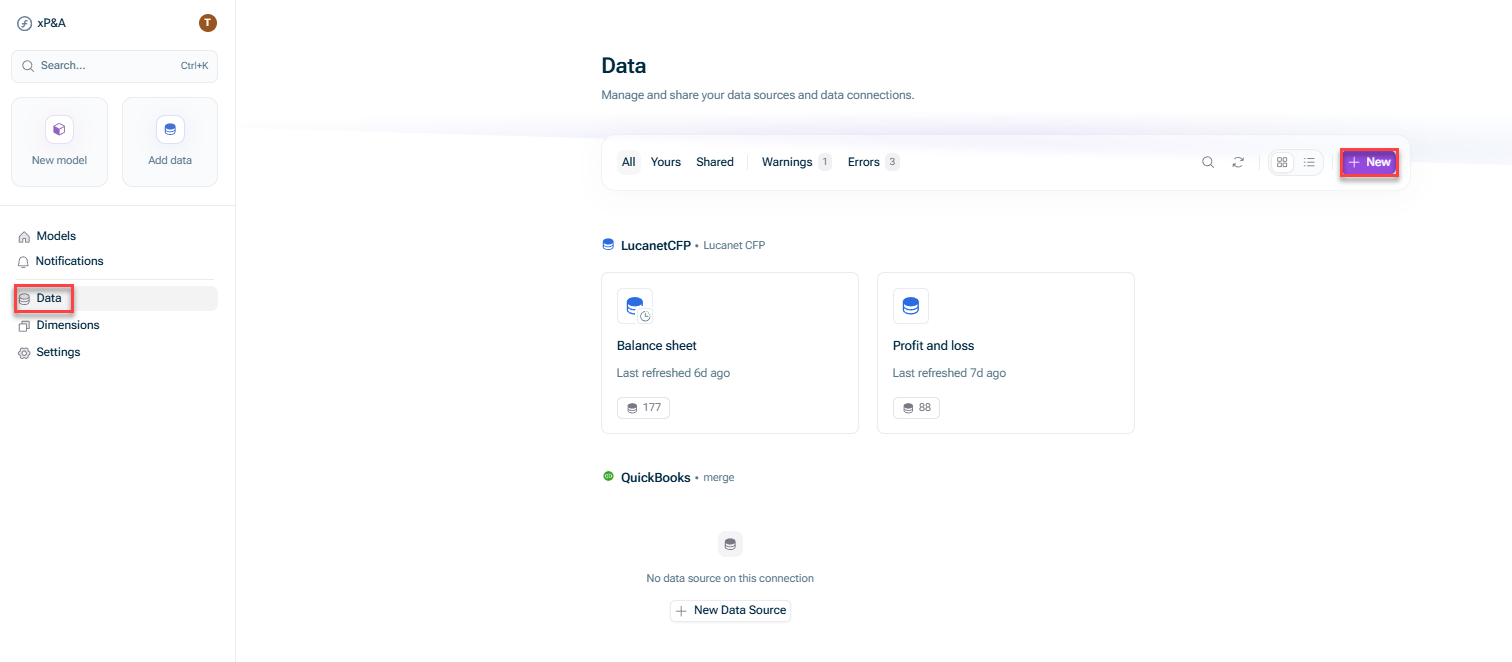
Open the Data + New.
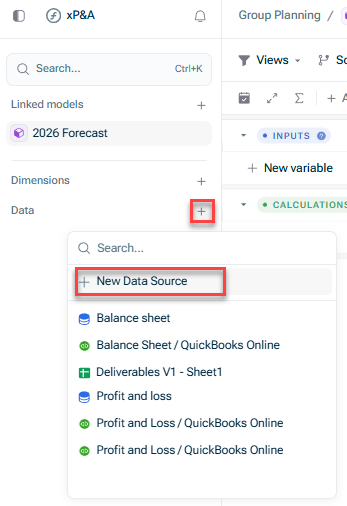
Open the model into which you would like to integrate the data, click the + Data New data source
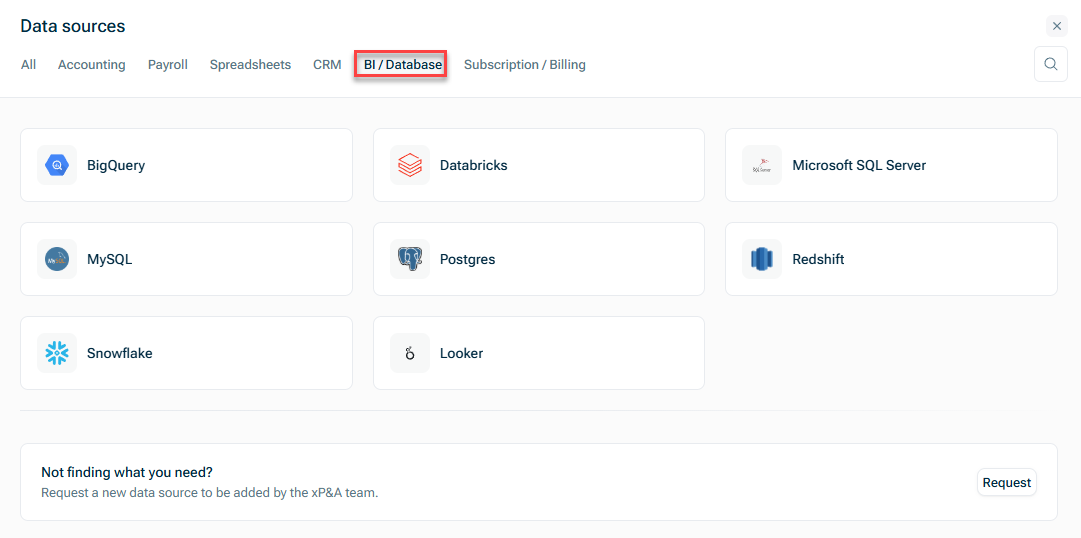
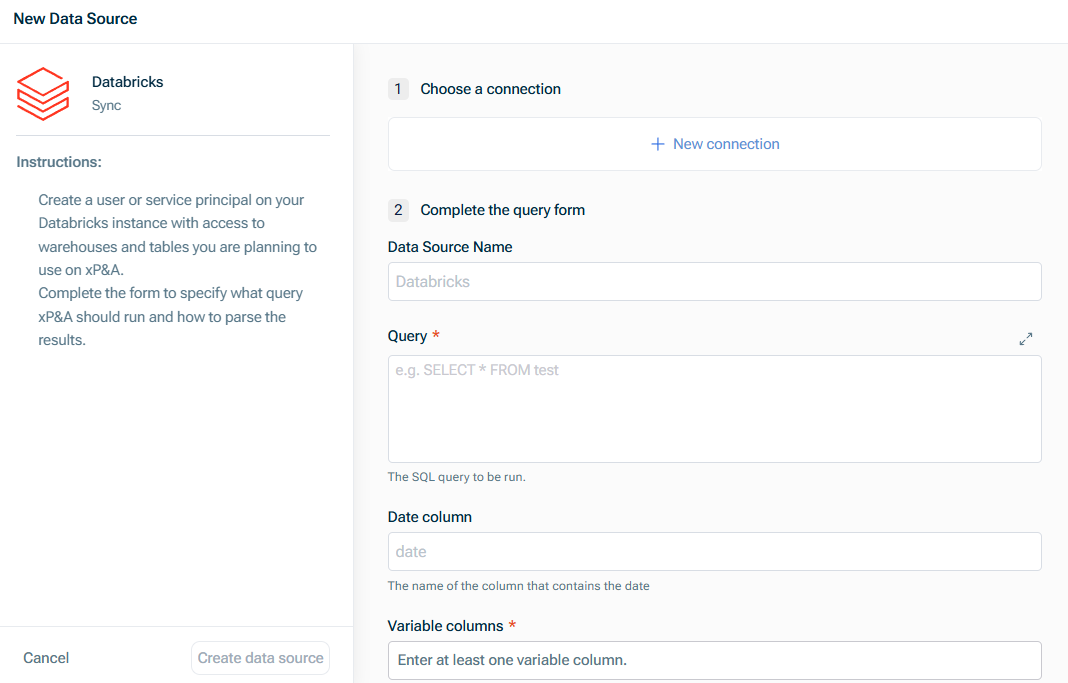
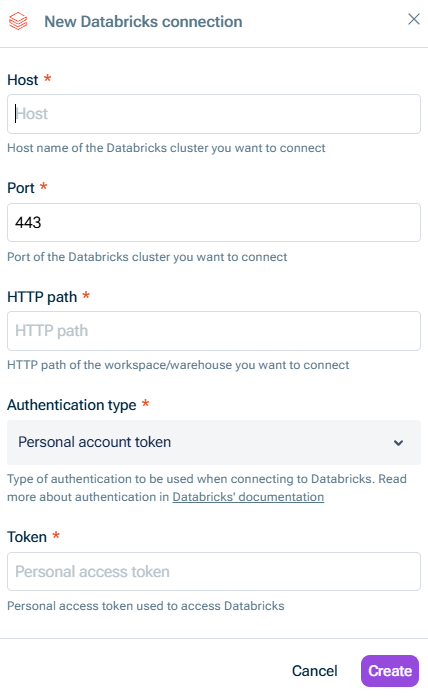
Host Port HTTP path Authentication type to be used when connecting to Databricks. Choose one of the following options: Personal account token Token Authenticate with Databricks personal access tokens Machine-to-Machine OAuth client ID Client secret Authenticate access to Databricks using OAuth token federation.)
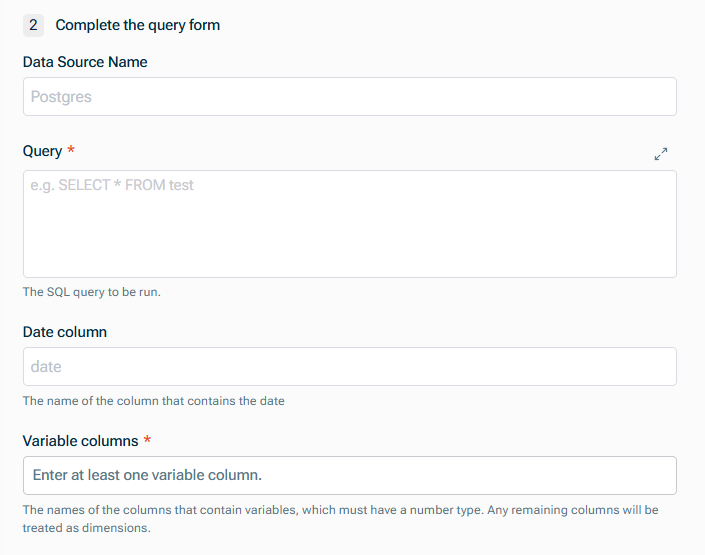
Data Source Name Query Defining Database Queries Name of the Date column Names of the columns that contain variables numeric
This content was generated using AI and reviewed by Lucanet subject matter experts before publication.
Last updated on May 1, 2026