All integrations with HRIS/Payroll systems are established using Merge In order to set up the integration, you must fulfil individual permission requirements and follow authentication procedures to link to your HRIS account with xP&A. Independent of the system, there is a set of default fields, i.e. variables and dimensions that are pulled in. Integrating these default field does not require any technical support but can be set up by the customer.
Altera Payroll Bamboo HR Breathe Charlie ChartHop Deel Freshteam Gusto Hibob HR Cloud HR Partner Humaans IntelliHR Justworks Kallidus Kallidus (f.k.a. Sapling) Namely Nmbrs Officient Paychex Paylocity PeopleHR Personio Proliant Quickbooks Payroll SageHR
Start Date Start Date (day) Latest Annual Salary Latest Monthly Salary Monthly Salary (timeseries) Annual Salary (timeseries) Headcount End Date End Date (day)
Country Currency Employee Employee ID Employment Type Group Location Pay Group State Status Team Title
Enter an admins' credentials in the data connection creation flow in xP&A. If your admin has an xP&A account, they can create the data source themselves from scratch, with their own credentials.
Open the Data + New. Open the model into which you would like to integrate the data, click the + Data New data source
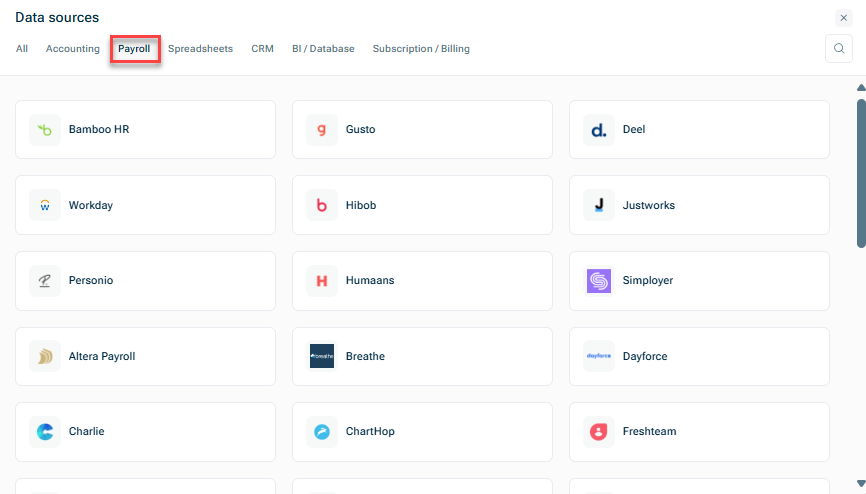
Connect via xP&A's Headcount Plan wizard Create the data source manually
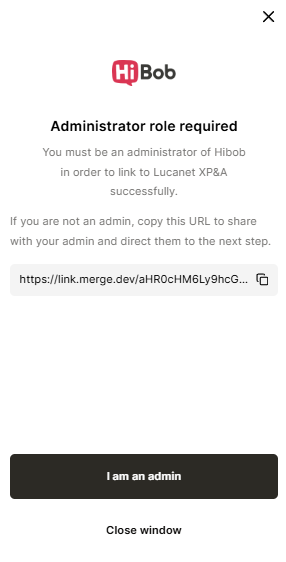
Confirm that you are an admin or copy the displayed URL to share it with your admin and direct them to the next step.
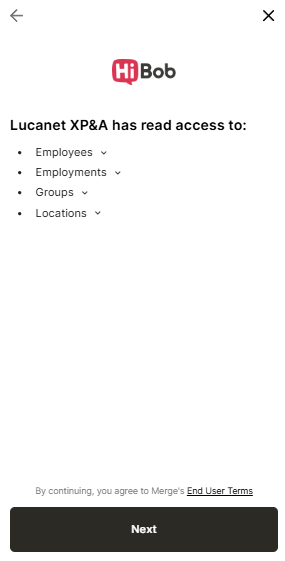
Check the standard fields that can be pulled in with the integration and click Next End User Terms
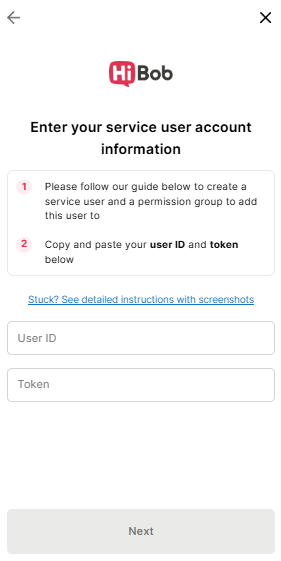
Enter the authentication details to connect to the source system and click Next
This content was generated using AI and reviewed by Lucanet subject matter experts before publication.
Last updated on May 1, 2026