First column must contain the date Second column can contain the cohort The following columns can contain the dimensions The following columns must contain at least one variable Make sure missing dates are not filled (expand the Visualisation Remove filled in dates
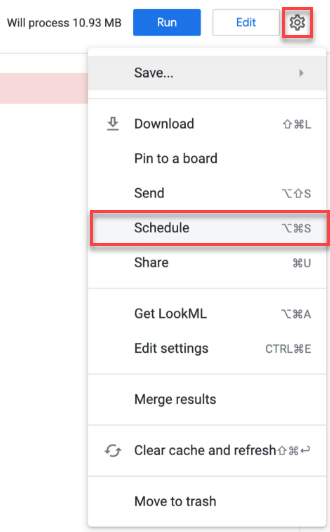
Repeating interval Datagroup update
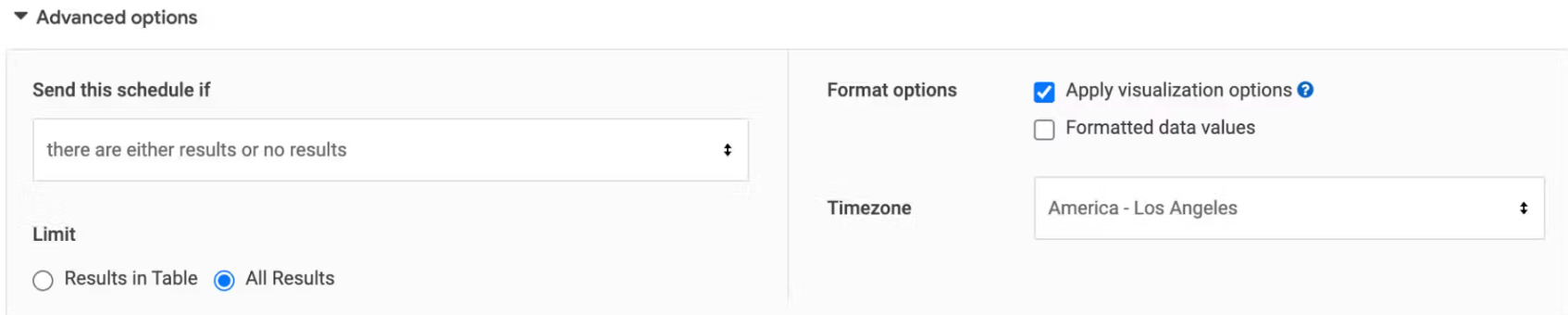
Select All results Enable Apply visualization options Disable Formatted data values
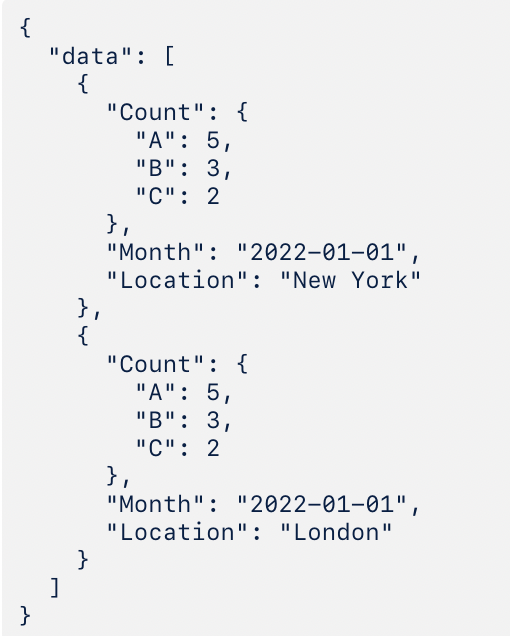
Check if the Look Transactions Look Make sure the date format is correct, e.g. 2022-04-20 for April 20th 2022 or 2021-12 for December 2021. There might be a nested JSON. In this case, you can try the following: Depending on the Look, the values might be nested in the JSON. Go to the Data Edit View last uploaded data In the example below, the variables A, B and C are nested in the Count Count.A Count.B Count.C
This content was generated using AI and reviewed by Lucanet subject matter experts before publication.