25if VariableA > 10 then 1 else 0and or if statements sample(3, 5)
Double-click in the desired cell in the formula column. Select the desired cell and press F2
For more information, see | |
For more information, see | |
• • For more information, see | |
For more information, see |

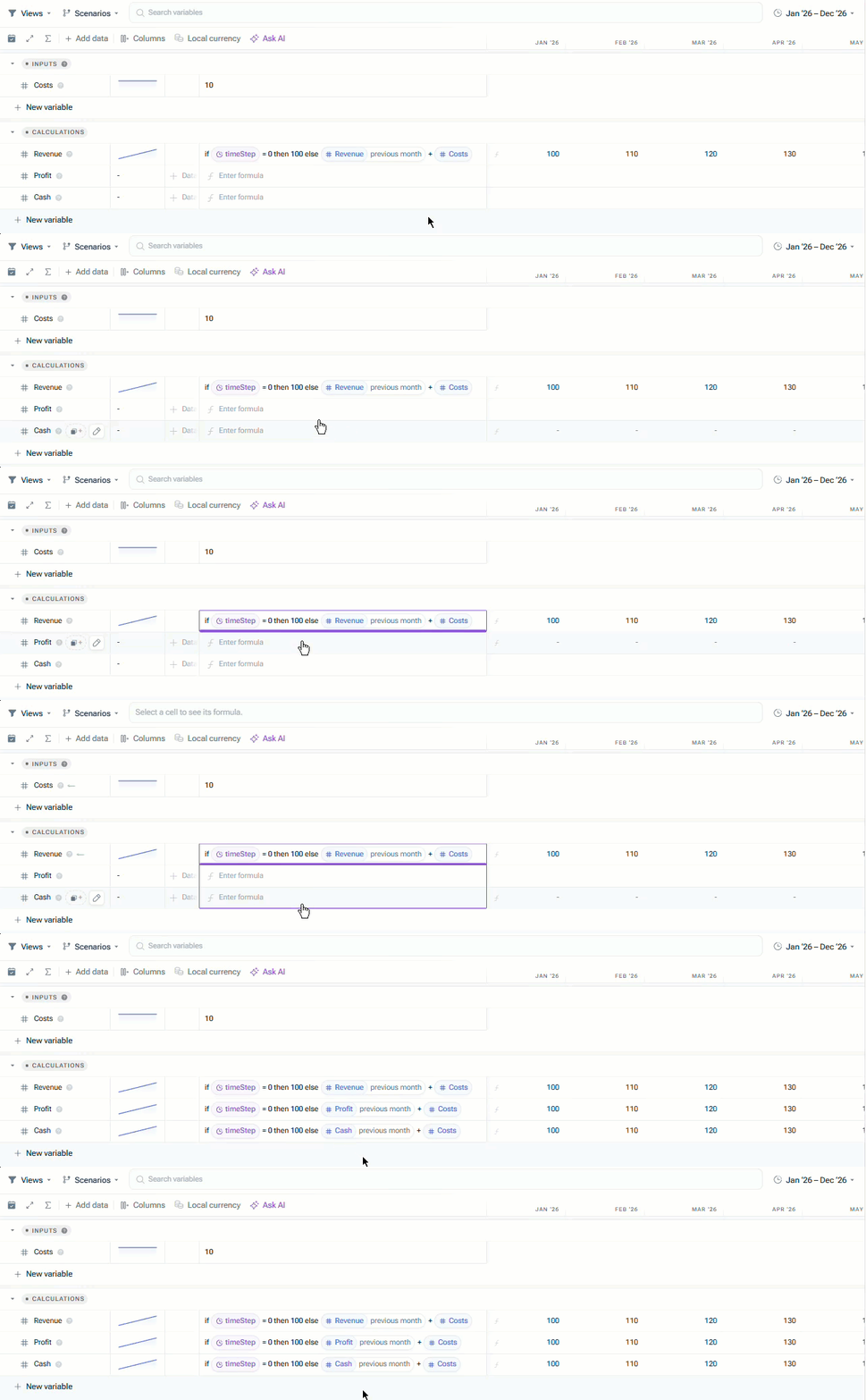
The Fill Down handle is available when you can edit the source formula and at least one eligible variable row exists below it. Fill Down works across regular formula-variable rows, including top-level variables that have dimension breakdowns. Fill Down skips the following rows: Group and section headers Dimension-item sub-rows Dividers Variables from linked models Non-formula variable types
Fill Down is unavailable in change proposals, in read-only spreadsheets, or where you cannot edit formula cells. Fill Down does not copy directly from one individual dimension item to another, and it does not automatically shift references to other variables as relative cell references in MS Excel do.
Revenue previous month * 1.05 | Profit previous month * 1.05 | |
if timeStep = 0 then 100 else Revenue previous month + Costs | if timeStep = 0 then 100 else Profit previous month + Costs |
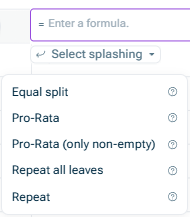
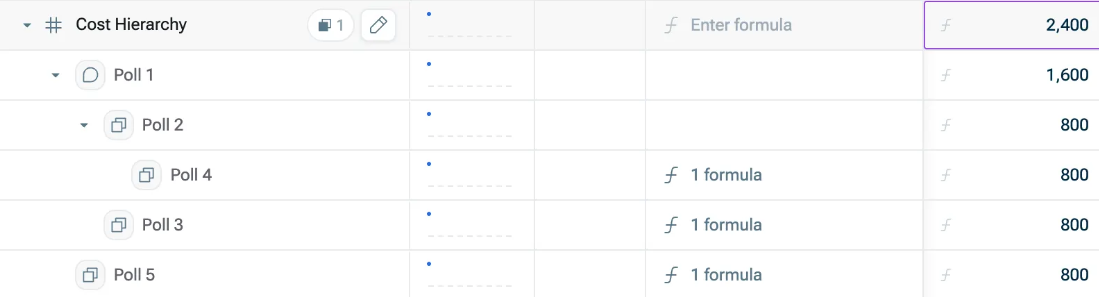
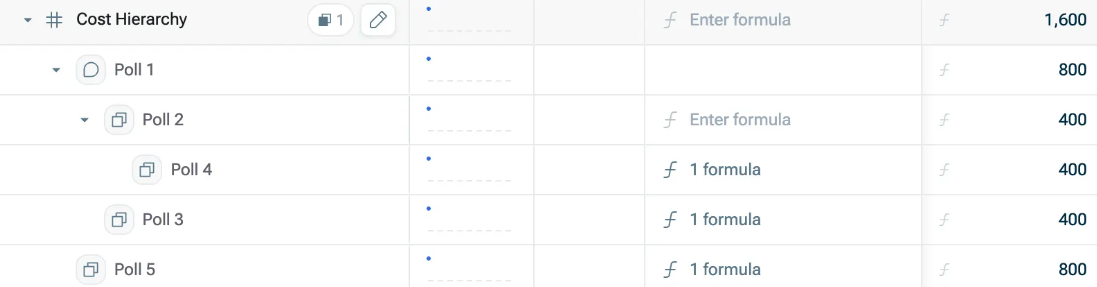
If you apply splashing on cells that already contain values, these values will be overwritten by the newly distributed values. Your latest selected splashing type is saved for the next entry. E.g. if you selected Equal split
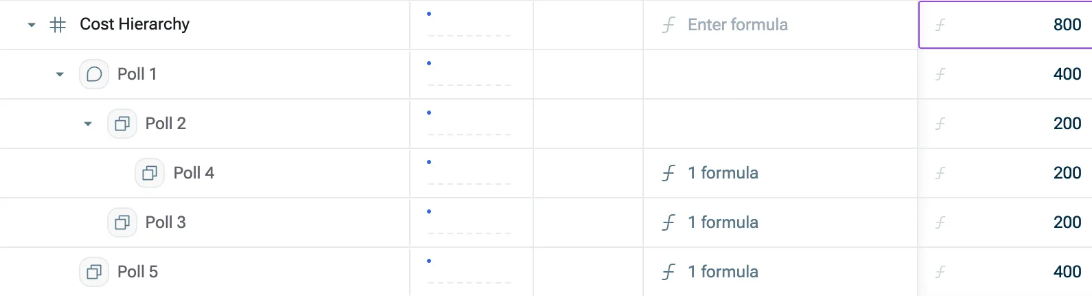
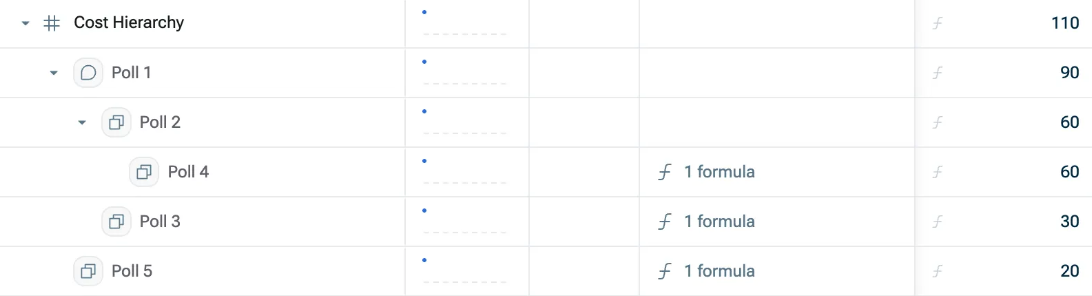
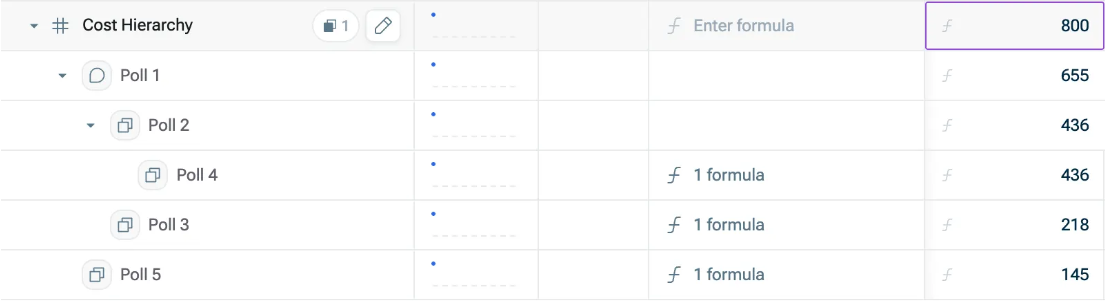
Zero is different from empty. If all included values are zero, Pro-Rata (only non-empty) If every underlying item is empty, Lucanet xP&A cancels the edit without distributing the value and displays a corresponding warning.
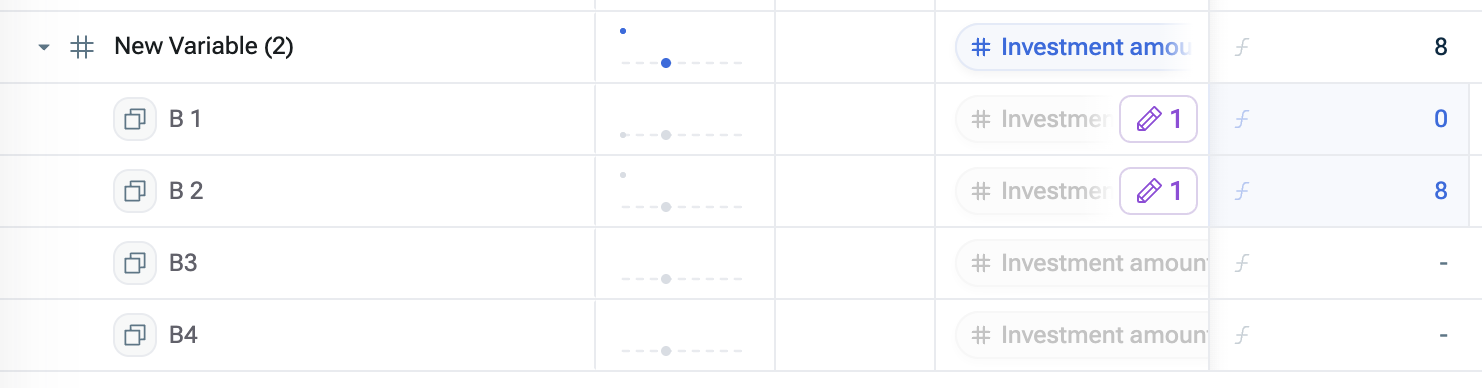
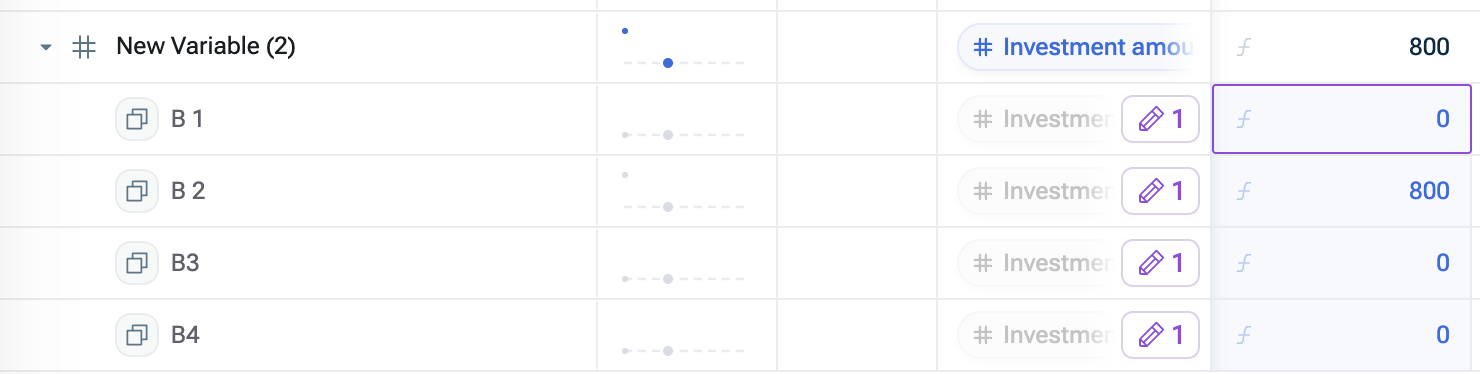
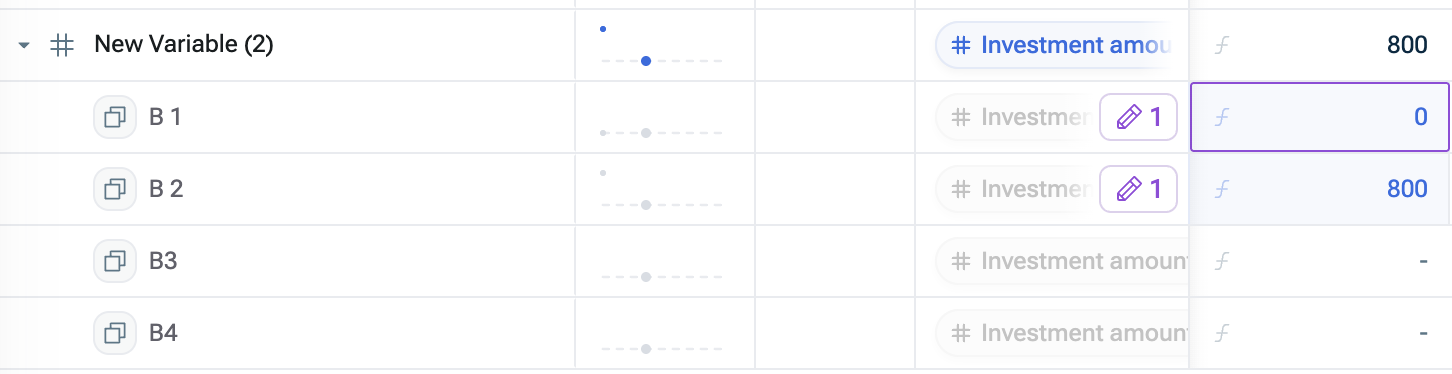
This content was generated using AI and reviewed by Lucanet subject matter experts before publication.