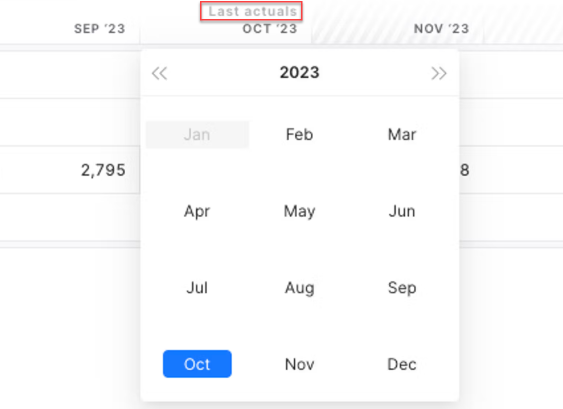
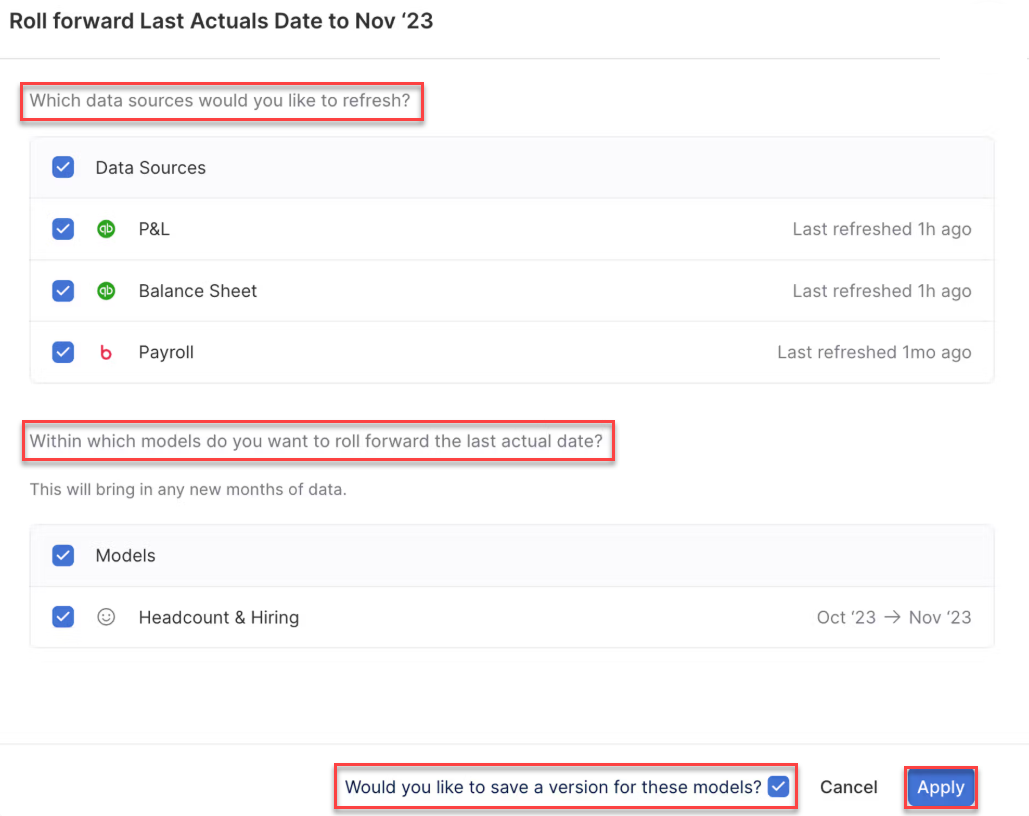
| What will happen if I have data beyond the Last actual date in my data sources? | Even if you have data beyond the Last actual date in your data source, they will not be pulled into your model until you roll the Last actual date forward. A blue dot will be displayed next to the current Last actual date to let you know that there is data beyond the Last actual date. |
| What if I want to bring the forecast months as data from a data source outside of xP&A? | For more information on this topic, refer to the Import Data Until Function. |
| What if some data items within a model have data up to different points in time? | If you are missing months of data for any data items immediately before (and including) the Last actual date, xP&A will fall back to the formula for variables connected to those data items for those months. |
| Who can change the last actual date? | Anyone who has full or edit access to the model. |
| What happens if I refresh data but did not do so via the Last actual date header? (e.g. via auto-refresh, or directly on the data source) | • If you refreshed and there is now data present beyond the current Last actual date, a blue dot will be displayed next to the current Last actual date to let you know there is data available. Once you update the Last actual date, the new data will be pulled into the model(s). • If you refreshed and data changed for any historic months (up to and including the Last actual date), this data will be reflected immediately in the model(s). |
| What happens if I’ve updated my Last actual date but my data source(s) takes a while to refresh? | • Most data sources refresh within 1-2 minutes. However, some larger data sources may take longer. In these instances, you may have a new Last actual date, but no data being pulled in for it yet. A moving refresh icon will be displayed in the header next to the new Last actual date in any model connected to a refreshing data source. • If you know your data sources take a while to refresh, you could instead refresh the data source first, and then update the Last actual date once the refresh is finished. |
| What if I want to restrict months of data, but just for one data source (not all) in a model? | For more information on this topic, refer to Import Data Until Function. |
| What if I don’t use the Last actual date at all? | Data will flow into the model(s) to which they are connected to as and when they are refreshed, up to whatever months or time steps the data source has data for. Note that there will be no automatic visual distinction between historic months in time step headers or charts, and you will not be able to use the Last Actual helper variable or Actuals version. |