A complete or partial result document can be generated at any time in Disclosure Management. A result document contains the current status of a document stored in Disclosure Management.

To create a result document:

1

In the overview of a document, click on the Creation workspace.

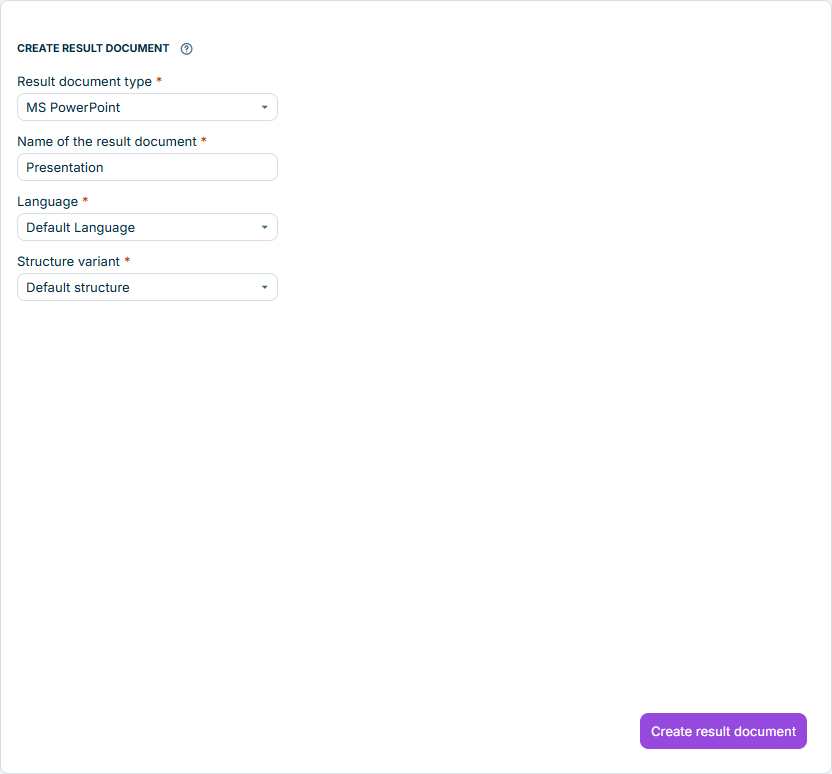
The Creation workspace is displayed:

Creating result document
2

Configure the result document (see section Configuring Result Document).

3

Click Create result document.

The following options are available for the result document:

OptionDescription
NameName of the result document
LanguageLanguage of the result document
Structure variantVersion of the report
GeneralControl report (add file name) The combined elements of the result document are labeled with the name of their chapter of origin. This allows you to quickly see from which chapter and therefore from which Word or Excel file a particular element of the result document originates. Write user name in the header The name of the creator and the time of creation are written in the header of the result document. Remove values All values under the control of Disclosure Management are replaced by a zero.
Word functionsDisable tracking of changes The 'Track changes' mode that may be activated in Word files is deactivated. Remove hidden text The hidden texts contained in the Word files are not included in the result document. Remove comments The comments contained in the Word files are not included in the result document.
Add XBRL mappingAdds XBRL mapping to the created result document. The Word file can then be loaded into the XBRL tagger. If this check box is not activated, no XBRL tags are transferred to the result document.

You can generate a partial result document from any chapter of a document at any time. To do this, you must switch to the cockpit and follow the steps described here.