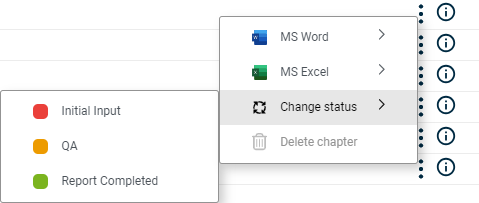
Creating and editing Excel files, Word files, and Word references for the chapters and sub-chapters of a document Opening Excel and Word files Selecting the document language Changing and tracking the status of chapters and sub-chapters Assigning structures Opening the detail view Opening the data view Showing attachments to a chapter
In the Dashboard In the overview, click Cockpit Click Cockpit
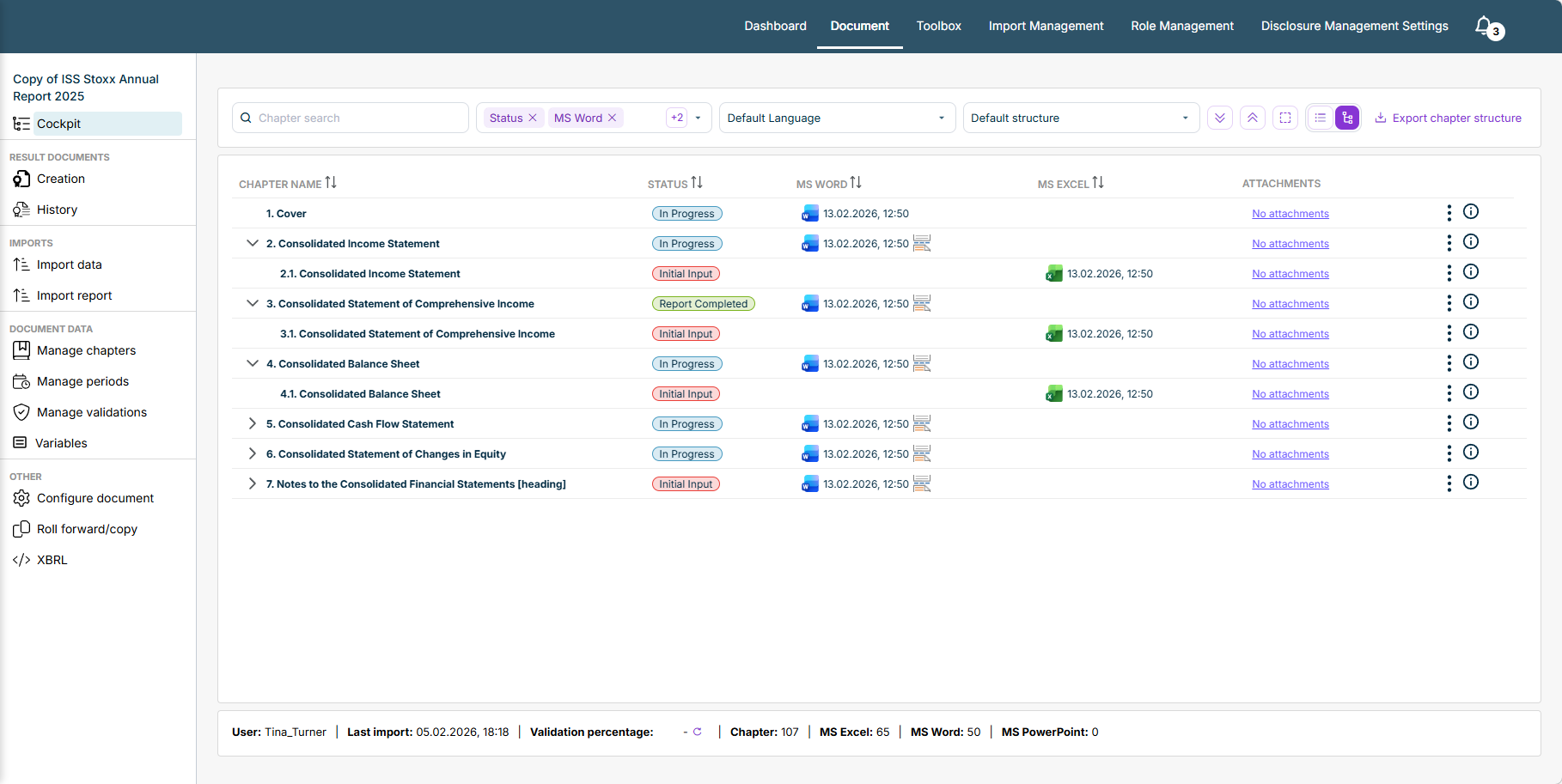
Browsing the chapter list Defining which columns to display Selecting the display language Selecting the required structure Configuring the display and sorting of the chapters Extracting the chapter structure of the document into an Excel file

 | |
 | |
 | |
 |

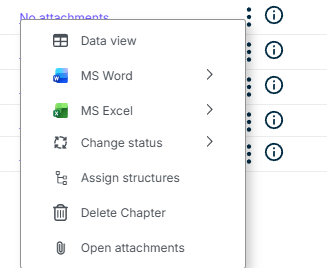
An Excel file is classed as “programmed” if it has a Name column, at least one Values column, and at least one Programming column, and at least one cell is programmed into the Programming column. If the Programming column is empty, the Excel file is not classed as programmed.
Add Excel file Add external Excel file
Add Word file Add external Word file Add Word reference Working with Word References

This content was generated using AI and reviewed by Lucanet subject matter experts before publication.
Last updated on May 1, 2026