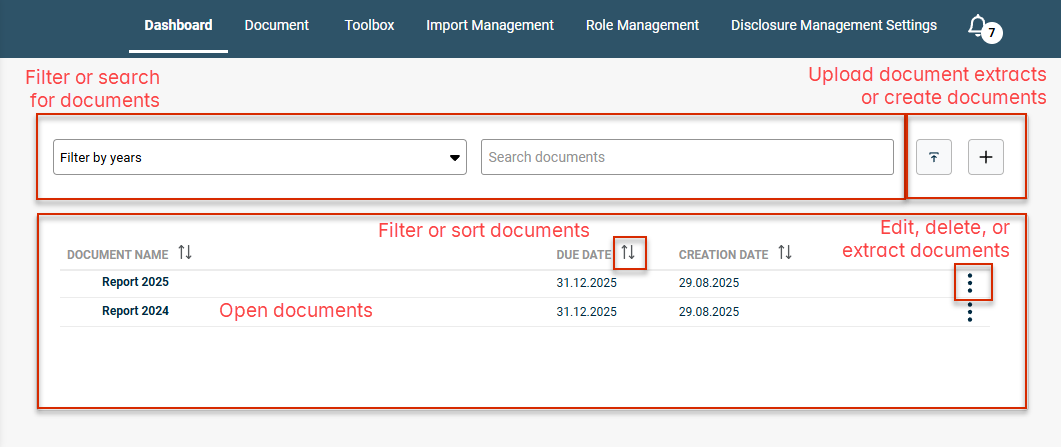
The dashboard is the opening screen in Disclosure Management. From the dashboard, you can create new documents and view all the documents that have been created in Disclosure Management. You can also open documents from the dashboard.
The following options are available in the dashboard:
Options
Description
Filter or search for documents
Options for filtering documents by year or searching for specific documents
Import document extracts
Option for importing previously extracted documents with the SNE file extension
Create documents
Option for creating a new document. Enter the document name and define the reporting date by which the document needs to be completed. Go to Workflow and apply the Default Workflow, then click Save. The document will now be displayed in the Document overview.
Open documents
To open and configure the required document, click it in the document overview. For more information, see Configuring a Document
Sort documents
Option to sort documents by document name, reporting date or creation date, in either ascending or descending order
Edit or delete documents
Option for changing the document name or reporting date, or deleting the document
Disclosure Management enables you to create extracts of documents so you can send them to Amana Consulting for auditing or inspection, for example. For more information, see Rolling Forward or Copying a Document.
To extract multiple documents into one file, you must have one of the following roles:
Global Administrator
Document Administrator (for the documents you have permissions for)
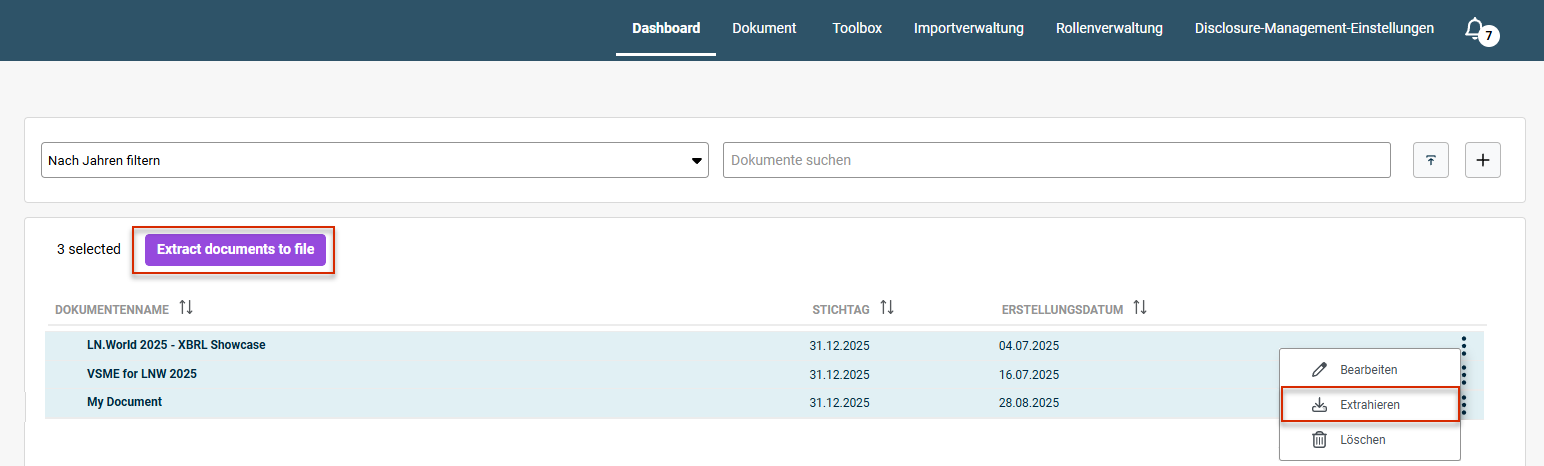
Without one of the mentioned roles, the Extract documents to file button is deactivated. A tooltip with a message about the missing permission is displayed.
To extract multiple documents into one file:
1
Hold down the CTRL key and select the documents you want to extract into a file.
2
Do one of the following:
Right-click the three-dot icon and select Extract.
Click the Extract documents to file button.
Extracting multiple documents into a single file
3
Once the extraction is complete, a new message will be displayed in the notification window, from which you can download the extracted report.