An MS Excel file is classed as programmed If the Programming column is empty, the MS Excel file is not classed as programmed.
Video — https://player.vimeo.com/video/1020582227?muted=true&autoplay=false&loop=false&playsinline=true&controls=true&portrait=false&byline=false&title=false
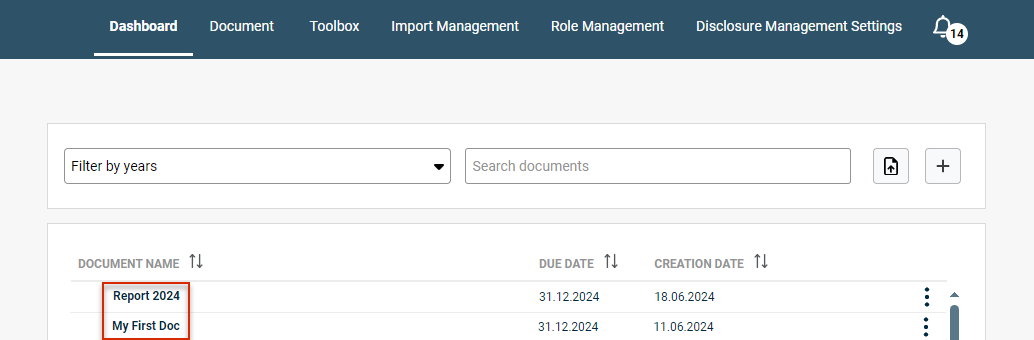
Click the three dots icon 
Data view
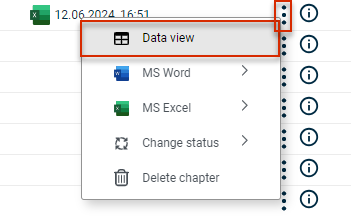
Click 
detail view for a chapter Data view
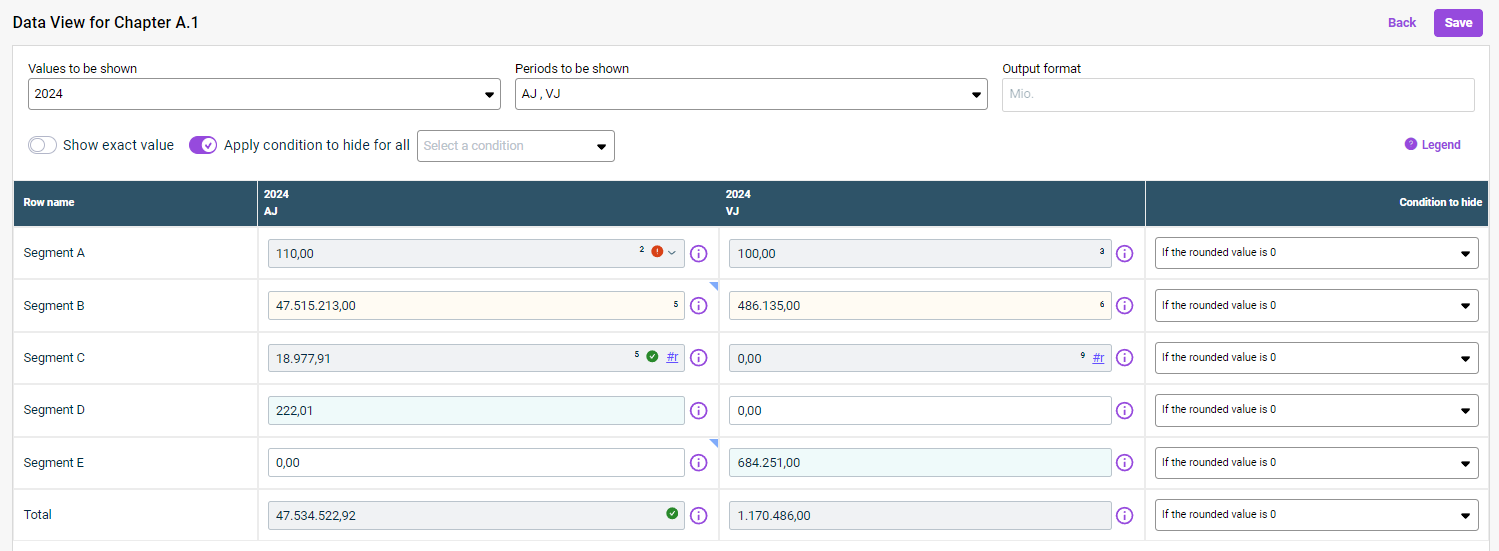
The data view always displays all the rows programmed in the programming column of the MS Excel file in question. To display a value column in the data view with its column name from MS Excel, the cell that contains the column name Creating a Value Column
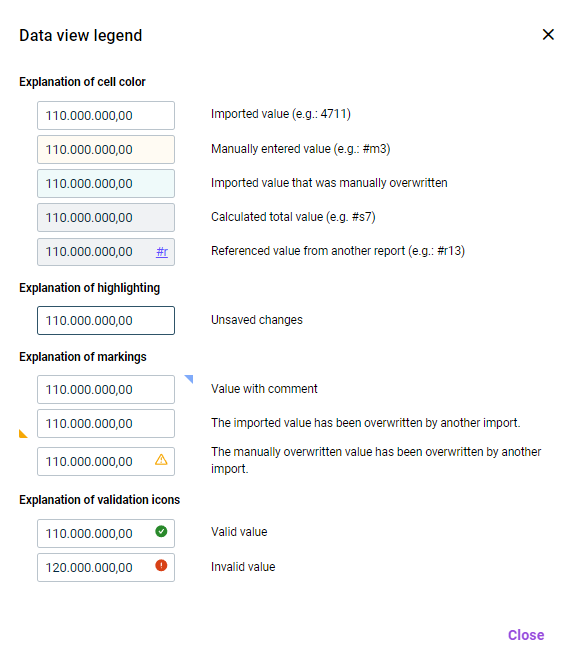
Automatic values Manually entered values
This content was generated using AI and reviewed by Lucanet subject matter experts before publication.
Last updated on May 1, 2026