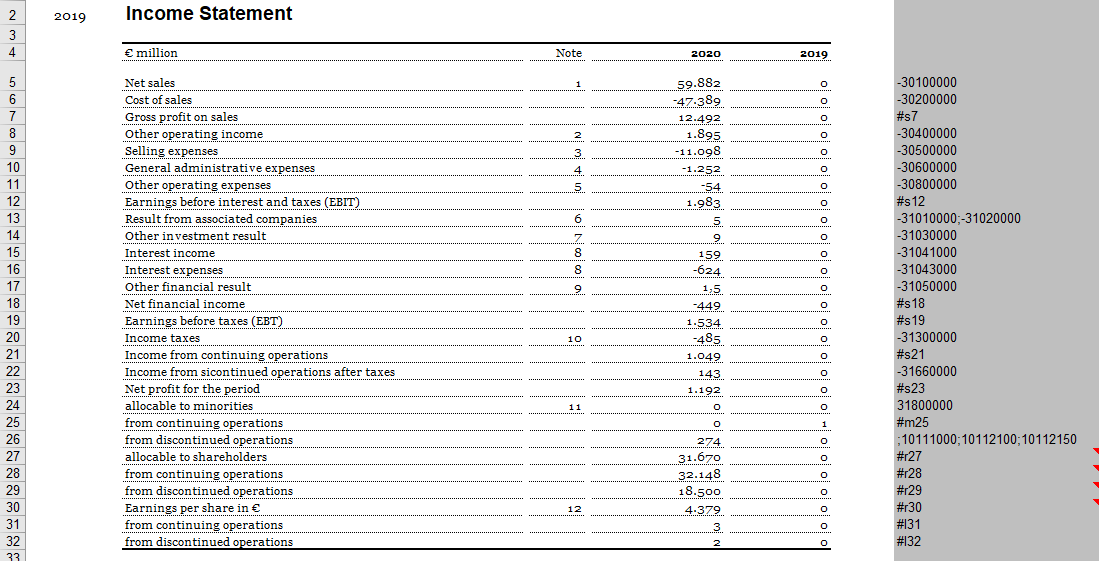
Name columns Value columns Programming columns
The name of a name column begins with name_ The name of a name column is given a sequential number The name of a name column can optionally be supplemented with a language abbreviation (e.g., name_1_en).
The name of a value column begins with value_ The name of a value column is given a sequential number PeriodID The name of a value column can optionally be supplemented with a language abbreviation (e.g., name_1_en).
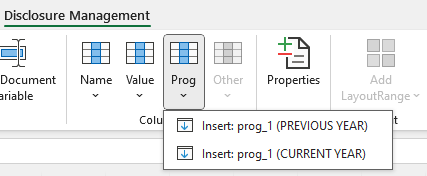
The name of a programming column begins with prog_ The name of a programming column is given a sequential number PeriodID
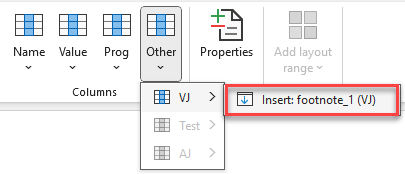
The name of a footnote column begins with footnote_ The name of a footnote column is assigned a sequential number period ID The name of a footnote column can optionally be supplemented with a language abbreviation (e.g., name_1_en).
1 footnote column is to apply. The value column 1 (value_1) footnote column 1 (footnote_1) The value column 2 (value_2) footnote column 2 (footnote_2)
The desired footnote number is then written in the footnote column behind the value configured before it in the Excel file. The footnote number and the text for the footnote can then be written manually in the Word file under the relevant table. To delete a footnote, the number can be simply deleted in the cell.
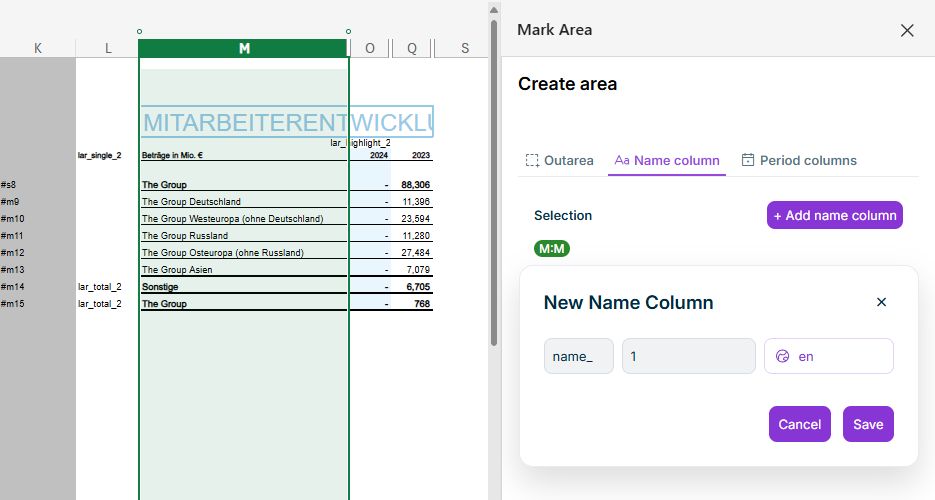
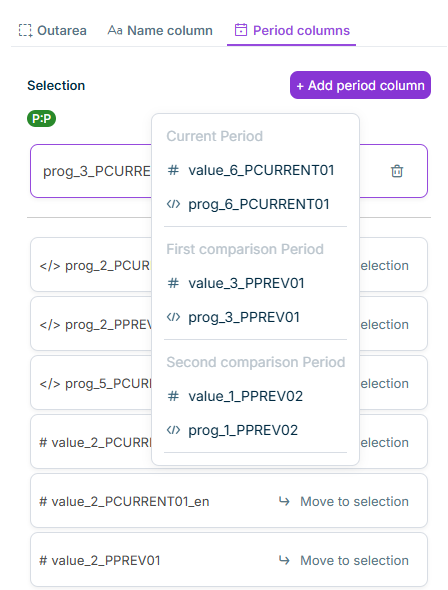
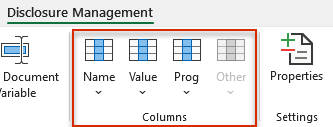
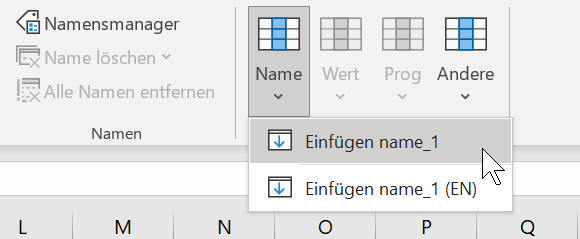
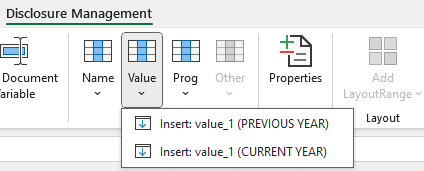
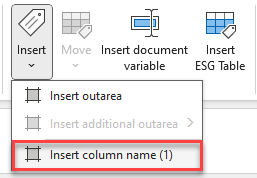
Choose Disclosure Management | Insert column name x Click Insert Insert column name x .
Using the context menu of a column in Excel In the detail view of a value in the data view
This content was generated using AI and reviewed by Lucanet subject matter experts before publication.
Last updated on May 1, 2026