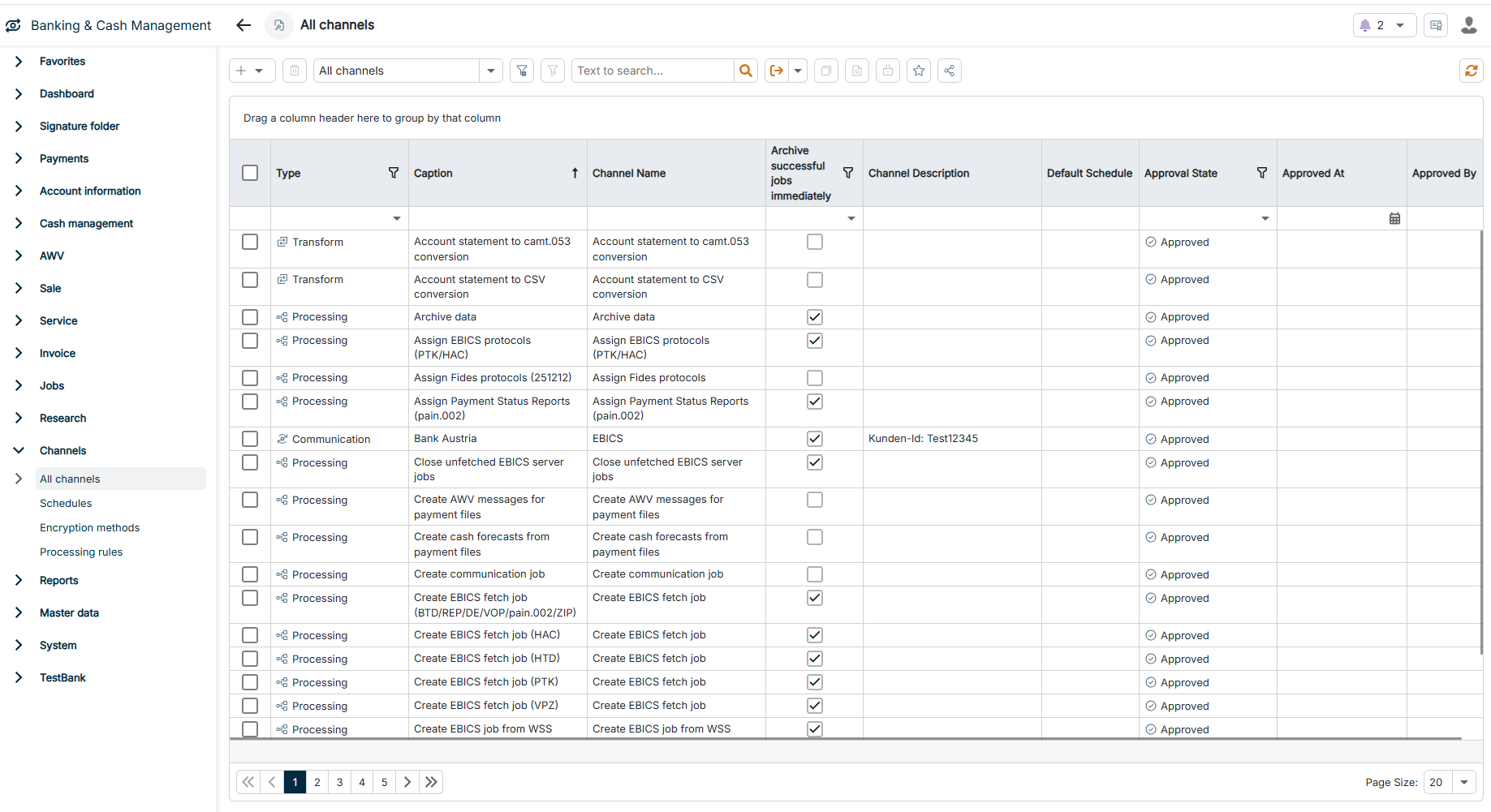
Channels are the central concept for connectivity, data processing, and automation in Lucanet Banking & Cash Management (BCM). Channels are the interfaces between BCM and external data sources, transform data into different formats, and control the execution of automated business processes.
Each channel is configured for a specific task — for example, fetching account statements via EBICS, converting Excel files into SEPA payments, or automatically calculating cash forecasts. Channels start time-controlled via recurring jobs or event-driven via processing rules; you can also trigger channels manually.
Communication channels enable unidirectional or bidirectional data exchange with external systems and partners, depending on the channel type. Communication channels establish secure connections to banks, exchange files with ERP systems, and send notifications via different communication paths.
Transformation channels convert data between different formats and standards and adapt data structures to the requirements of different systems and processes.
Processing channels automate complex business processes and execute rule-based actions. The channels orchestrate workflows, calculate financial information, and integrate different system components.
Import channels are internal technical processes that control the automated import of different data types. BCM provides import channels by default; if necessary, you can duplicate and adapt import channels.
Export channels
The Export channels workspace is still displayed, but you no longer need it. You set up exports via the communication channels.
Schedules define on which weekdays and at which times recurring jobs are executed. In this workspace, you create and manage schedules. A schedule takes effect as soon as you assign it to the respective job — this way you avoid executions outside business hours.
Encryption methods encrypt and decrypt data that is exchanged via channels: BCM encrypts the data before sending and decrypts the data after receiving. You assign encryption methods to target channels to protect sensitive information.
Processing rules monitor jobs. When a job reaches the status defined in the rule, the rule triggers the linked channels and thus chains processes without manual intervention.
This content was generated using AI and reviewed by Lucanet subject matter experts before publication.