Communication channels are the basic connectivity components in Lucanet Banking & Cash Management (BCM). The channels enable unidirectional or bidirectional data exchange between BCM and external systems and partners, depending on the channel type. Communication channels provide the technical connection paths for fetching account statements, submitting payment files, exchanging data with back-end systems, and sending notifications.

After configuration, jobs use the channels to execute specific communication tasks automatically or on demand. A channel can exist without assigned jobs; each job refers to exactly one channel of its type.

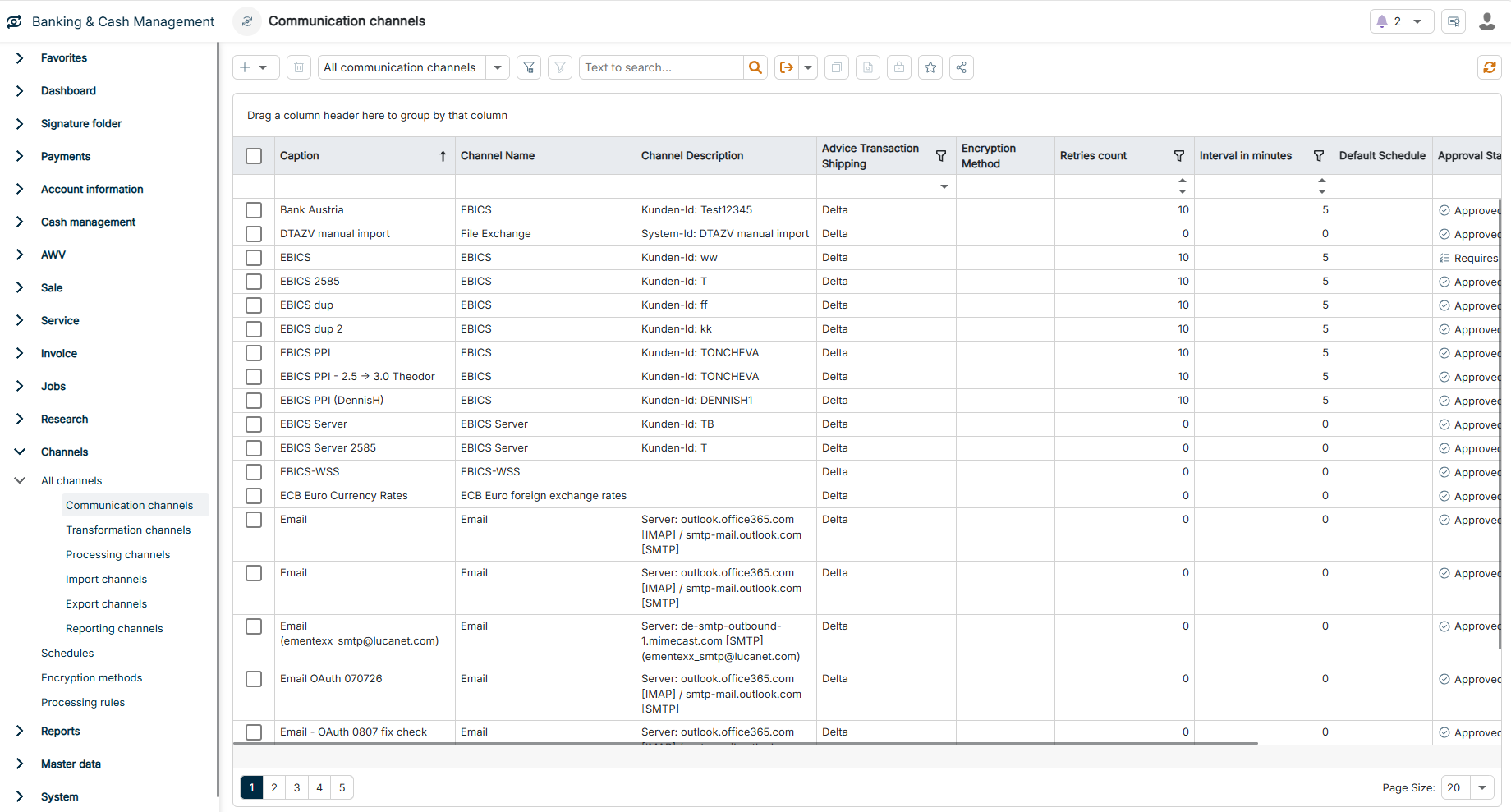
The Communication channels workspace can be found under Banking & Cash Management | Channels | All channels | Communication channels and is displayed as follows, for example:

The Communication channels workspace is highlighted in the menu navigation.
'Communication channels' workspace in the menu navigation

To create a communication channel:

1

Navigate to Channels | All channels | Communication channels.

2

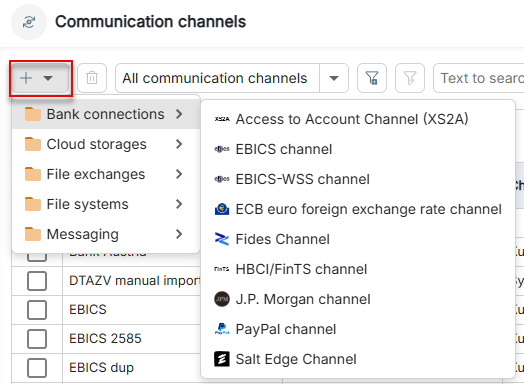
Click the Plus icon in the upper left corner and select the desired channel type in the drop-down list:

The dialog for creating a communication channel is displayed.
Creating a communication channel

Which channel types you see in the drop-down list depends on your license.

3

Configure the channel according to your requirements.

Communication channels can be divided into four main categories. The following table provides an overview of the categories and their channel types:

CategoryDescription
Bank connectionsBank access channels establish secure connections to financial institutions to process banking transactions. These channels enable fetching account statements, submitting payment orders, and exchanging bank-related data in accordance with bank protocols and security standards.

Available channel types:
- EBICS channel
- EBICS-WSS channel
- ECB euro foreign exchange rate channel
- Fides channel
- HBCI/FinTS channel
- J.P. Morgan channel
- PayPal channel
- Salt Edge channel
File exchangesFile exchange channels enable the bidirectional exchange of files and messages via different communication protocols and messaging systems. These channels serve as interfaces for automatically receiving and sending bank files, payment files, and other business documents.

Available channel types:
- EBICS server channel
- File exchange channel
- RabbitMQ channel
- SFTP server channel
File systemsFile system channels establish connections to different file storage locations and servers. These channels enable access to remote directories for fetching and storing files via standardized file transfer protocols.

Available channel types:
- FTP channel
- SFTP channel
- WebDAV channel
MessagingMessaging channels send notifications, warnings, and reports via different communication platforms — for example, automated notifications about system events, balance changes, or missing signatures.

Available channel types:
- E-mail channel
- Slack channel