Schedules control and restrict when Lucanet Banking & Cash Management (BCM) executes recurring jobs and channels. A schedule defines on which weekdays and at which times BCM may execute the assigned processes.

Recurring jobs have their own interval control, for example, an hourly execution. An assigned schedule additionally restricts this interval without you having to change the job configuration: If you assign a schedule with the time window 07:00 to 17:00 to a job configured to execute hourly, for example, BCM no longer executes the job after 17:00. This way, you avoid unnecessary bank retrievals outside business hours.

You use schedules in two contexts:

  • Jobs: You assign a schedule to a recurring job to restrict its execution to specific time windows — for example, an hourly retrieval of advice transactions to weekdays between 07:00 and 17:00.

  • Channels: You store a schedule as Default schedule in the channel configuration to control the availability of the channel independently of individual jobs.

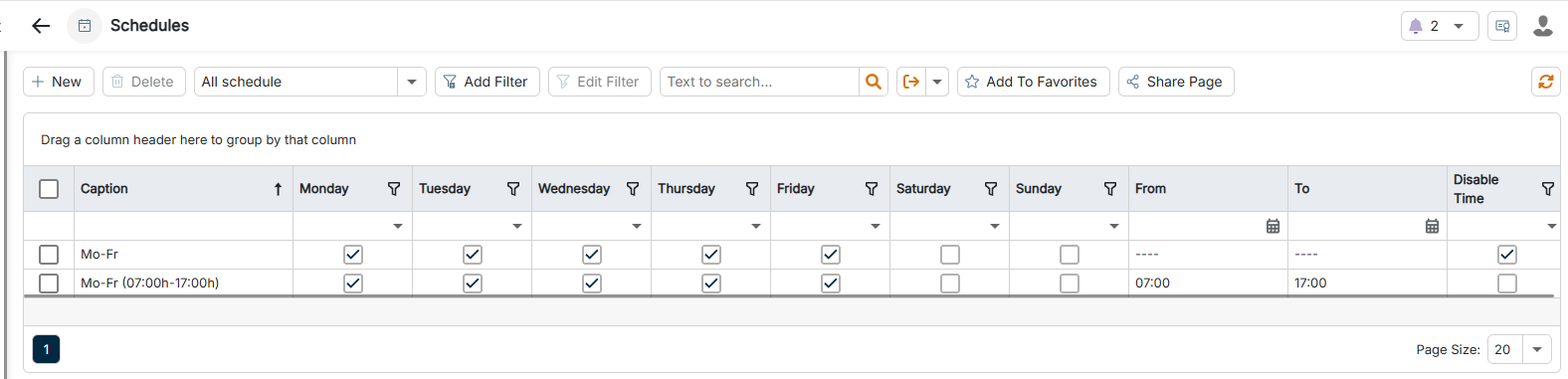
The Schedules workspace can be found under Banking & Cash Management | Channels | Schedules and is displayed as follows, for example:

The Schedules workspace is highlighted in the menu navigation.
'Schedules' workspace in the menu navigation

To create a schedule:

1

Navigate to Channels | Schedules.

2

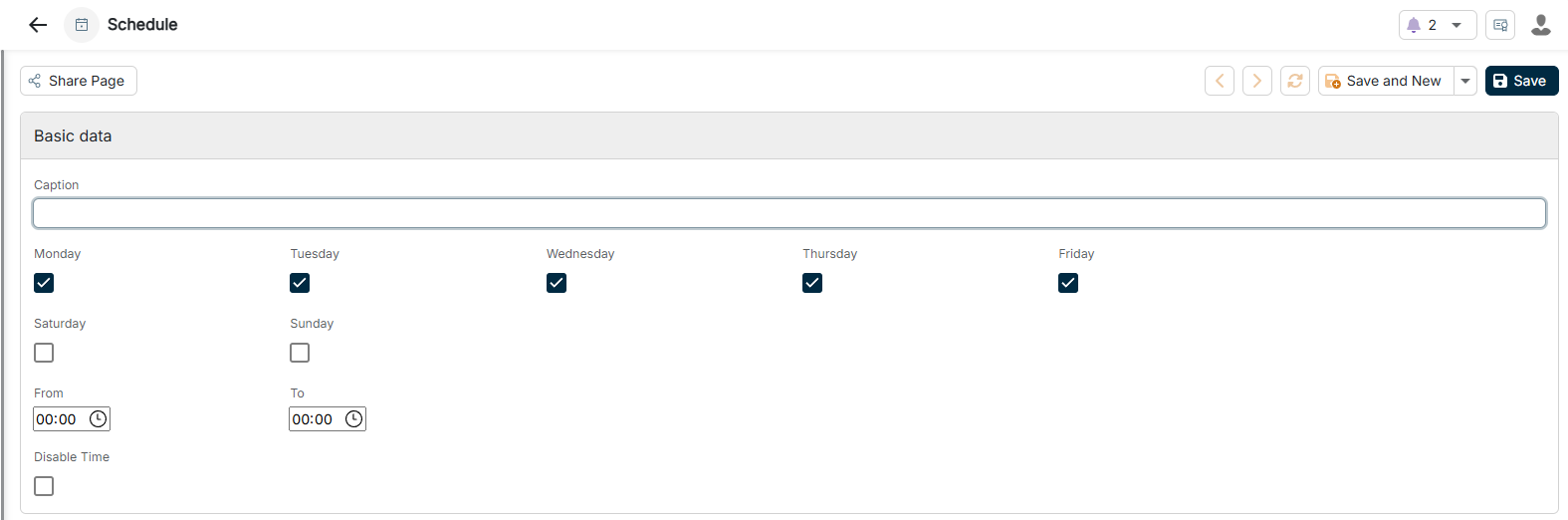
Click the Plus icon in the upper left corner. The configuration of a schedule is displayed as follows:

The configuration of a schedule is displayed.
Configuring a schedule
3

Configure the schedule according to your requirements (see Configuring Schedules).

4

Click Save. With Save and New, you save the schedule and directly create another one.

You can configure the following options for a schedule:

OptionDescription
CaptionUnique name of the schedule
WeekdaysWeekdays on which the schedule applies — Monday to Sunday as individual check boxes. Monday to Friday are activated by default. At least one weekday must be activated.
FromTime in the format HH:MM from which the schedule applies on the selected weekdays. If you activate Time entry disabled, this option does not apply.
ToTime in the format HH:MM until which the schedule applies on the selected weekdays. If you activate Time entry disabled, this option does not apply.
Disable TimeIf activated, the schedule applies all day on the selected weekdays; the From and To options then do not apply.

Last updated on Aug 27, 2026