On this page, you will find information about reporting channels in Lucanet Banking & Cash Management (BCM). A reporting channel defines from which data source and with which layout BCM generates a report or a dashboard. Reporting jobs execute the reporting channels and generate the reports automatically, for example for sending by e-mail. Using schedules, you define when BCM executes the reporting jobs.
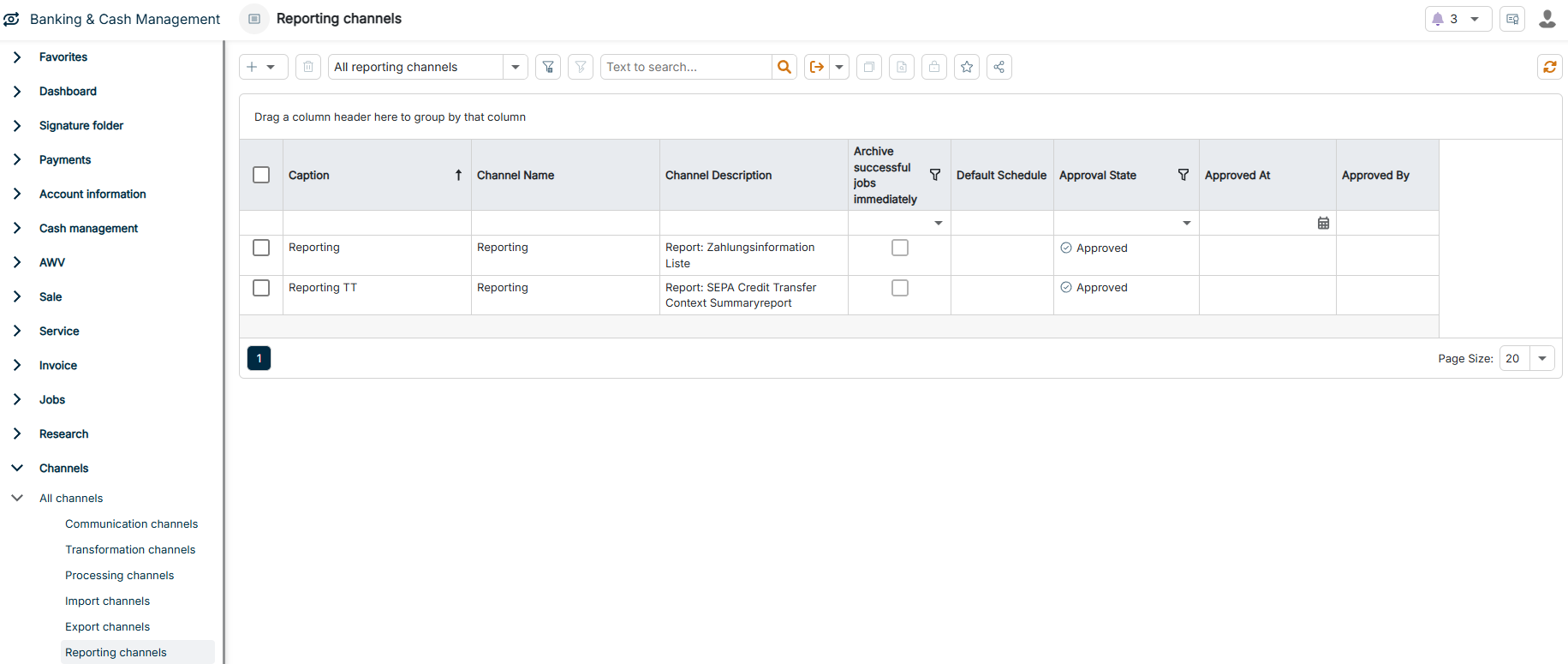
The Reporting channels workspace can be found under Banking & Cash Management | Channels | All channels | Reporting channels and is displayed as follows, for example:
Navigate to Channels | All channels | Reporting channels.
2
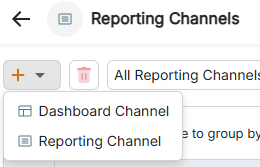
Click the Plus icon in the upper left corner and select the channel type in the drop-down list. For more information, see Available Reporting Channels.
Selecting the channel type of a reporting channel
3
Configure the reporting channel according to your requirements.
The following table provides an overview of the channel types for reporting channels:
Channel type
Description
Reporting channel
Generates reports based on the report layouts predefined in BCM. You select the report, for example a payment information, an account overview, a transaction list, or the INI/HIA letter for EBICS, and the output format: CSV, PDF, HTML, image, MHT, text file, XLS, or XLSX. Optionally, you restrict the report data using filters and define a naming convention for the output files.
Dashboard channel
Generates reports from a dashboard that provide a graphical overview of key figures and data analyses. You select the dashboard layout, the output format image, PDF, XLS, or XLSX, and the page format portrait or landscape. Dashboard channels are suitable for regularly providing management reports.
This content was generated using AI and reviewed by Lucanet subject matter experts before publication.