Processing channels automate business processes and execute specific tasks within Lucanet Banking & Cash Management (BCM). Unlike communication and transformation channels, which focus on data exchange and data conversion, processing channels orchestrate complex workflows and execute rule-based actions.

Main functions:

  • Automation of cash management functions, for example, calculation of account balances and liquidity planning

  • Rule-based execution of actions, for example, the automatic signature of payment orders

  • Integration of different system components

  • Orchestration of complex workflows in group structures

Triggering:

Processing channels start in three ways:

  • Time-controlled: regular execution at defined times, for example, daily balance calculation at 08:00

  • Event-driven: automatic triggering on specific events, for example, automatic signature after job creation

  • Manual: execution on user request

Processing channels often work together with processing rules: Processing rules monitor jobs and trigger the linked channels as soon as a job reaches the defined status.

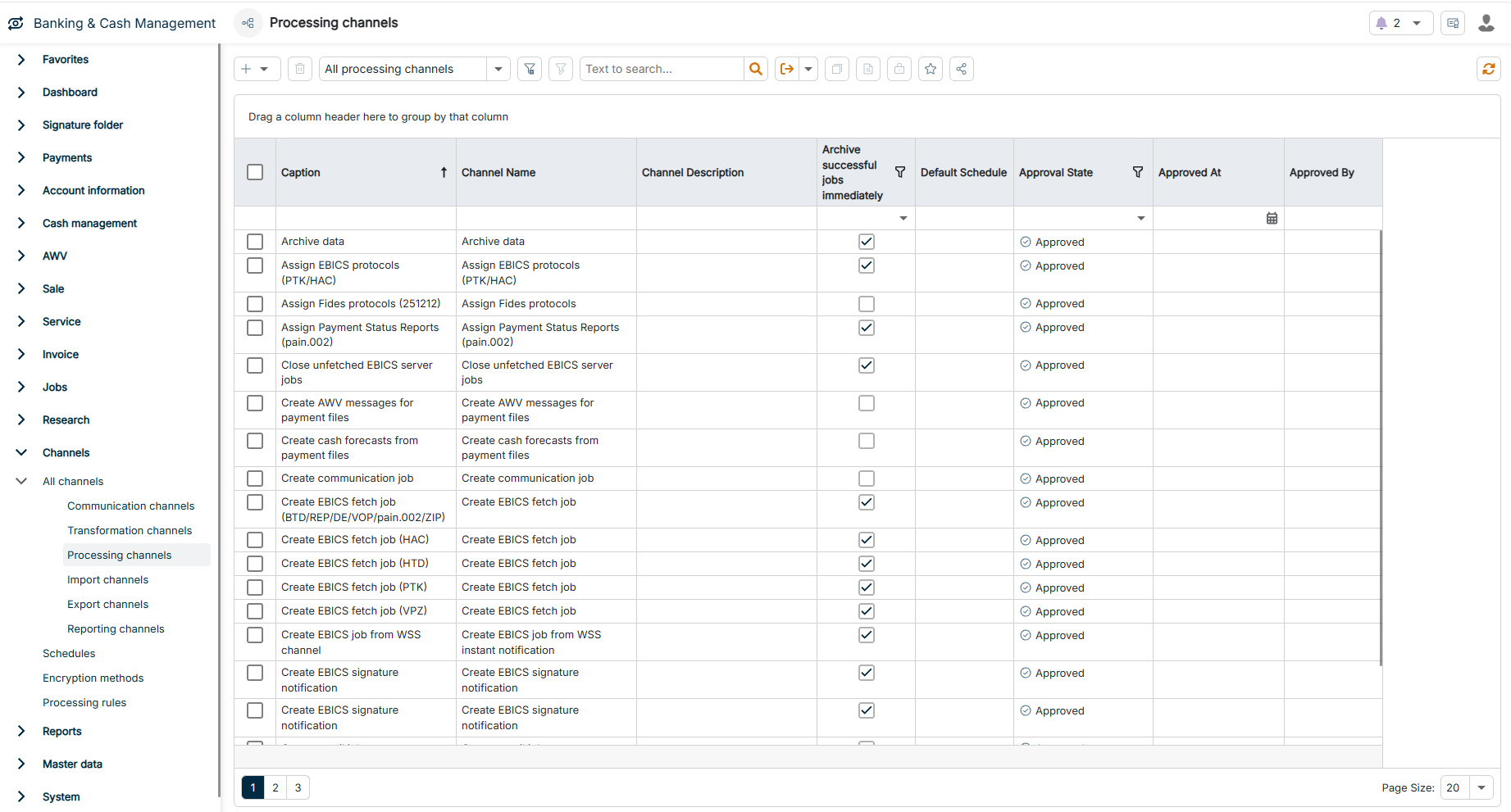
The Processing channels workspace can be found under Banking & Cash Management | Channels | All channels | Processing channels and is displayed as follows, for example:

The Processing channels workspace is highlighted in the menu navigation.
'Processing channels' workspace in the menu navigation

To create a processing channel:

1

Navigate to Channels | All channels | Processing channels.

2

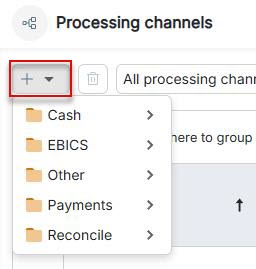
Click the Plus icon in the upper left corner and select the desired channel type in the drop-down list.

The **Plus** icon for creating a processing channel is displayed.
Creating a processing channel

Which channel types you see in the drop-down list depends on your license.

3

Configure the channel according to your requirements.

Processing channels can be divided into five main categories. The following table provides an overview of the categories and their channel types:

CategoryDescription
CashCash processing channels automate liquidity-related processes and calculations. The channels manage account balances, create cash forecasts, calculate interest statements, and generate statutory reports such as AWV reports for cross-border payments.

Available channel types:
- Create AWV messages for payment files (C13409)
- Create AWV reports for account transactions (C13409)
- Provide camt.053 via FileExchange (C13402)
- Create cash forecasts from payment files
- Update cash forecasts
- Create disposition suggestion
- Provide account statement files via FileExchange (C15126)
- Calculate account balances
- Enrich accounting transactions with internal payment information (C14855)
- Transaction determination for the cash pool clearing account
- Delete advice transactions
- Create interest statements
EBICSEBICS processing channels automate EBICS jobs and workflows. The channels automatically create, sign, and manage EBICS jobs, process push EBICS notifications, assign protocols, and support VEU processes (distributed electronic signature).

Available channel types:
- Notification of overdue signatures
- Create EBICS fetch job
- Create EBICS order from WSS real-time notification
- Sign EBICS job
- Sign EBICS job (intra-company payments only)
- Sign EBICS job (direct debits only)
- Sign EBICS job (VEU)
- Assign EBICS protocols (PTK/HAC)
- Create EBICS server job
- Create EBICS signature notification
- Fetch EBICS VEU details (HVD/HVT)
- Sign secondary EBICS VOP job
- Create and sign secondary EBICS job from external job
- Create and sign secondary EBICS job
- Synchronization of push EBICS activation
ReconcileReconcile processing channels automatically reconcile data from different data sources and match cash forecasts with actual incoming and outgoing payments.

Available channel type:
- Open item reconciliation for cash forecasts
OtherOther processing channels handle general automation tasks and cross-functional processes. The channels archive data, create communication and transformation jobs, forward reports, assign permission classes, and integrate external reporting systems.

Available channel types:
- Assign Payment Status Reports (pain.002)
- Archive data
- Create e-mail job
- Add to report archive
- Create communication job
- Create secondary job
- Create transformation job
- Forward file content reports
- Assign permission class for salary payments (SALA)
PaymentsPayment processing channels provide payments from manual payment transactions on a scheduled and rule-based basis — they transfer the payments to the signature folder. The payments are not automatically forwarded to the bank: An authorization is always required first, and the signature channels exist for this purpose. After a successful signature, BCM automatically sends the job to the bank — no channel is required for this.

Available channel type:
- Execute payments