On this page, you will find information about import channels in Lucanet Banking & Cash Management (BCM). Import channels import data such as account statements, advice transactions, currency rates, or cash forecasts into BCM. BCM provides the import channels by default; if required, you create and configure additional import channels of a channel type. BCM does not execute import channels on a schedule itself, but via processing rules that you configure.
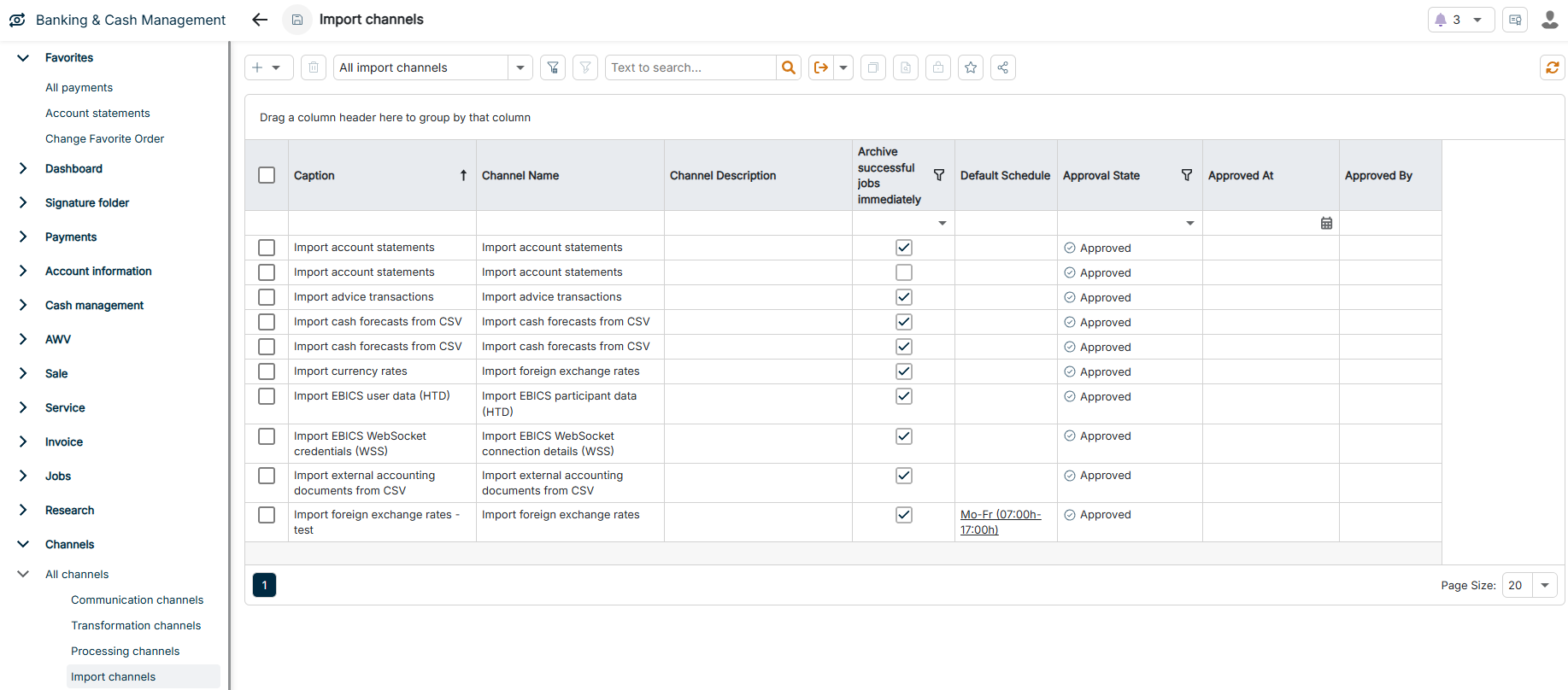
The Import channels workspace can be found under Banking & Cash Management | Channels | All channels | Import channels and is displayed as follows, for example:
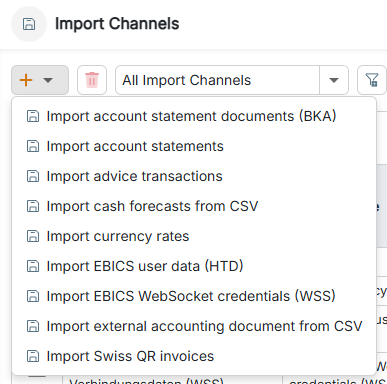
The following table provides an overview of the channel types for import channels:
Channel type
Description
Import account statement documents (BKA)
Imports account statement documents that banks provide as PDF or image files, for archiving and further processing.
Import account statements
Imports account statements in the MT940 or camt.053 format. The account statements contain the posted account transactions with which BCM updates the account balances and the transaction history.
Import advice transactions
Imports advice transactions, that is, transactions not yet posted, in the camt.052 or MT942 format. Advice transactions display upcoming account movements before the bank finally posts them and are included in liquidity planning.
Import cash forecasts from CSV
Imports cash forecasts from CSV files, for example from upstream systems or manual planning. BCM uses the imported cash forecasts for short-term and medium-term liquidity planning.
Import currency rates
Imports current currency rates, in particular the reference rates of the European Central Bank (ECB). BCM uses the rates for the valuation of foreign currency transactions and for currency conversion.
Import EBICS user data (HTD)
Imports the EBICS user data via the EBICS order type HTD. BCM automatically creates the accounts and companies contained in the user data and imports the available order types, permissions, and user details for the EBICS connection.
Import EBICS WebSocket credentials (WSS)
Imports the connection data with which BCM opens a WebSocket connection to the bank. BCM keeps the connection permanently open so that the bank immediately transmits status changes and feedback on real-time credit transfers.
Import external accounting document from CSV
Imports accounting documents from CSV files that originate from upstream systems or manual entries. BCM uses the documents to supplement bank data and to reconcile them with bank data.
Import Swiss QR invoices
Imports QR invoices according to the Swiss standard. The QR code contains all payment-relevant information from which BCM creates payments for manual Swiss payment transactions.
The Export channels workspace is still displayed, but you no longer need it: you set up exports via communication channels, which both retrieve and send data. You cannot create new export channels.
This content was generated using AI and reviewed by Lucanet subject matter experts before publication.