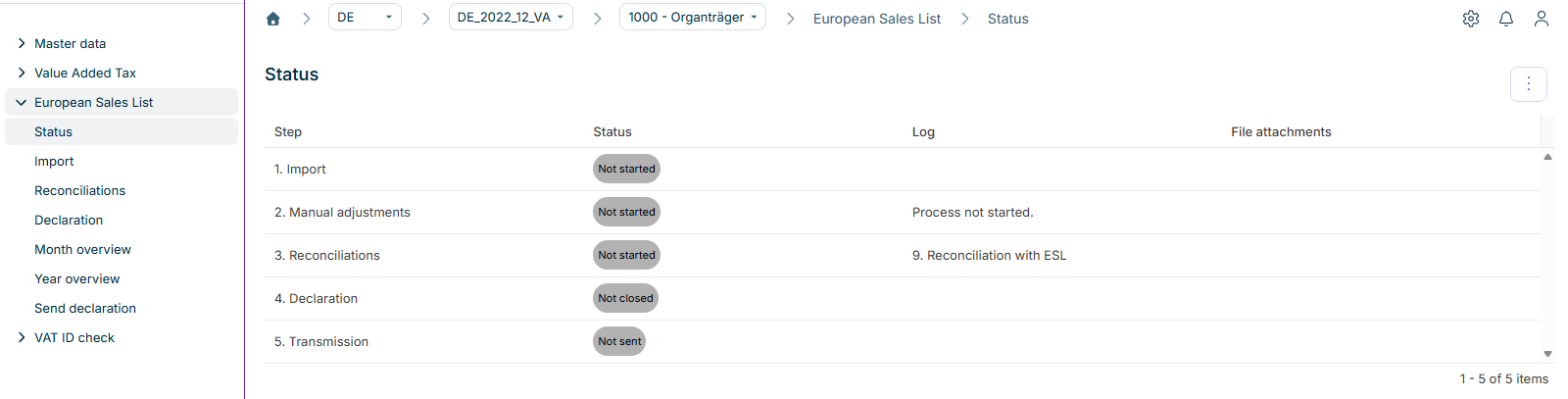
The European Sales List (ESL) in Lucanet VAT (Value Added Tax) is used to monitor intra-Community supplies and services within the European single market. VAT transmits the European Sales List to the Federal Central Tax Office (BZSt). The European Sales List covers the following types of transactions:
Intra-Community supplies (type of transaction: 0)
Services in accordance with sec. 18b sent. 1 no. 2 of the German VAT Act (type of transaction: 1)
Intra-Community triangulations in accordance with sec. 25b para. 2 of the German VAT Act (type of transaction: 2)
In the European Sales List functional area in VAT, you import, check, create, and send the ESL. The workspaces are arranged in the order in which you typically work through the steps of the reporting process.
As a rule, the European Sales List must be submitted monthly by the 25th day of the following month. Depending on the amount of the transactions and the types of services, different deadlines apply. The following table describes the reporting periods of the European Sales List:
Reporting period
Prerequisite
Deadline
Monthly
Standard case for intra-Community supplies and triangulations
By the 25th day of the following month
Quarterly
The total tax bases for intra-Community supplies and triangulations did not exceed EUR 50,000 in any of the four preceding quarters and do not exceed this threshold in the current quarter.
By the 25th day after the end of the quarter
Yearly
No obligation to submit preliminary VAT returns, that is, a previous year's turnover below EUR 1,000, and additional thresholds, including supplies and services below EUR 200,000 and intra-Community supplies below EUR 15,000
By January 25 of the following year
If the transactions exceed the threshold of EUR 50,000 within a quarter, the European Sales List must again be submitted monthly from that point on – for all months of the current quarter.
If a company does not carry out any reportable transactions in a month or quarter, no European Sales List needs to be submitted. A nil declaration is not required.
You configure the reporting frequency in the master data of VAT under Companies.
Provides a tabular overview of the current processing status of the reporting process for the selected company. Displays all steps with their respective status and log.
Enables you to import the ESL data, e.g. the ERP report RFASLM00. VAT imports the data automatically from a network drive, or you import the data manually.
Displays the European Sales List with its entries: VAT ID, country code, amount, and type of transaction. You can transfer entries via the import or add them manually, and finalize the declaration.
Transmits the European Sales List electronically to the Federal Central Tax Office – via the ELMA5 procedure or the ELSTER procedure, depending on the volume. Available for standalone companies and representative VAT group members.
Via company members, VAT merges the data of several company codes into the European Sales List of the superordinate company. As soon as all associated company members have finalized their declaration, VAT transfers the ESL data of the company members into the declaration of the superordinate company automatically.
You do not create corrections in an individual company member, but via the Year overview in the overall declaration.
The transactions reported in the European Sales List must also be declared in the preliminary VAT return – in fields 41, 21, and 42 in accordance with sec. 18b of the German VAT Act. In VAT, you reconcile the two declarations via the configurable reconciliation 9 in the Reconciliations workspace.
This content was generated using AI and reviewed by Lucanet subject matter experts before publication.