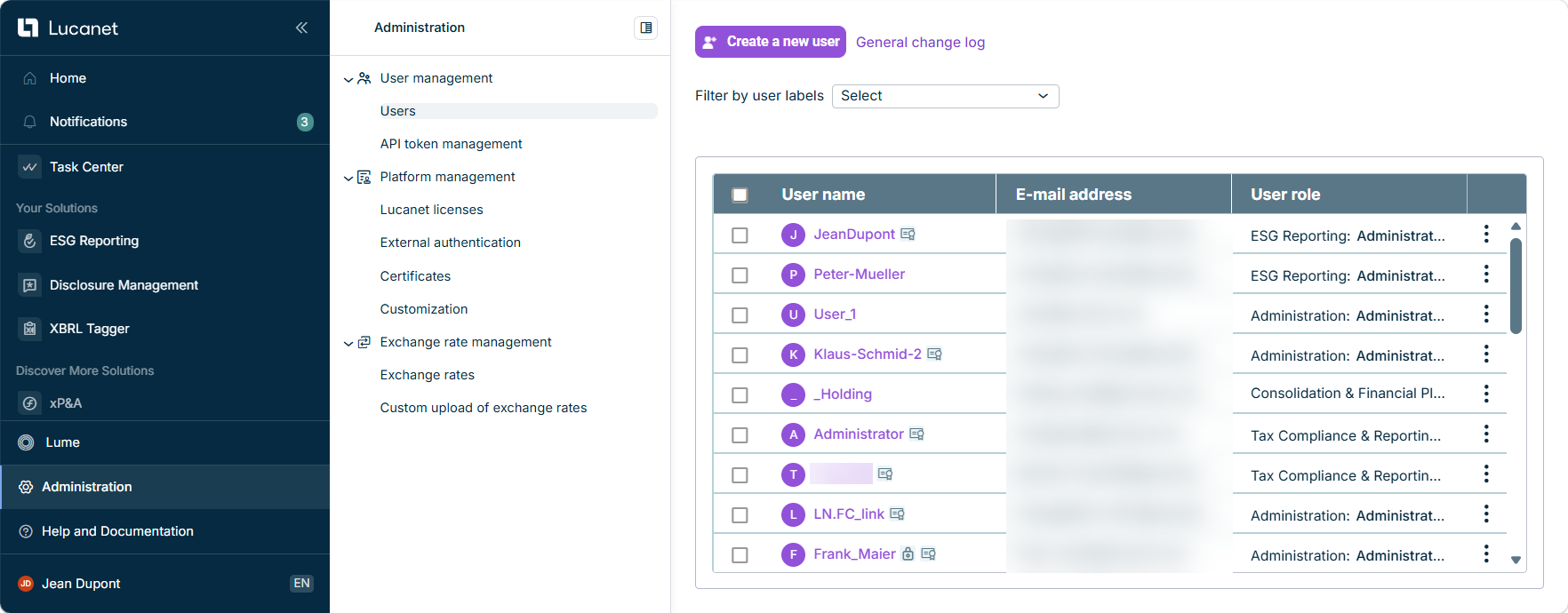
The Administration area of the Lucanet CFO Solution Platform acts as a central hub for user management and the administration of the Lucanet CFO Solution Platform. The Administration area includes the following sections:

  • User Management: In the User management section, you can manage who can access the Lucanet CFO Solution Platform and what they are allowed to do.
  • Managing the Lucanet CFO Solution Platform: The Platform Management allows you to configure central settings for the Lucanet CFO Solution Platform and includes the following workspaces:
    • Managing Lucanet Licenses: The Lucanet licenses workspace provides an overview of your licensed solutions, their license packages, the used license slots per user role, and their licensed units, where applicable.
    • Configuring External Authentication: In the External authentication workspace of the Lucanet CFO Solution Platform, you can activate or deactivate an external identity provider.
    • Generating and Downloading SEA Certificates: In the Certificates workspace, you can generate and download certificates for Lucanet.Script Execution Application (SEA) using instances. These certificates are used to install SEA in Lucanet.Software Manager and to configure SEA applications in the Consolidation & Financial Planning solution of the Lucanet CFO Solution Platform.
    • Configuring Customizations: In the Customization workspace, you can customize certain elements of the Lucanet CFO Solution Platform to match your corporate design.
  • Exchange Rate Management: In the Exchange rate management functional area, you can configure the exchange rates that solutions on the Lucanet CFO Solution Platform use to convert between currencies. For each currency combination, you can choose whether the rates are retrieved automatically from the European Central Bank or from an Excel file that you upload yourself.

Administrative notifications are managed through the Notifications section, where you can view system updates, user management events, and other administrative activities.

Shows the 'Administration' area in the Lucanet CFO Solution Platform with the 'User management', 'Platform management', and 'Exchange rate management' entries in the 'Administration' menu and the 'Users' workspace open, including the 'Create a new user' button, the 'General change log' link, and the user table with the columns 'User name', 'E-mail address', and 'User role'.
User interface of the administration in the Lucanet CFO Solution Platform

The following tiles link to the functional areas of the administration in the CFO Solution Platform:

This content was generated using AI and reviewed by Lucanet subject matter experts before publication.

Page IDKB5478356

Last updated on Oct 8, 2026