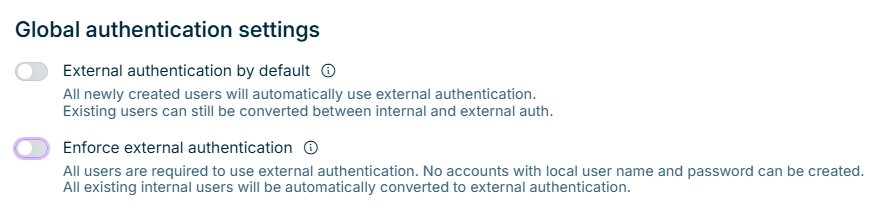
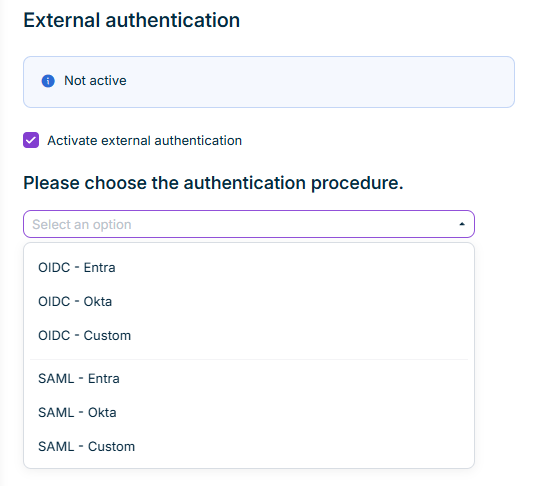
In the External authentication workspace of the Lucanet CFO Solution Platform, you can configure the activation or deactivation of a new External Identity Provider based on your preference. This means that a password no longer needs to be maintained separately for accessing the CFO Solution Platform.

External authentication using OIDC (OpenID Connect) and SAML (Security Assertion Markup Language) is possible for the Lucanet CFO Solution Platform.

To activate external authentication for the Lucanet CFO Solution Platform:

1

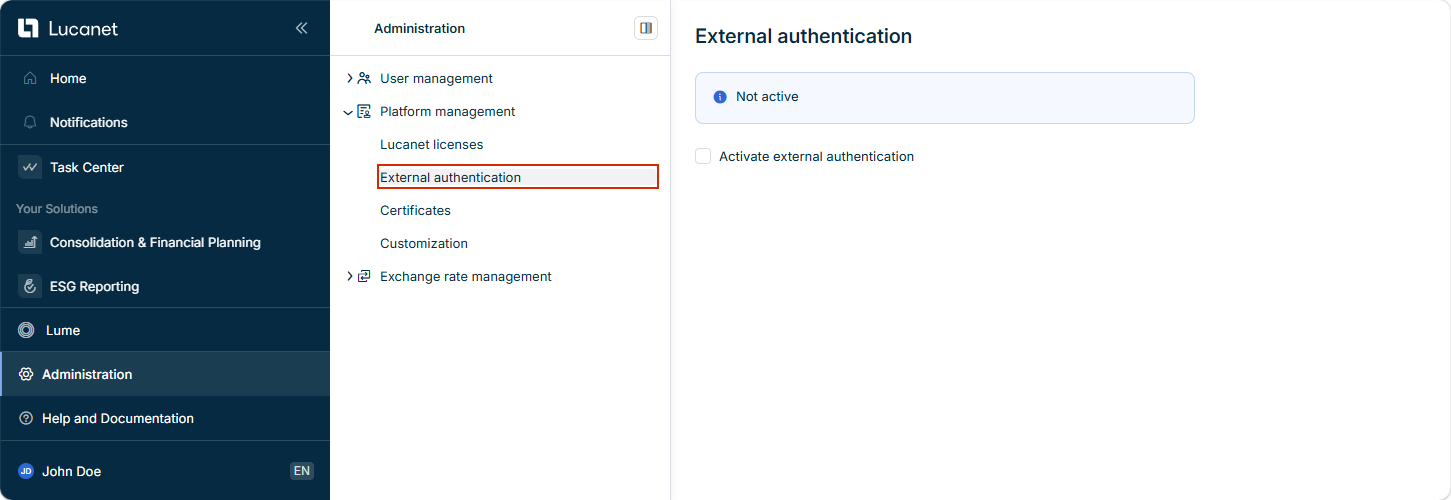
Click Administration.

2

Open the External authentication workspace in the Platform management:

Open 'External authentication' workspace
3

Activate the Activate external authentication checkbox.

4

Select the authentication method to be used and then configure it:

5

Click Apply to save your configuration.

The configurations depend on which authentication method you have selected:

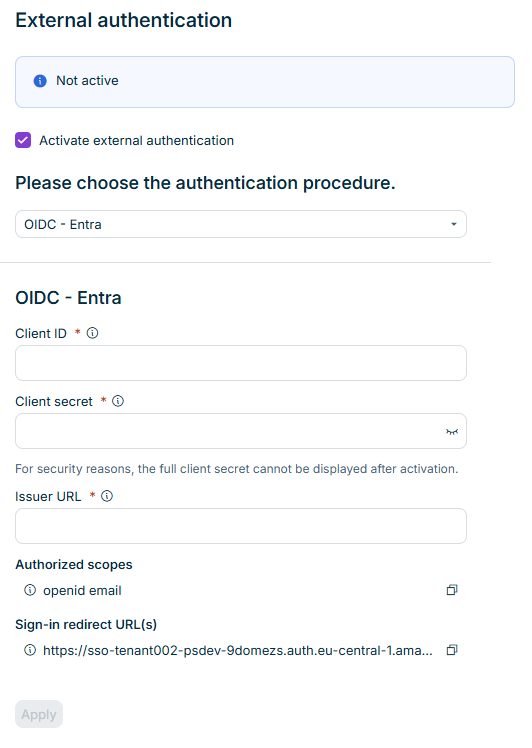
If you have selected OIDC as the authentication method, the following options are displayed:

External authentication with the options to configure 'OIDC'.
Options for the configuration of 'OIDC'

To configure external authentication with OIDC:

Enter the OIDC Client ID.

The client can be represented by different concepts in different identity providers, e.g:

Enter the Secret for the OIDC client.

URL for the OIDC implementation of your identity provider. The issuer URL is the base address from which the known metadata endpoints (including the OIDC configuration and the JSON web key set) are accessible.

The authorized scopes represent the level of access to your users' profiles that is requested by the Lucanet CFO Solution Platform. This must be configured correctly in the OIDC client.

Copy the Authorized scopes displayed and paste them into the configuration of your OIDC client.

The sign-in redirect URL is the address to which users are redirected after authentication with your identity provider. The sign-in redirect URL must be configured in the OIDC client.

Copy the displayed sign-in redirect URL and paste it into the configuration of your OIDC client.

For more information on configuration steps in Microsoft Entra ID/Azure, see Configuring Lucanet OIDC Authentication with Microsoft Entra ID/Azure.

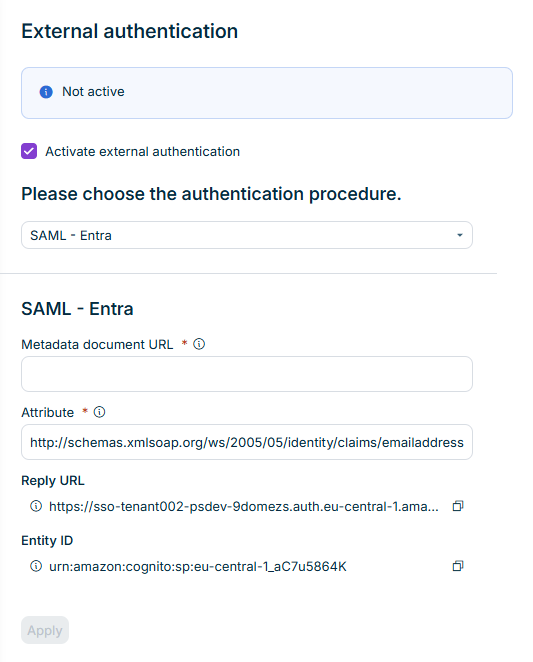
If you have selected SAML as the authentication method, the following options are displayed:

External authentication with the options to configure 'SAML'.
Options for the configuration of 'SAML'

To configure external authentication with SAML:

The metadata document URL is the address via which the SAML configuration document is accessible.

Enter the metadata document URL for the SAML implementation of your identity provider.

Each identity provider uses a different format for the metadata URL, e.g:

  • Microsoft Entra ID: https://login.micro​softonline.com/​ <IYour-Tenant-ID>/Federation​Metadata/​2007-06/​Federation​Metadata.xml?appid=xxxxxx?
  • Okta: https:// <Your-Okta-Domain>/​app/​<app-instance-id>/​sso/​saml/​metadata
  • The name of the e-mail attribute sent by your identity provider to the Lucanet CFO Solution Platform.
  • The canonical name is:
    \
  • The URL to which the SAML response is sent by your identity provider. The reply URL must be configured in the SAML integration for the Lucanet CFO Solution platform.
  • The reply URL is also known as the Assertion Consumer Service (ACS) URL or Single Sign-On URL.

The unique identifier for the service provider for the Lucanet CFO Solution Platform. The service provider must be configured in the SAML integration for the Lucanet CFO Solution Platform.

Copy the displayed Entity ID and paste it into the SAML configuration of your service provider.

For more information on configuration steps in Microsoft Entra ID/Azure, see Configuring Lucanet SAML Single Sign-On with Microsoft Entra ID/Azure.

In order to use external authentication of users, it must be activated in a further step in the properties of the desired user.

To do this, navigate to the User workspace and edit the properties of the users who are to log in to the Lucanet CFO Solution Platform using external authentication. For additional information see Creating and Editing Users for the Lucanet CFO Solution Platform.