This page archives the release notes for older versions of Lucanet Lease Accounting.
The versions of all solutions that you are currently using and those of the CFO Solution Platform are displayed when you select About Lucanet from the Help section in the CFO Solution Platform.
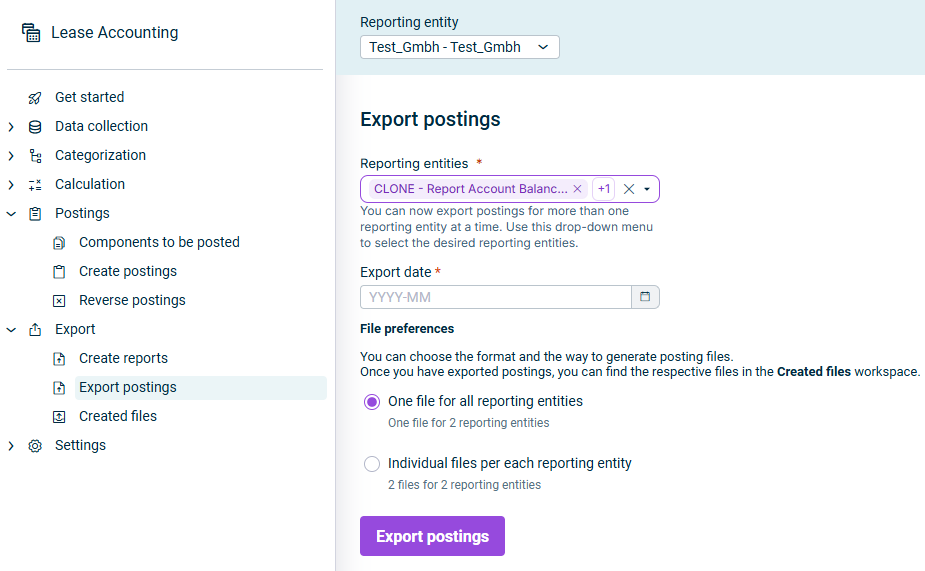
If you use a standalone license for Lucanet Lease Accounting, you can now export postings for more than one reporting entity in a single export. In the Reporting entities drop-down list, select one, several, or all reporting entities. Under File preferences, choose whether to generate One file for all reporting entities or Individual files per each reporting entity.
You can now create the Account balance report for more than one reporting entity at a time. Multiple reporting-entity selection is now available for all report types except Asset register, which is planned for a future release.
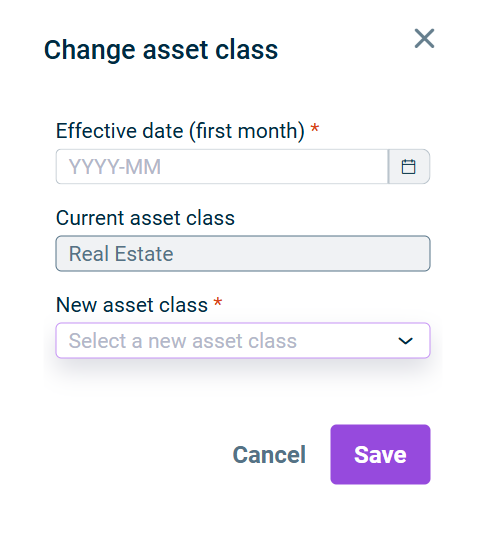
When modifying a calculated contract component, the Underlying asset section now offers a Change asset class modification — for example, to correct a wrongly selected asset class. You can modify the Current asset class by selecting a New asset class and an Effective date to re-classify the component. The change is statistical only: it updates the asset class for classification, grouping, and reporting, and does not trigger a recalculation or affect the interest rate or depreciation.
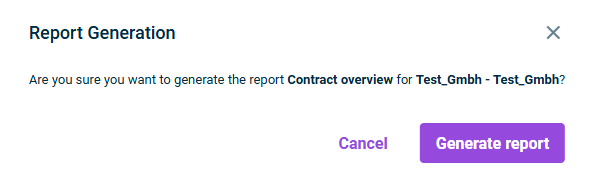
You can now create the Contract overview report for more than one reporting entity at a time, in addition to the Disclosures and Balance values for reference date reports. In the Reporting entities drop-down list, select one, several, or all reporting entities; the data for all selected entities is compiled into a single file, and each entity's data is identified by its name or code.
When you click Generate report, the Report Generation confirmation dialog now appears so you can check your selection before the report is created.
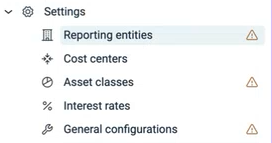
When you open Lease Accounting for the first time, a warning icon now appears next to Reporting entities, Asset classes, and General configurations in the Settings menu until each section is set up. The icon disappears automatically once the section contains data — for example, after you import or create a reporting entity, create an asset class, or save the general configurations.
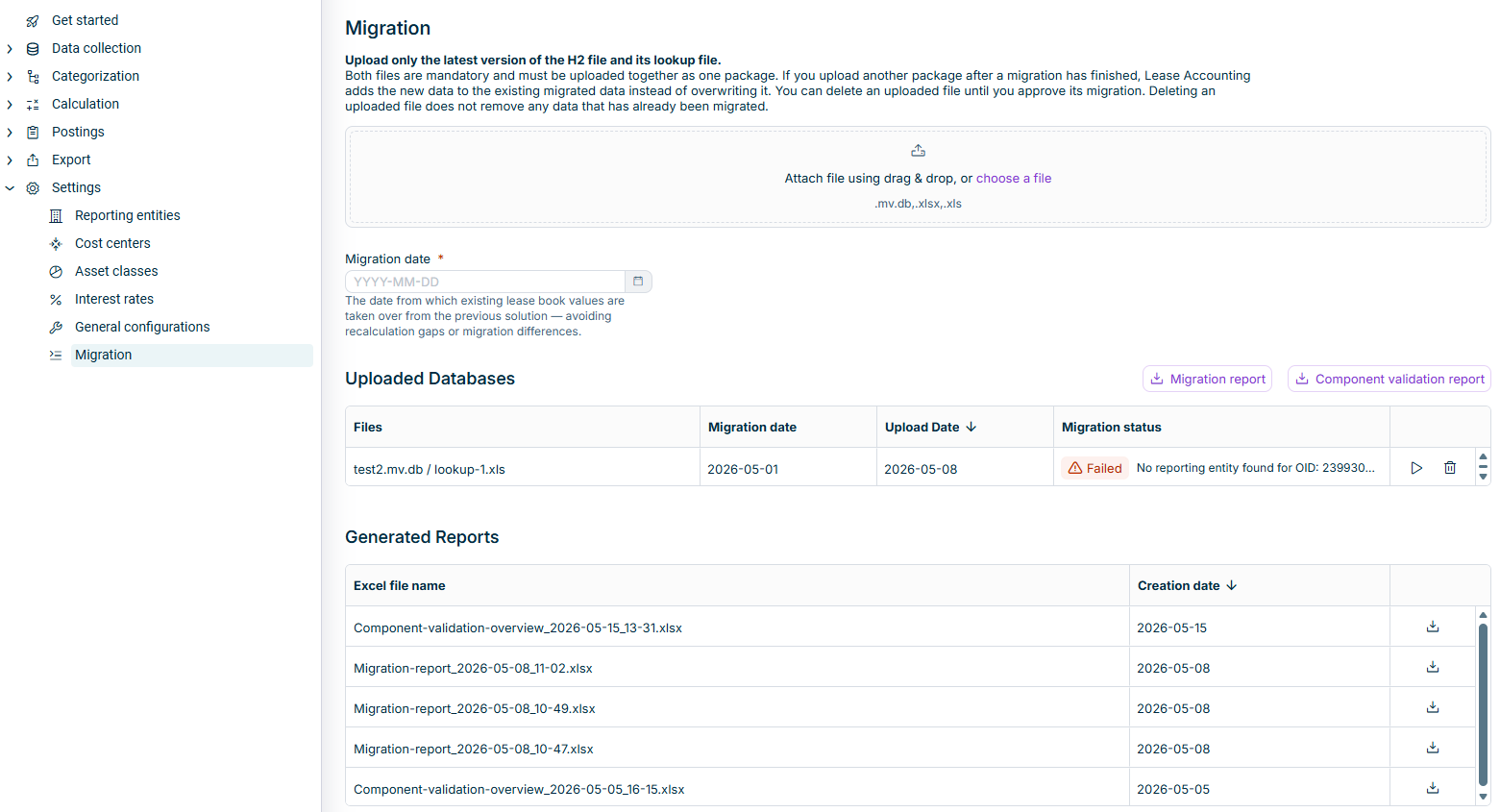
A new Migration workspace under Settings lets you move an existing lease portfolio from the IFRS 16 script into Lucanet Lease Accounting. Upload the H2 database file together with the lookup file (XLS or XLSX format), specify the migration date, and start the migration. After processing, the Migration report and the Component validation report are available as Excel downloads and identify placeholder values, missing mandatory information, and zero amounts.
Migrated lessors, contracts, and contract components are available under Data collection for review and correction. Calculations, postings, and exports remain hidden until you select Approve migration.
The 'Migration' workspace
This functionality requires the Full access administrator, Settings administrator, or Lease operations administrator role.
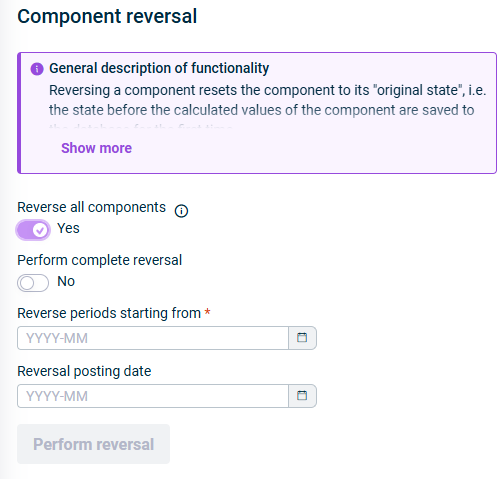
The Component reversal workspace now includes a Reverse all components option. When the option is activated, the Contract and Contract component drop-down lists are disabled, and the reversal applies to all reversible components in the selected reporting entity. After confirmation, Lucanet Lease Accounting processes the components and displays an outcome summary with the total number of processed components and how many succeeded or failed. If any components fail, the summary lists the reason so you can take corrective action.
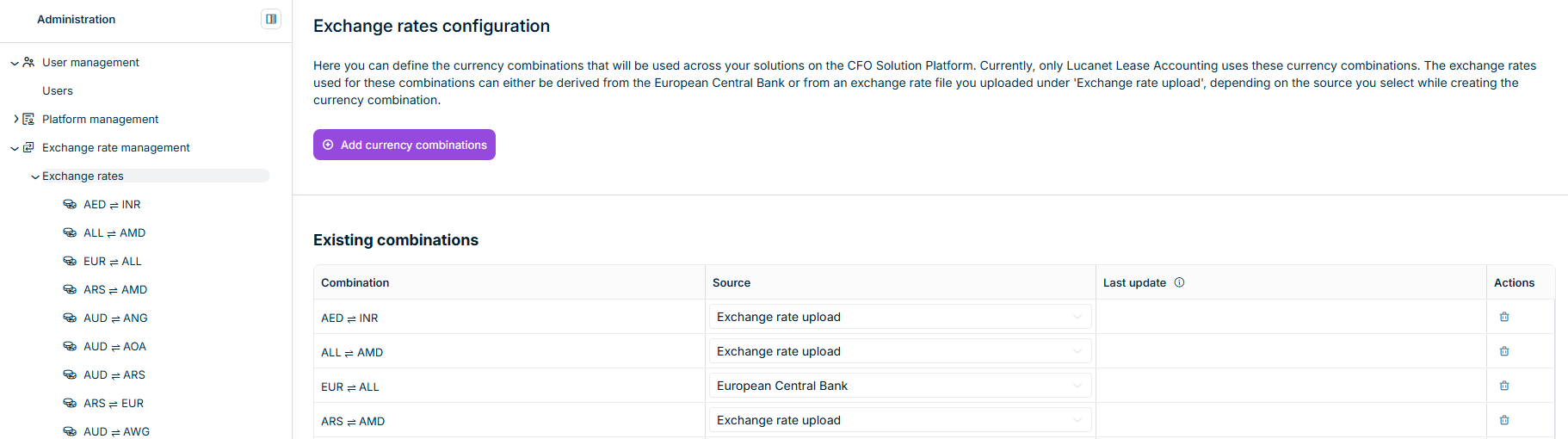
You can now configure the exchange rates that Lucanet Lease Accounting uses to convert between currencies. The new Exchange rate management functional area is available under Administration in the menu of the Lucanet CFO Solution Platform and contains two workspaces:
Exchange rates — used to manage currency combinations and view their stored rates.
Custom upload of exchange rates — used to upload your own exchange rate file and review past uploads.
For each currency combination, you choose whether exchange rates are derived automatically from the European Central Bank or from an Excel file you upload yourself in the Custom upload of exchange rates workspace. Each combination is bidirectional and is shown as a single row in the Existing combinations table. The detail view of a combination lists every stored exchange rate, including date, value, rate type, and source.
The 'Exchange rates' workspace
To use this functional area, your user account must have access to the Administration module in the platform (see User Roles).
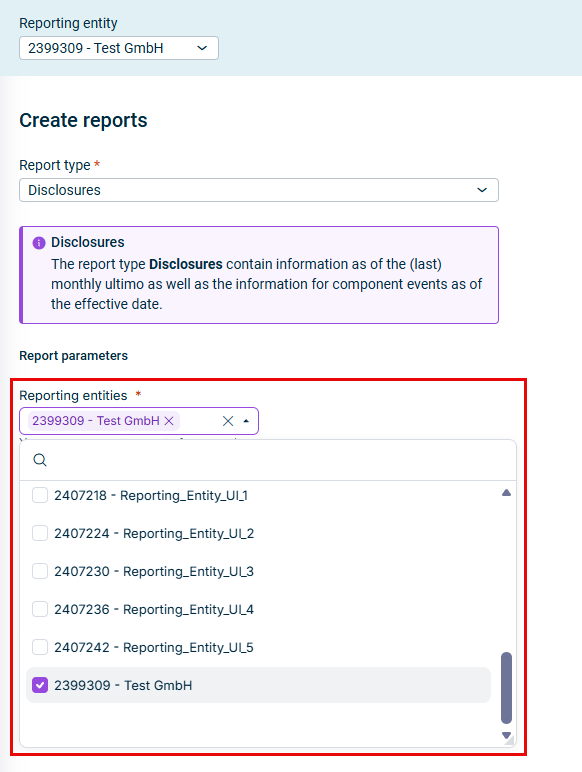
In the Create reports workspace, you can now create the Disclosures report and the Balance values for reference date report for more than one reporting entity at a time. In the Reporting entity drop-down list (default: the entity you are signed into) select one, several, or all reporting entities. After you confirm in the dialog, the report is created for the selected date and data is compiled into one file.
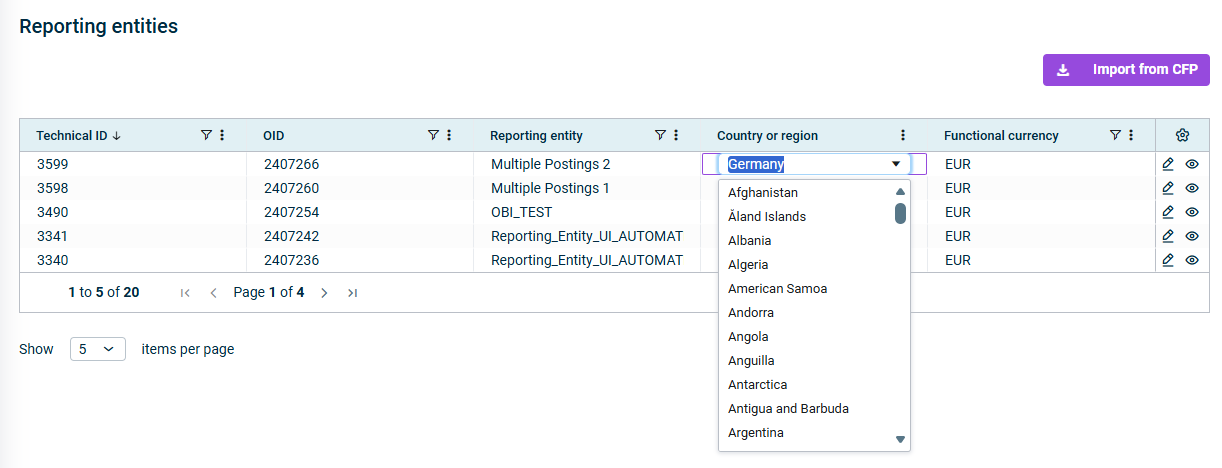
The overview table for Reporting entities is now editable, allowing you to edit the Country or region and the Functional currency fields. This supports bulk updates when many reporting entities are imported from Consolidation & Financial Planning and is especially useful for migrations (e.g. from the IFRS 16 app to the CFO Solution Platform).
Changing details in the 'Reporting entities' table
Please note that the functional currency can only be changed as long as no components have been calculated for a reporting entity.
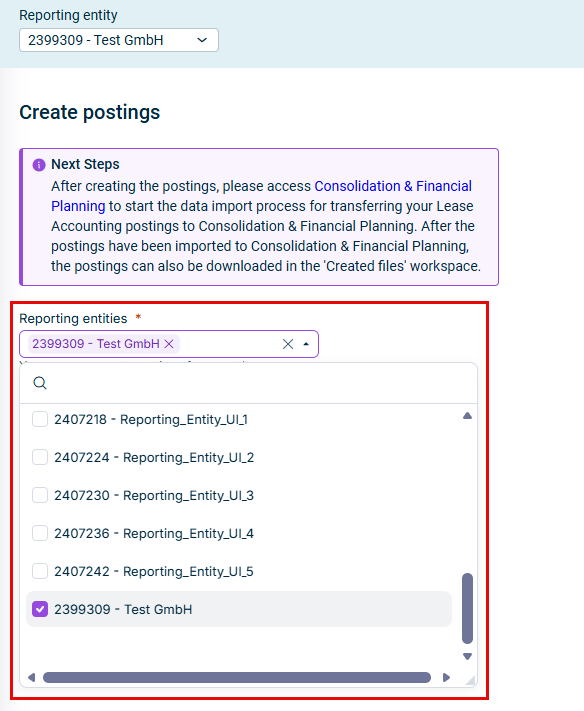
In the Create postings section, you can now create postings for more than one reporting entity at the same time. This reduces repeated runs when postings are needed for many reporting entities.
Creating postings for multiple reporting entities
If you are working with an integration between Lease Accounting and Consolidation & Financial Planning, you can import the created postings via a script for multiple reporting entities simultaneously.
Exporting postings to import them in other systems is still only possible per reporting entity only; but a multi-entity export of postings is planned for a future release.
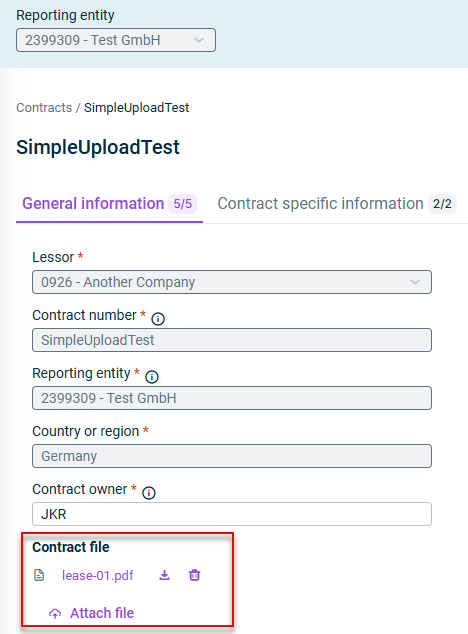
You can now attach PDF files directly to lease contracts, making it easier to keep all contract documentation in one place. This feature allows you to:
Upload files when creating a new contract or editing an existing contract (PDF format, maximum 25 MB per file)
View and download attached files in view mode
Remove files when editing a contract
Identify contracts with attachments at a glance - an attachment icon appears next to the Contract ID in the Contract overview table
This enhancement streamlines document management by keeping contract files directly associated with their respective lease contracts within the Lease Accounting solution.
Two new modification parameters have been added to provide more comprehensive lease accounting capabilities:
Proportional Scope Reduction: This modification parameter allows you to reduce lease values by a specific percentage starting from an effective date. The reduction applies to the Gross liability, Net liability in the Lease liability table, and Carrying Amount IFRS in the Right-of-use asset table in the Calculation Preview. This is useful for scenarios where the scope of a lease is partially reduced.
Add/Edit Asset Retirement Obligation: You can now add or edit asset retirement obligations for lease components. This modification increases the Right-of-Use asset value without affecting the Lease liability. The currency field defaults to the functional currency and cannot be changed. This feature ensures accurate accounting for obligations related to restoring leased assets at the end of the lease term.
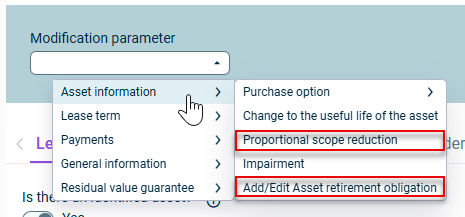
Both modification parameters are available under Asset information when modifying calculated components:
The new modification parameters under 'Asset information'
Import templates are now available in Excel format in addition to CSV, making automatic data import easier. The templates include new fields to streamline bulk data imports:
Component currencyfield: Specify the currency for each component during import (positioned after the End date column)
Interest ratefield: Enter interest rates directly in templates (positioned after the Asset Class column)
Lease Accounting now supports automatic translation of components in different currencies, allowing you to manage multi-currency leases seamlessly. This comprehensive feature includes two key capabilities:
Component Currency Selection
When creating or editing lease components, you can now select the currency in which the component should be calculated. The Component currency field provides a dropdown menu with multiple currencies, allowing you to specify the original currency for each component.
Currency Display Options in Reports
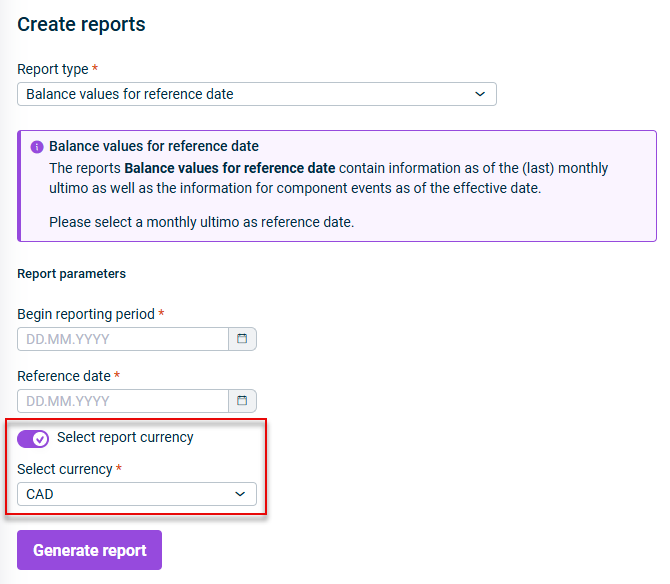
Reports now offer flexible currency display options, allowing you to view lease data in your preferred currency. When generating reports, you can:
Enable currency conversion using the Select report currency option (enabled by default)
Choose a reporting currency from the dropdown menu
View data in contract currencies by disabling the Select report currency option - each contract's values appear in its original currency
By default, the currency of the contract component is applied.
The Functional currency field in the Reporting Entity workspace can now be edited as long as no calculations have been performed for that reporting entity, regardless of whether active components exist. Once calculations are performed, the functional currency becomes locked and cannot be changed.
This change provides greater flexibility during the initial setup phase while maintaining data integrity after calculations begin.
The role-based permission system in Lease Accounting enables administrators to control access to specific functions and data within the solution with the following six predefined roles:
Data collector - Designed for users responsible for gathering and entering lease contract information
Executive reviewer - Intended for users who oversee lease accounting processes, approve critical operations, and perform final steps including posting
Lease operations administrator - For users who manage day-to-day lease accounting operations with extensive functional access
Auditor- Provides comprehensive read access across the system for audit and compliance purposes
Settings administrator - Specialized for users responsible for system configuration and maintenance
Full access administrator - Provides the highest level of system access for comprehensive administration
By assigning appropriate roles to users, you can optimize workflows, increase data security, and provide tailored user experiences that align with operational requirements.
Use the Administration section of the Lucanet CFO Solution Platform to assign user roles (see User Management).
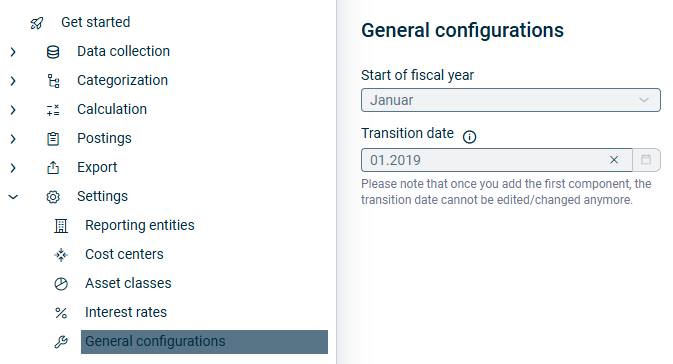
The General configurations workspace provides essential system-wide settings that establish the foundational parameters for your lease accounting processes. The general configurations must be completed before you can create your first contract components, as they define critical operational parameters that cannot be modified once lease data collection process begins.
The General configurations workspace allows you to enter the start of fiscal year and transition date for your lease accounting setup:
Start of fiscal year - Defines when your organization's fiscal year begins, essential for accurate lease accounting calculations and reporting periods
Transition date - Establishes the date when your organization transitions to IFRS 16 lease accounting standards
The CSV import template now includes an additional field for cost centers, ensuring that cost centers can be assigned to components when contract components are imported via the CSV interface.
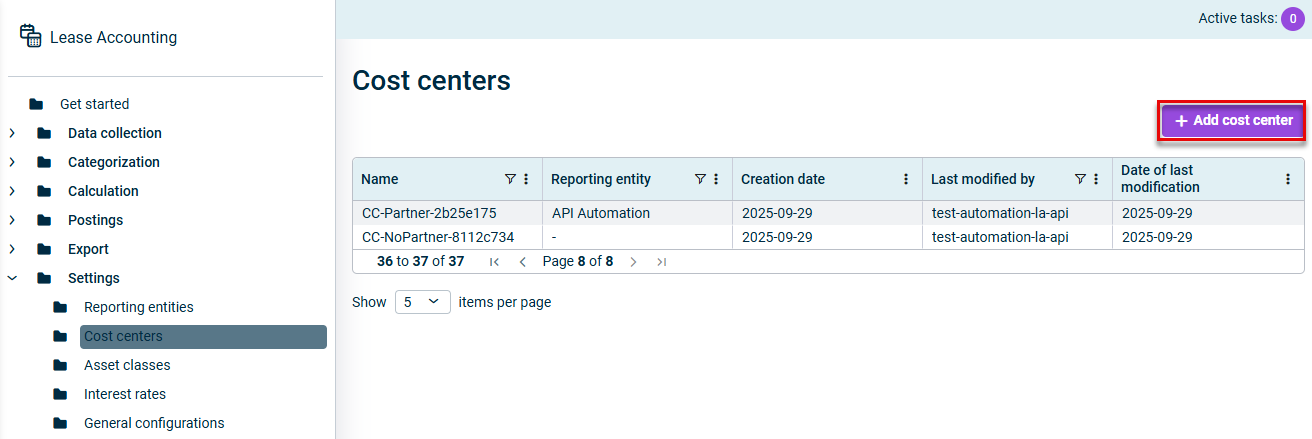
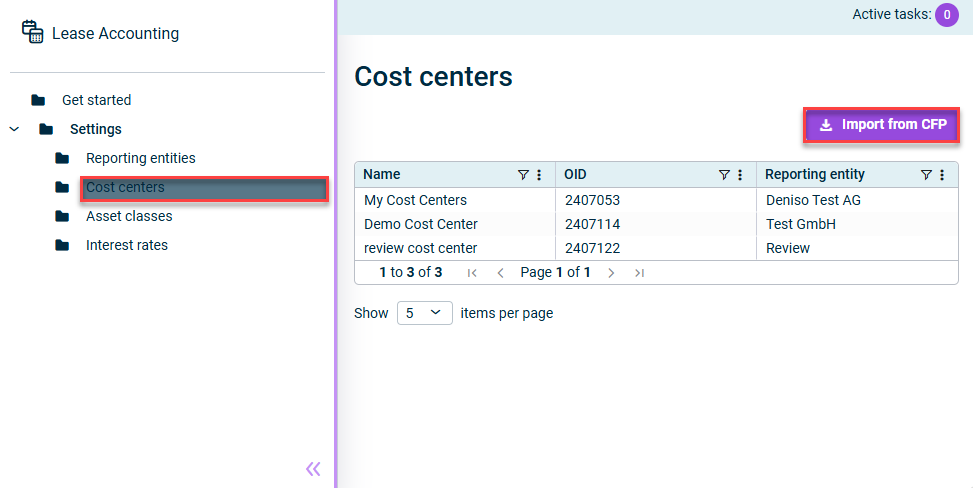
Users with a standalone license for Lucanet Lease Accounting can now create cost centers directly within Lease Accounting. Cost centers can be created under Settings | Cost centers.
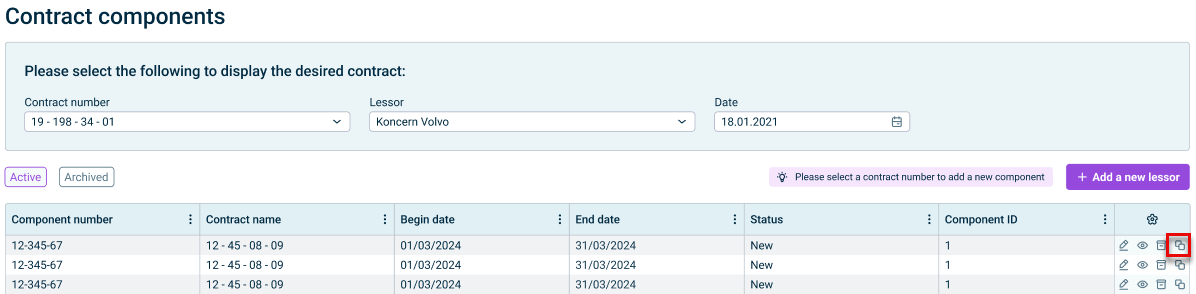
This functionality has been added to the table in Contract components, allowing users to duplicate existing components for improved efficiency. You can copy data from any non-calculated component to create a new one, then edit the copied component as needed, including updating the component number and cost center. This feature streamlines data entry when creating similar components.
You can now export the calculated values from the calculation preview table as a CSV or Excel file by right-clicking any row and selecting Export | CSV export or Excel export. This enhancement provides greater flexibility for data analysis and reporting workflows.
It is now possible to import cost centers that have been created for reporting entities in the Consolidation & Financial Planning directly into Lucanet Lease Accounting. This feature ensures that your financial and lease data are interconnected, allowing for more comprehensive reporting and analysis. The import is performed in the Cost Centers area in the Settings workspace.
As of now, users who solely operate our Lease Accounting solution can manually enter reporting entities as lessees. The feature is designed to effortlessly create and manage reporting entities, offering a streamlined experience even without the integration with Lucanet Consolidation & Financial Planning.
We are introducing a new feature that enables direct import of postings created in Lease Accounting into Lucanet Consolidation & Financial Planning. Designed to enhance integration within the CFO Solution Platform, this tool ensures a smooth connection between your lease data and Consolidation & Financial Planning.
The import is performed via a script in the Importing data into reporting entities workspace. For more information, please contact our support or your Professional Service contact.
As of now, the following reports can be created and downloaded in the Export workspace:
Asset register report summarizing all the assets and asset-related information that have been created in Lease Accounting.
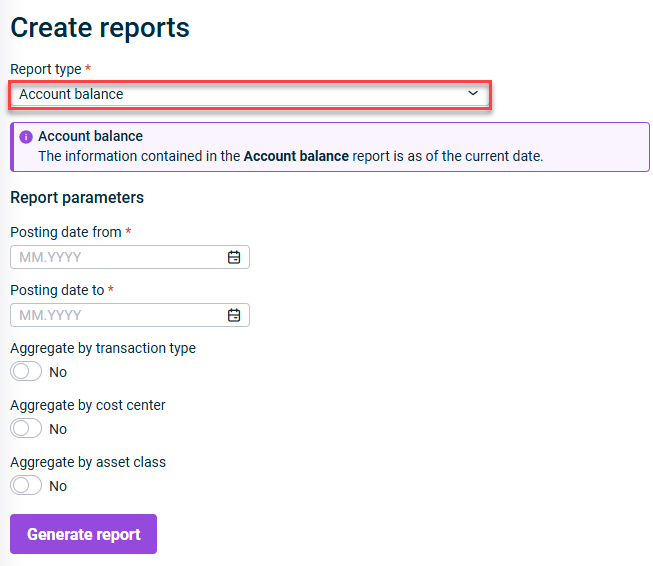
Account balances report showing the balances for each account, aggregated by transaction type, cost center and/or assets class. This report allows a reconciliation of the balance in the Lease Accounting database with the balance of the accounts in the balance sheet to make sure that both are in line and postings are complete.
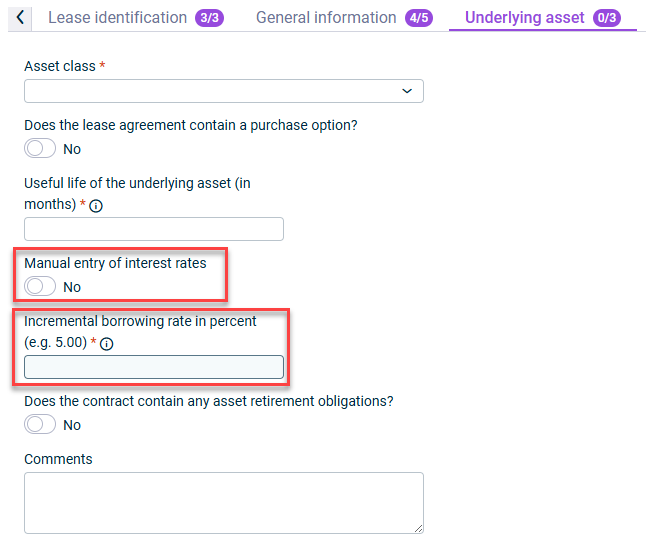
We are introducing a new feature that provides greater flexibility and control by allowing users to manually enter interest rates during the creation or modification of contract components. This manual entry will override any pre-configured interest rates, if any were set.
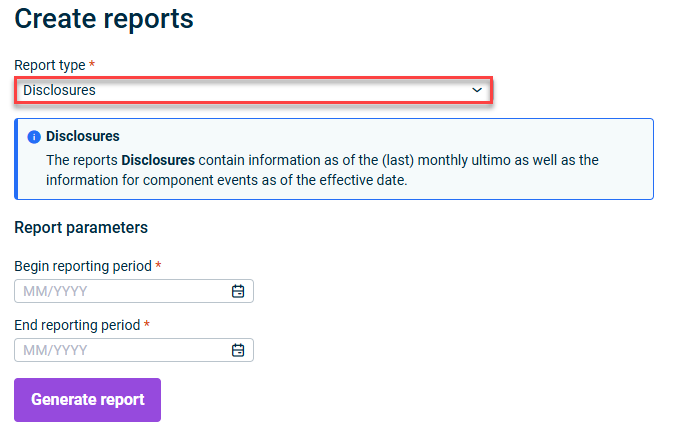
The Disclosures report is designed to help users meet IFRS 16 requirements efficiently. It offers a detailed breakdown of lease liabilities and assets for individual reporting entities, enhancing transparency and compliance.
Creating a Disclosures report
This content was generated using AI and reviewed by Lucanet subject matter experts before publication.